ECO 2 Ultrasound Diagnostic System
Page 73 / 189
6.7.1 HIP Angle
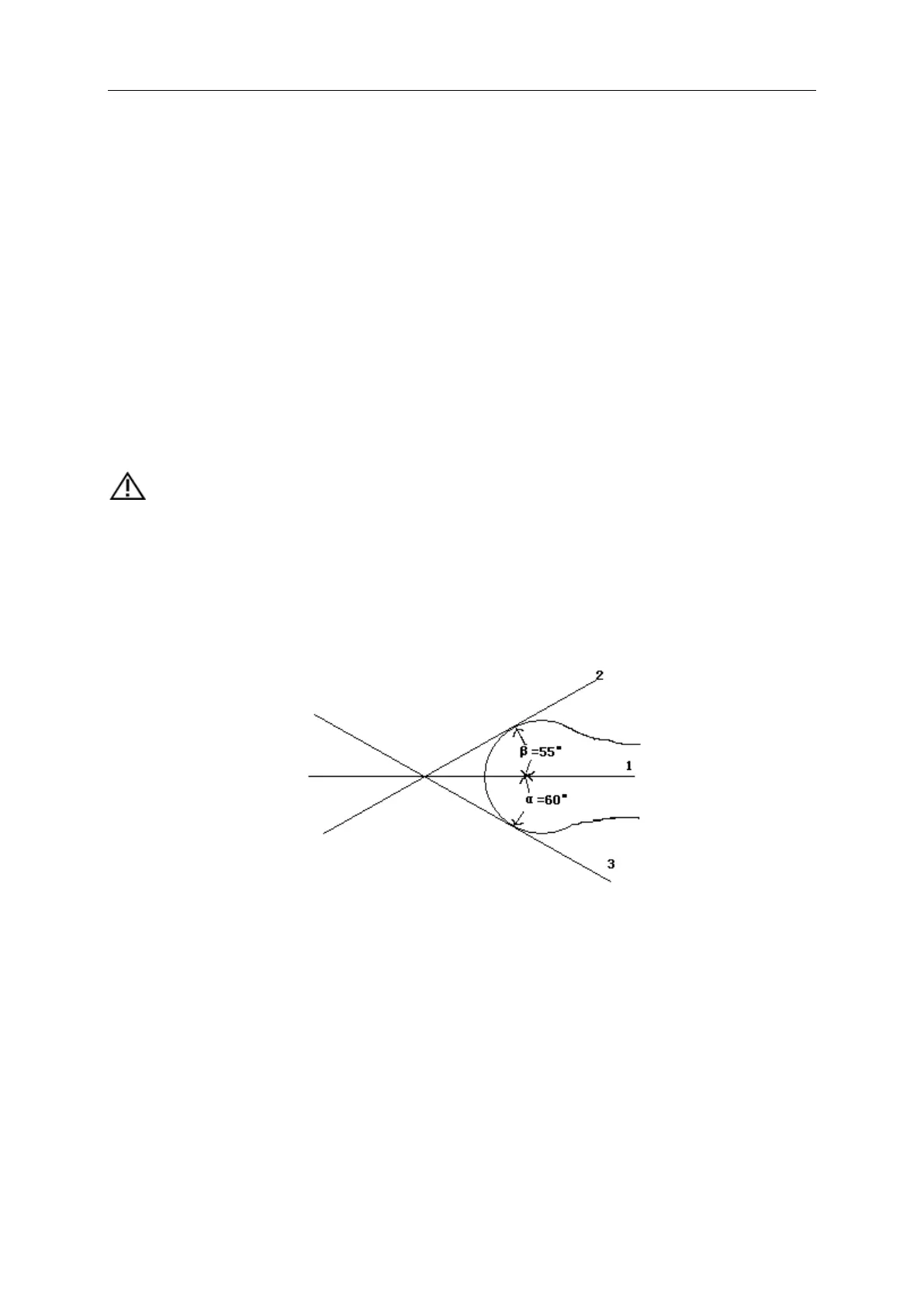
HIP function is used for evaluating the fetal hip growth. In order to make calculation, three lines
need to be added on the image, which is to conform to the fetal anatomic structure. The system
will calculate and display two angles for doctor’s reference.
Measurement steps:
1. Choose [HIP Angle] menu item, and click it to enter into measurement.
2. Click on the line image region, and appear one line with"+" .Move the line to the target
measurement region.
3. Rotate [MENU] knob to adjust the line angle, press [ENTER] key to fix the line.
4. Then appear the second line, adjust the line according to the step 3, and fix the line.
5. Fix the 3 lines, the measurement results of the angle appear in the district.
CAUTION:
D 3 shows bias line between protruding of conjunction and acetabular bone
D 2 shows direct line between osileum and acetabular bone
D 1 shows base line between cotyle, joint purse, gristle periosteum and ilium.
β is the angle between D1 and D 2 (acute angle);α is the angle between D 1 and D 3(acute angle).
Fig. 6-1 HIP angle
6.8 GYN Measurement
GYN measurement includes measurement of UT-D (uterus diameter), ENDO (endometrium),
CX-L (Uterine cervix length), LEFT OV and RIGHT OV (volume of left and right ovary) and LEFT
FO and RIGHT FO (left and right follicle). The result will be calculated and displayed automatically
on the screen by measuring relevant parameters.
Freeze the required image under GYN examination, then press [Calc] to enter into GYN
measurement status.



 To Next Page