3-11
Cisco IAD2430 Series Integrated Access Devices Software Configuration Guide
OL-4306-03
Chapter 3 Configuring with the Command-Line Interface
Configuring T1/E1 Interfaces
Configuring Digital Voice on T1/E1
Digital voice is supported by both ISDN and PRI signaling. This section covers the following topics:
• Configuring Switch Types for ISDN PRI Q.931 Support
• Configuring DS0 Groups for CAS
For more information on configuring ISDN voice interfaces, see the Basic ISDN Voice-Interface
Configuration document.
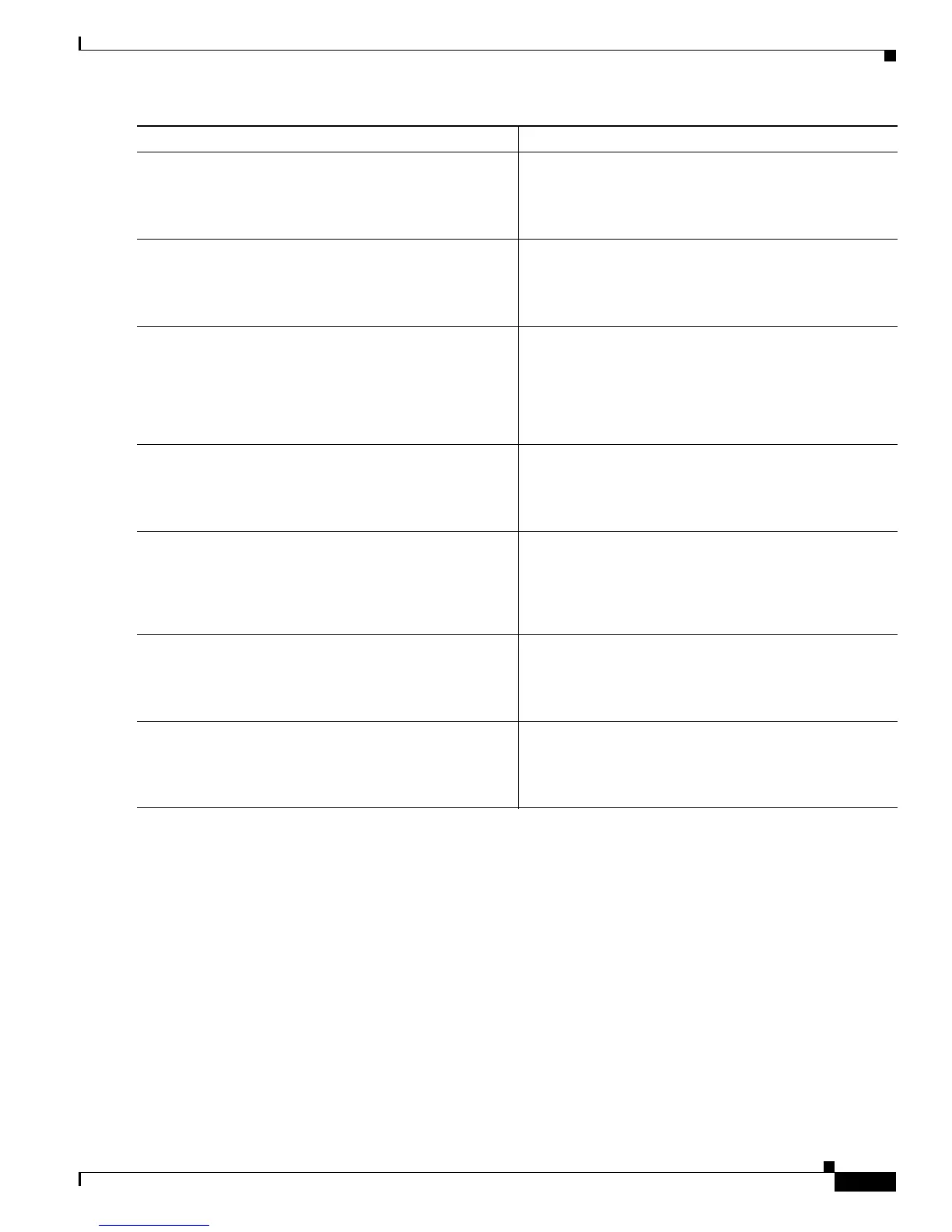
Step 5
mode {atm|t1|e1}
Example:
Router(config-controller)# mode t1
Specifies that the full T1/E1 line is used as the channel
group mode.
Step 6
controller t1
slot/port
Example:
Router(config)# controller t1 0/2
Specifies the T1 interface for control.
Step 7
channel-group
channel-group-number
timeslots
range
Example:
Router(config-controller)# channel-group 1
timeslots 1-24
Specifies the channel group and time slots to be mapped.
Step 8
interface
type number
Example:
Router(config-controller)# interface serial 1/0:0
Configures each channel group as a virtual serial
interface. Specifies the T1/E1 interface, unit number, and
channel group to modify.
Step 9
ip address
ip address subnet mask
Example:
Router(config-if)# ip address 10.1.15.1
255.255.255.0
Assigns an IP address and subnet mask to the interface.
Step 10
exit
Example:
Router(config-if)# exit
Exits to global configuration mode.
Step 11
Ctrl-z
Example:
Router#
Returns to enable mode when you finish configuring
interfaces.
Command or Action Purpose



 To Next Page
 Loading...