Need help?
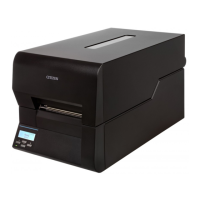
Do you have a question about the Citizen CL-E720DT and is the answer not in the manual?
Detailed specifications for printing, media, and barcode emulation.
Explains the functions of key printer mechanisms like media feed and print head.
Describes the printer's internal configuration, CPU, memory, and various circuits.
Essential safety guidelines and warnings before performing maintenance.
Detailed procedures for disassembling and reassembling major printer parts.
Steps for adjusting sensor position and sensitivity after part replacement.
Lists error messages, corresponding LED/LCD indicators, and corrective steps.
Provides a systematic guide for diagnosing and resolving common printer issues.
Addresses issues related to the printer not powering on, checking connections and voltage.
Solutions for issues like no media feed, irregular pitch, or media jamming.
Diagnoses and resolves issues related to media detection sensors (head open, label detection).
 General
| Brand | Citizen |
|---|---|
| Model | CL-E720DT |
| Category | Label Maker |
| Language | English |

 To Next Page