Chapter 4: Using the web interface
98-129217-D Setting up the interfaces 93
Configuring the I/O interface
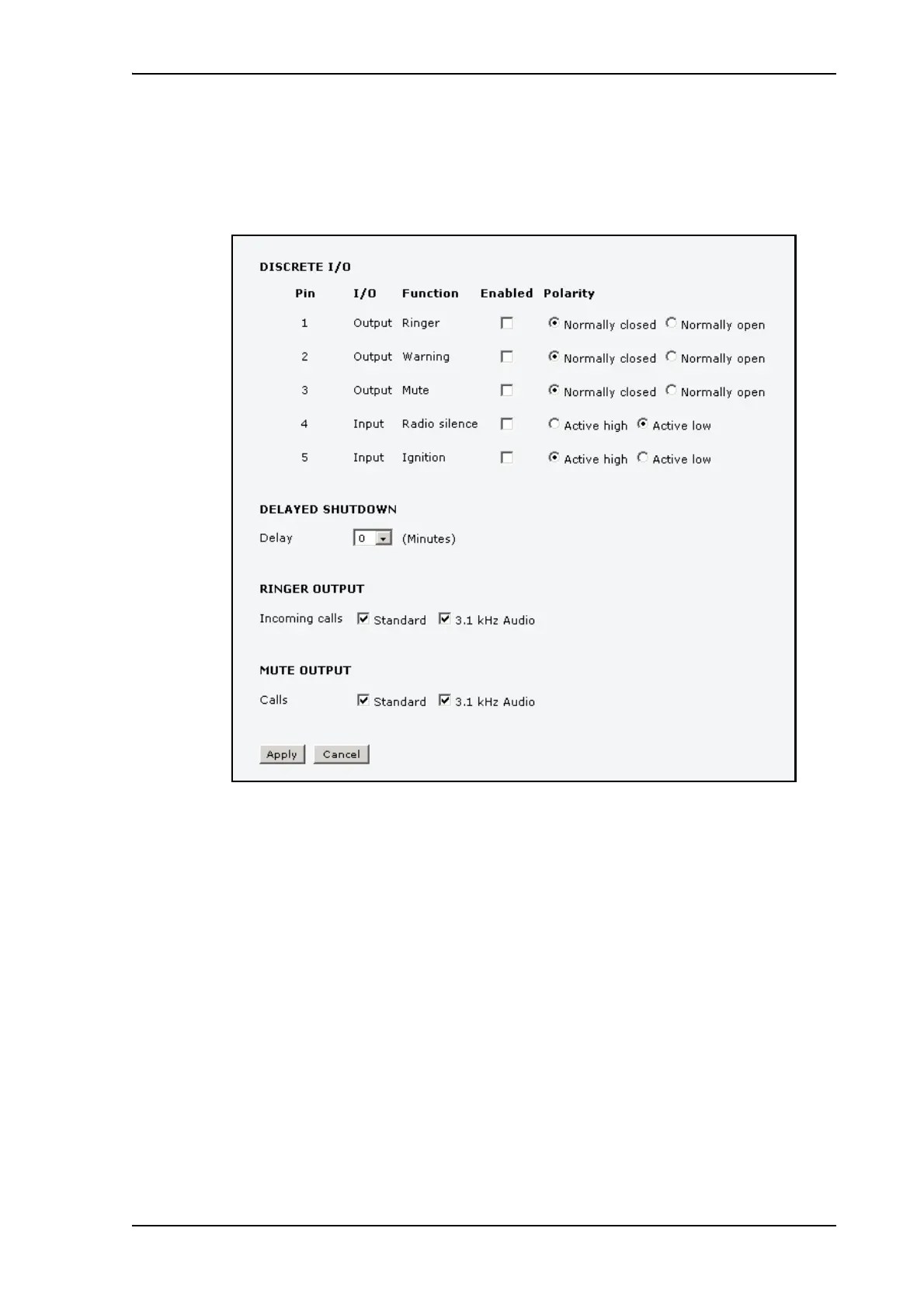
To configure the I/O pins, do as follows:
1. Select SETTINGS > Discrete I/O.
2. For each pin you want to use, select Enabled.
3. For each pin, select the function of the pin. Refer to the previous section, I/O pins and
their functions on page 91.
4. If you are using the Ignition function and you want the terminal to stay on for a few
minutes after the Ignition is switched off, enter the number of minutes under DELAYED
SHUTDOWN.
For further information on the Ignition function, see Using the ignition system on
page 13.
5. If you are using a ringer output, select the incoming call types that should activate the
ringer under RINGER OUTPUT.
6. If you are using a Mute output, select the call types (both incoming and outgoing) that
should activate the Mute function under MUTE OUTPUT.
7. Click Apply.











 To Next Page