Chapter 4: Using the web interface
98-129217-D Setting up the interfaces 94
Setting up Tracking
The SAILOR FleetBroadband system can be used for tracking purposes. You can set up the
terminal to report to a server at certain time intervals or after moving a specified distance.
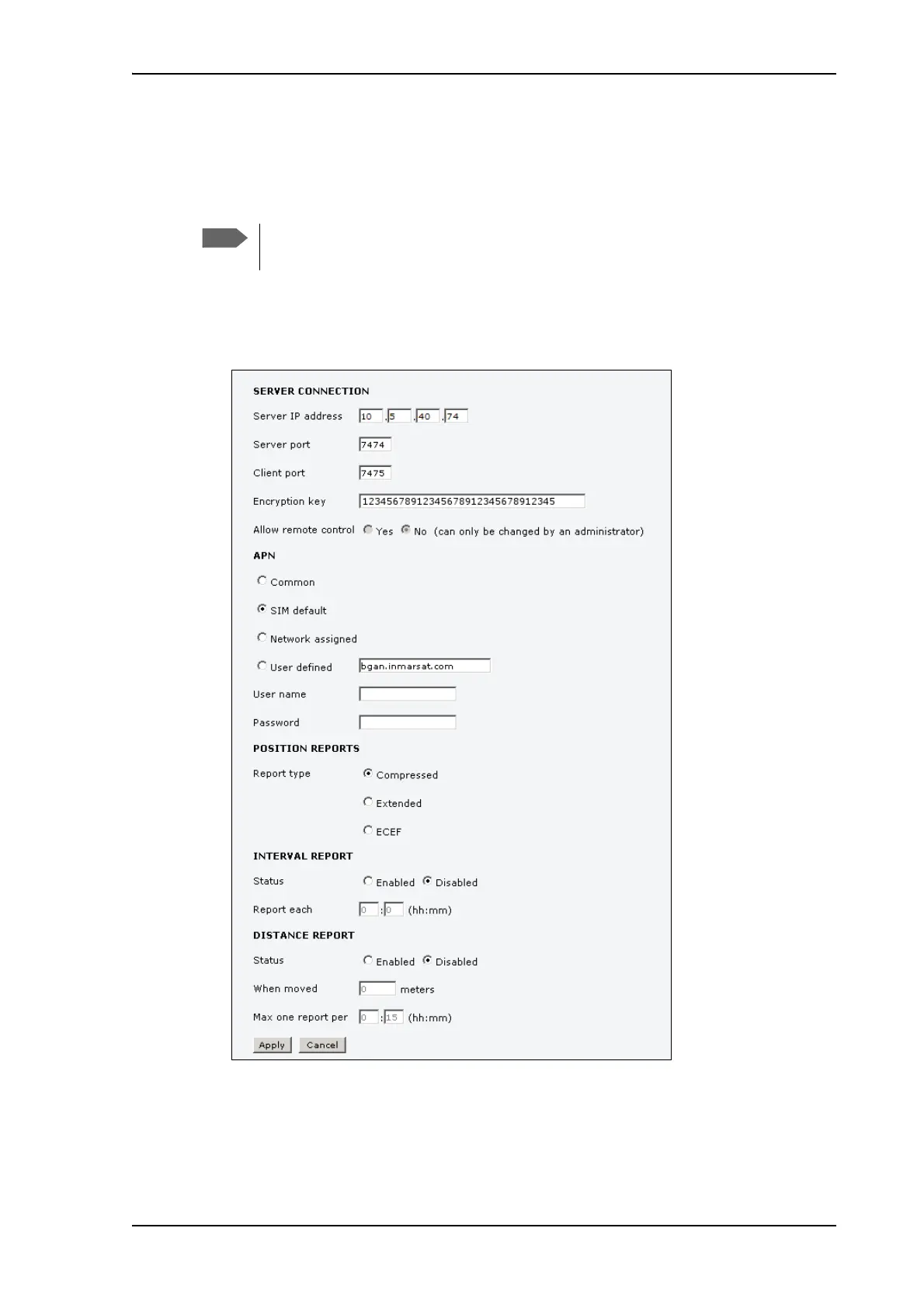
To set up tracking, do as follows:
1. Select SETTINGS > Tracking.
(continued on next page)
2. Type in the Server IP address, Server port, Client port and Encryption key for your
server connection.
• IP address. The IP address of the server that the SAILOR FleetBroadband terminal will
report to.
You cannot use the external data connection for anything else while you are using the
tracking function.











 To Next Page