Chapter 4: Using the web interface
98-129217-D Setting up the interfaces 68
Port forwarding
Port forwarding enables you to set up a server connected to the terminal while the terminal is
in Router mode. Without port forwarding it would not be possible to contact the server from
the Internet.
The terminal is normally in Router mode if you are using the Default network user group. We
recommend using a static public IP address for the terminal in order to provide easy access to
the terminal. For information on how to set up a static IP address, refer to step 5. on page 72 in
the section Setting up the Default network user group.
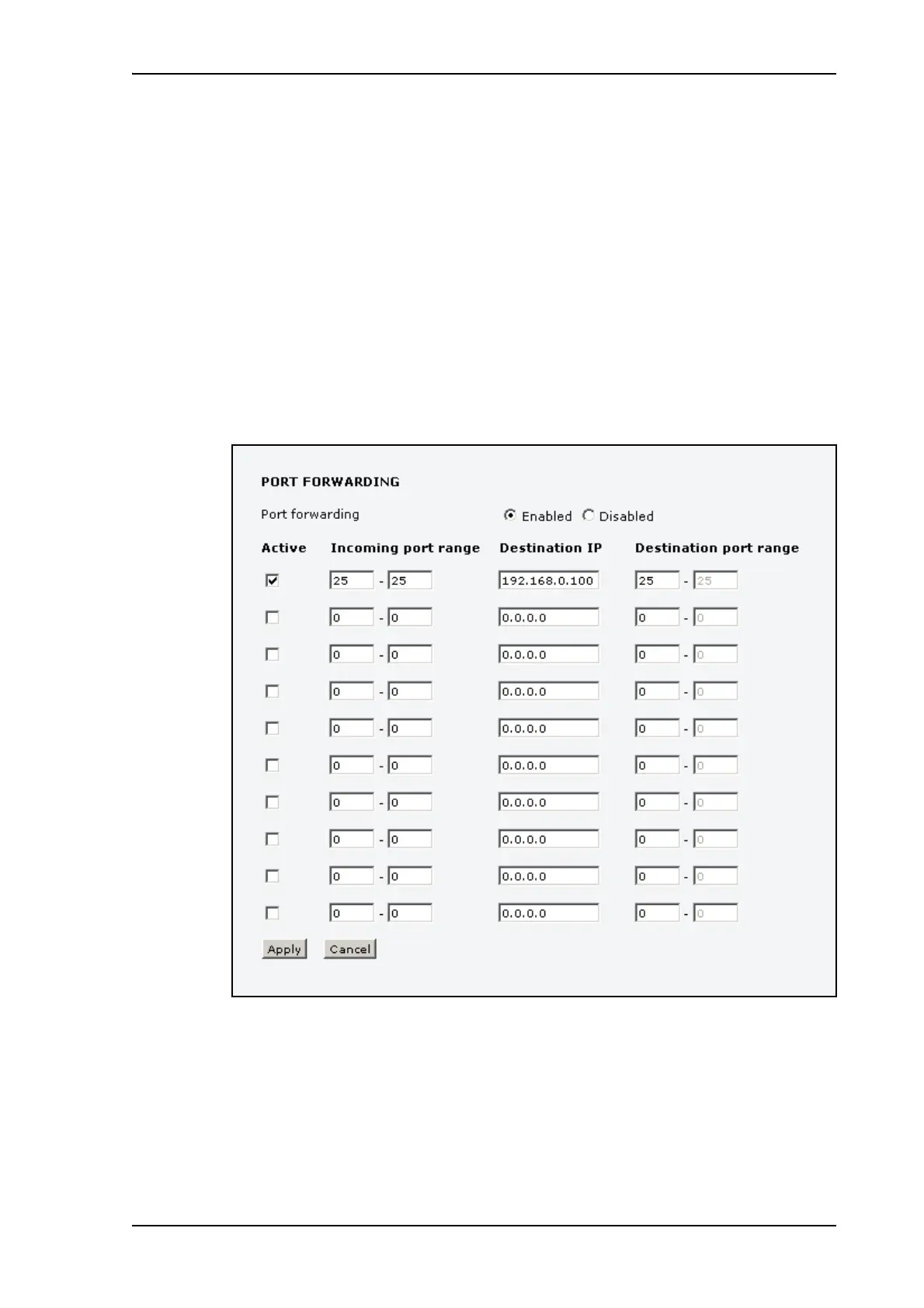
The following example shows how to allow Internet access to a mail server (smtp) connected
to the terminal.
The mail server in this example has the IP address 192.168.0.100.
1. Select LAN > Port forwarding in the left navigation pane.
2. Select Enabled to generally enable port forwarding.
3. Type in the Incoming port range.
4. Type in the Destination IP address, which in this example is the IP address of the mail
server: 192.168.0.100.
5. Type in the Destination port range.











 To Next Page