Chapter 4: Using the web interface
98-129217-D Setting up the interfaces 75
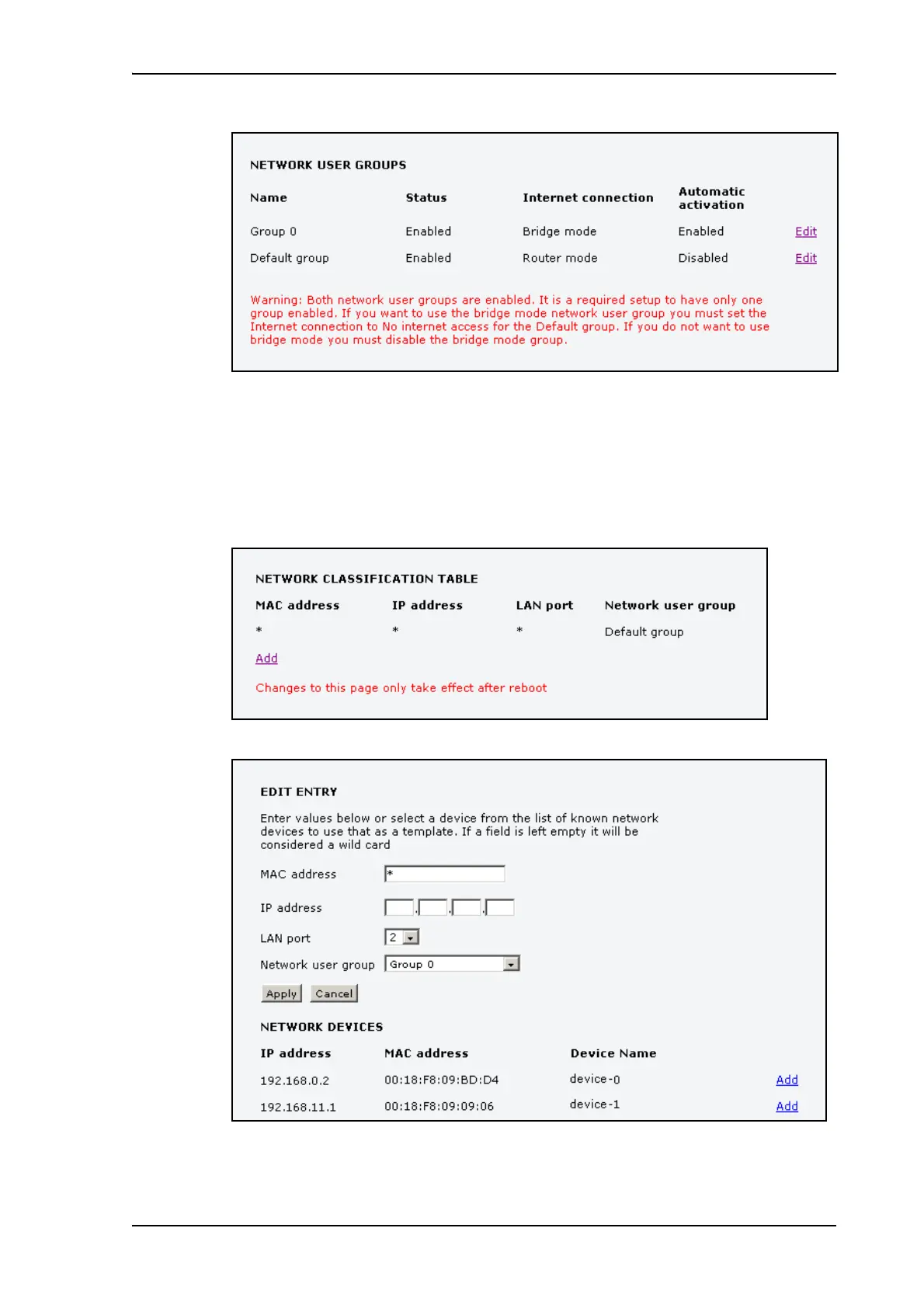
12. Follow the instructions in the warning and set the Default group to No Internet access, if
you are going to use the Bridge mode connection.
For details on how to set up the Default group, see Setting up the Default network user
group on page 71.
13. Select SETTINGS > LAN > Network classification.
The network classification table is used to define which network devices, IP addresses
and/or LAN ports are associated with which network user groups.
14. Click Add to include Group 0 (Bridge mode) in the list.











 To Next Page