ROBOT CONFIGURATION CUSTOMIZATION
21
Comau Robotics Product Instruction
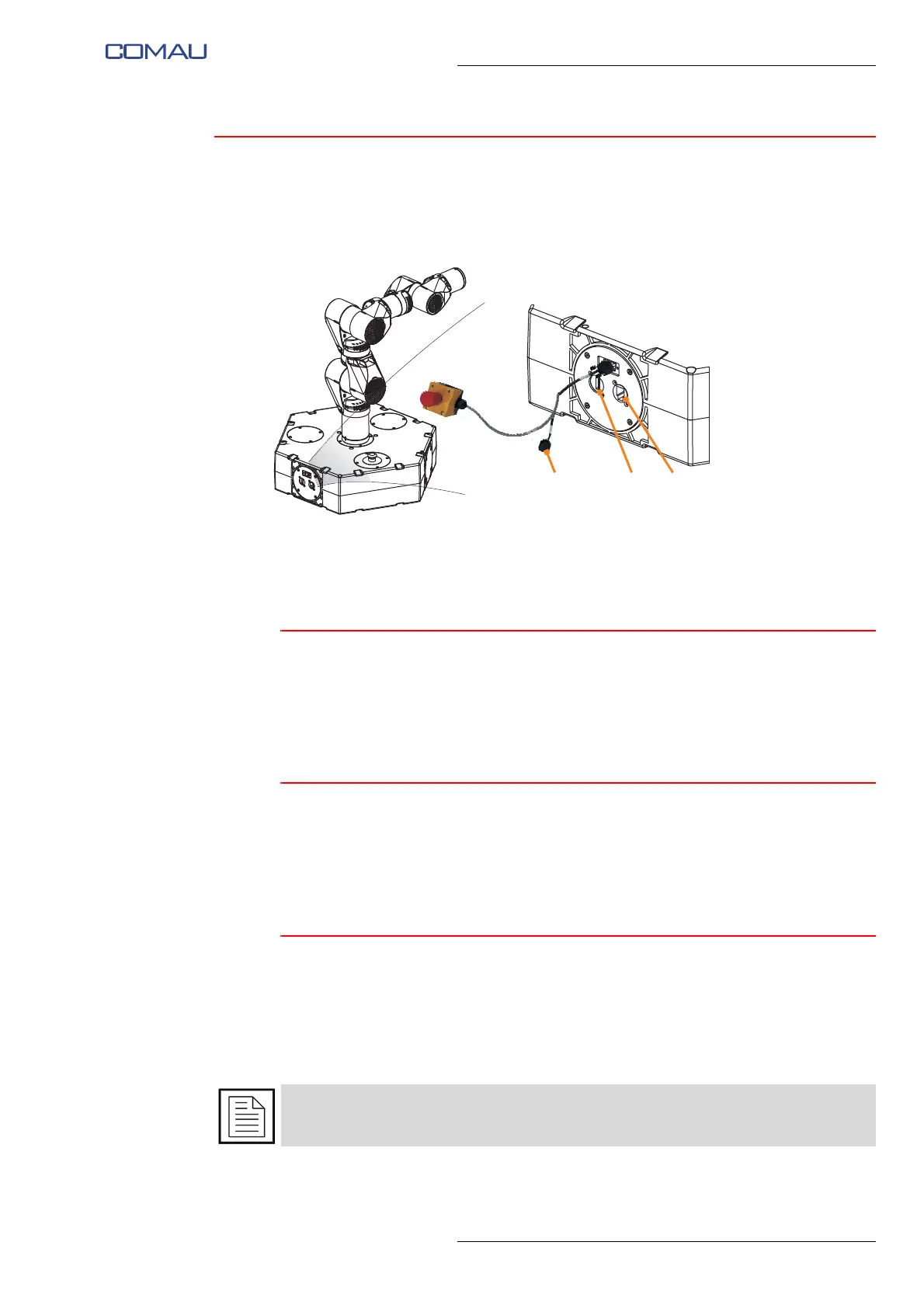
3.1 Use of connectors on Robot base
Fig. 3.1 - Identification of connectors on Robot base
– RJ45 connector (A)
– USB connector (B)
– 9-pin D-Sub connector (C)
3.1.1 RJ45 connector
The RJ45 connector on Robot base is internally connected to 10/100 Ethernet port (with
DHCP) of Raspberry Pi 3 model B that manages the operation of the Robot.
It can be used to make a wired Ethernet connection between an external device and the
Robot Raspberry.
3.1.2 USB connector
The USB-A connector available on Robot base is internally connected to one of USB 2.0
ports of the Raspberry Pi 3 model B that manages the operation of the Robot.
It can be used to connect USB peripherals to the Raspberry (compatibly with 100 mA
current supplied by the USB port).
3.1.3 9-pin D-Sub connector
The 9-pole D-Sub female connector available on the connection cable of remote
emergency push-button, can be used for
Connection of any additional emergency
push-buttons, Connection of any interlocking devices associated with guards or for
Connecting e.DO to Desk Simulator and use through Teach Pendant TP5.
For details on the pinout and how to use the 9-pin D-Sub connector, refer to par. 3.2
Hardware customization on page 22.





 To Next Page