EasyManua.ls Logo

Commodore 128D - Page 122

Commodore 128D
427 pages
Print Icon
To Next Page IconTo Next Page
To Previous Page IconTo Previous Page
Loading...
i
f
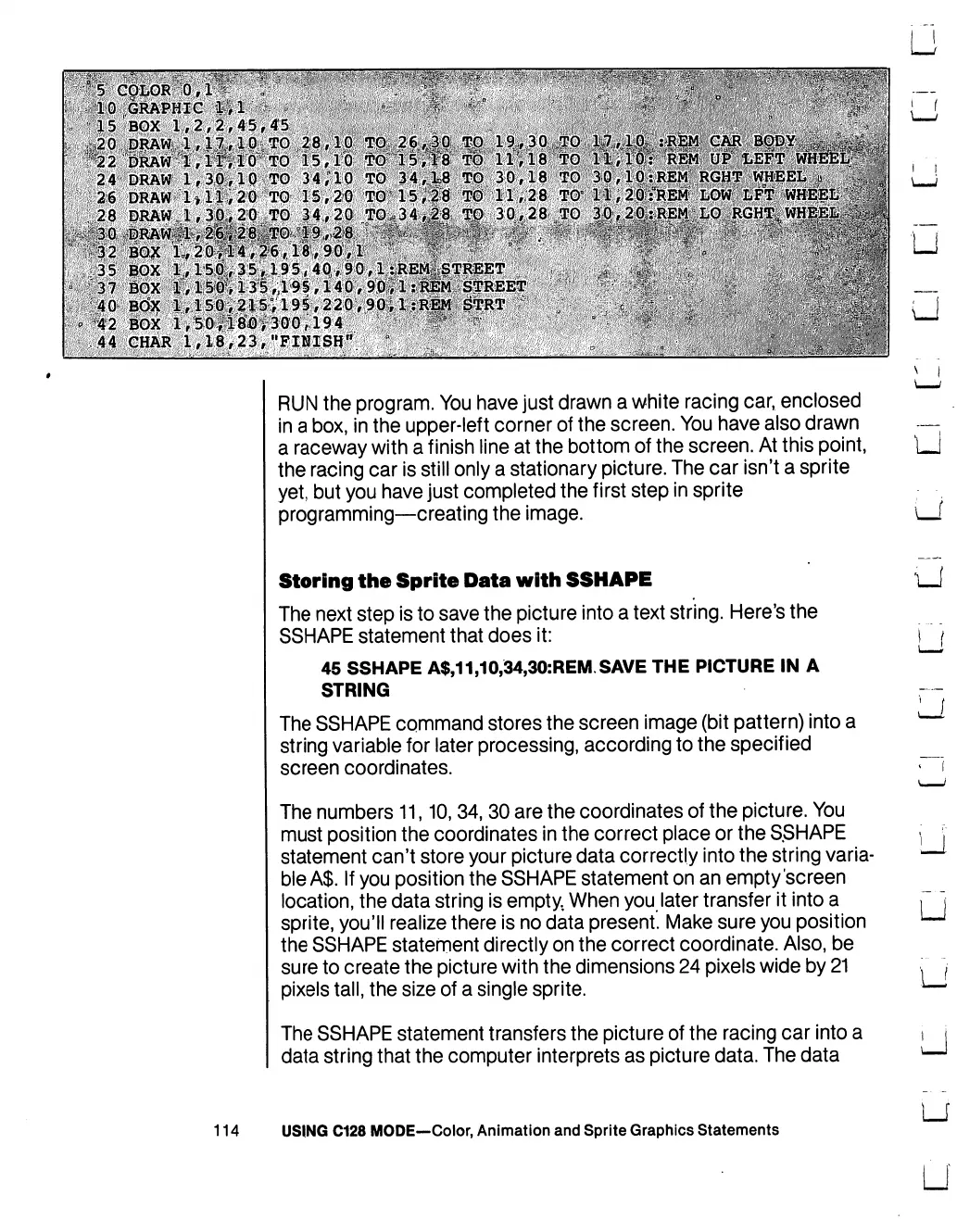
RUN
the
program.
You
have
just
drawn
a
white
racing
car,
enclosed
in
a
box,
in
the
upper-left
corner
of
the
screen.
You
have
also
drawn
a
raceway
with
a
finish
line
at
the
bottom
of
the
screen.
At
this
point,
the
racing
car
is
still
only
a
stationary
picture.
The
car
isn't
a
sprite
yet,
but
you
have
just
completed
the
first
step
in
sprite
programming—creating
the
image.
Storing
the
Sprite
Data
with
SSHAPE
The
next
step
is
to
save
the
picture
into
a
text
string.
Here's
the
SSHAPE
statement
that
does
it:
45
SSHAPE
A$,11,10,34,30:REM
SAVE
THE
PICTURE
IN
A
STRING
The
SSHAPE
command
stores
the
screen
image
(bit
pattern)
into
a
string
variable
for
later
processing,
according
to
the
specified
screen
coordinates.
The
numbers
11,10,34,
30
are the
coordinates
of
the
picture.
You
must
position
the
coordinates
in
the
correct
place
or
the
S.SHAPE
statement
can't
store
your
picture
data
correctly
into
the
string
varia
ble
A$.
If
you
position
the
SSHAPE
statement
on an
empty
screen
location,
the
data
string
is
empty.
When
you
later
transfer
it
into
a
sprite,
you'll
realize
there
is
no
data
present.
Make
sure
you
position
the
SSHAPE
statement
directly
on
the
correct
coordinate.
Also,
be
sure
to
create
the
picture
with
the
dimensions
24
pixels
wide
by
21
pixels
tall,
the
size
of
a
single
sprite.
The
SSHAPE
statement
transfers
the
picture
of
the
racing
car
into
a
data
string
that
the
computer
interprets
as
picture data.
The
data
LJ
U
114
USING
C128
MODE—Color,
Animation
and
Sprite
Graphics
Statements

Table of Contents

Other manuals for Commodore 128D

Related product manuals