EasyManua.ls Logo

Commodore 128D - Switching between Modes

Commodore 128D
427 pages
Print Icon
To Next Page IconTo Next Page
To Previous Page IconTo Previous Page
Loading...
n
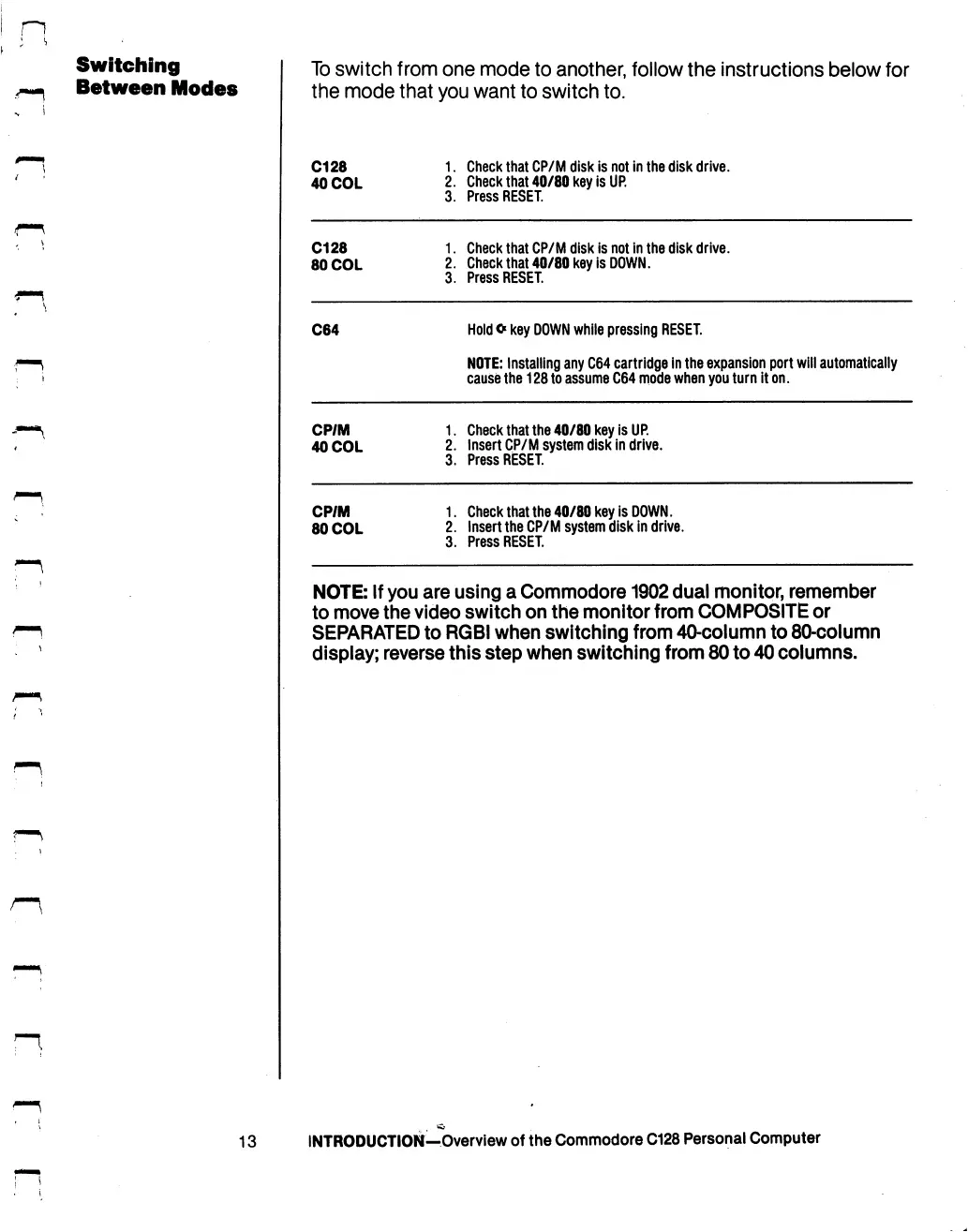
Switching
Between
Modes
To
switch
from
one
mode
to
another,
follow
the
instructions
below
for
the
mode
that
you
want
to
switch
to.
C128
40
COL
1.
Check
that
CP/M
disk
is
not
in
the
disk
drive.
2.
Check
that
40/80
key
is
UP.
3.
Press
RESET.
C128
80
COL
1.
Check
that
CP/M
disk
is
not
in
the
disk
drive.
2.
Check
that
40/80
key
is
DOWN.
3.
Press
RESET.
C64
Hold
o
key
DOWN
while
pressing
RESET.
NOTE:
Installing
any
C64
cartridge
in
the
expansion
port
will
automatically
cause
the
128
to
assume
C64
mode
when
you
turn
it
on.
CP/M
40
COL
1.
Check
that
the
40/80
key
is
UP.
2.
Insert
CP/M
system
disk
in
drive.
3.
Press
RESET.
CP/M
80
COL
1.
Check
that
the
40/80
key
is
DOWN.
2.
Insert
the
CP/M
system
disk
in
drive.
3.
Press
RESET.
NOTE:
If
you
are
using
a
Commodore
1902
dual
monitor,
remember
to
move
the
video
switch
on
the
monitor
from
COMPOSITE
or
SEPARATED
to
RGBI
when
switching
from
40-column
to
80-column
display;
reverse
this
step
when
switching
from
80
to
40
columns.
13
INTRODUCTION—Overview
of
the
Commodore
C128
Personal
Computer

Table of Contents

Other manuals for Commodore 128D

Related product manuals