EasyManua.ls Logo

Commodore 128D - What Is on Your Cp;M Disk

Commodore 128D
427 pages
Print Icon
To Next Page IconTo Next Page
To Previous Page IconTo Previous Page
Loading...
What
Is
On
Your
CP/M
Disk
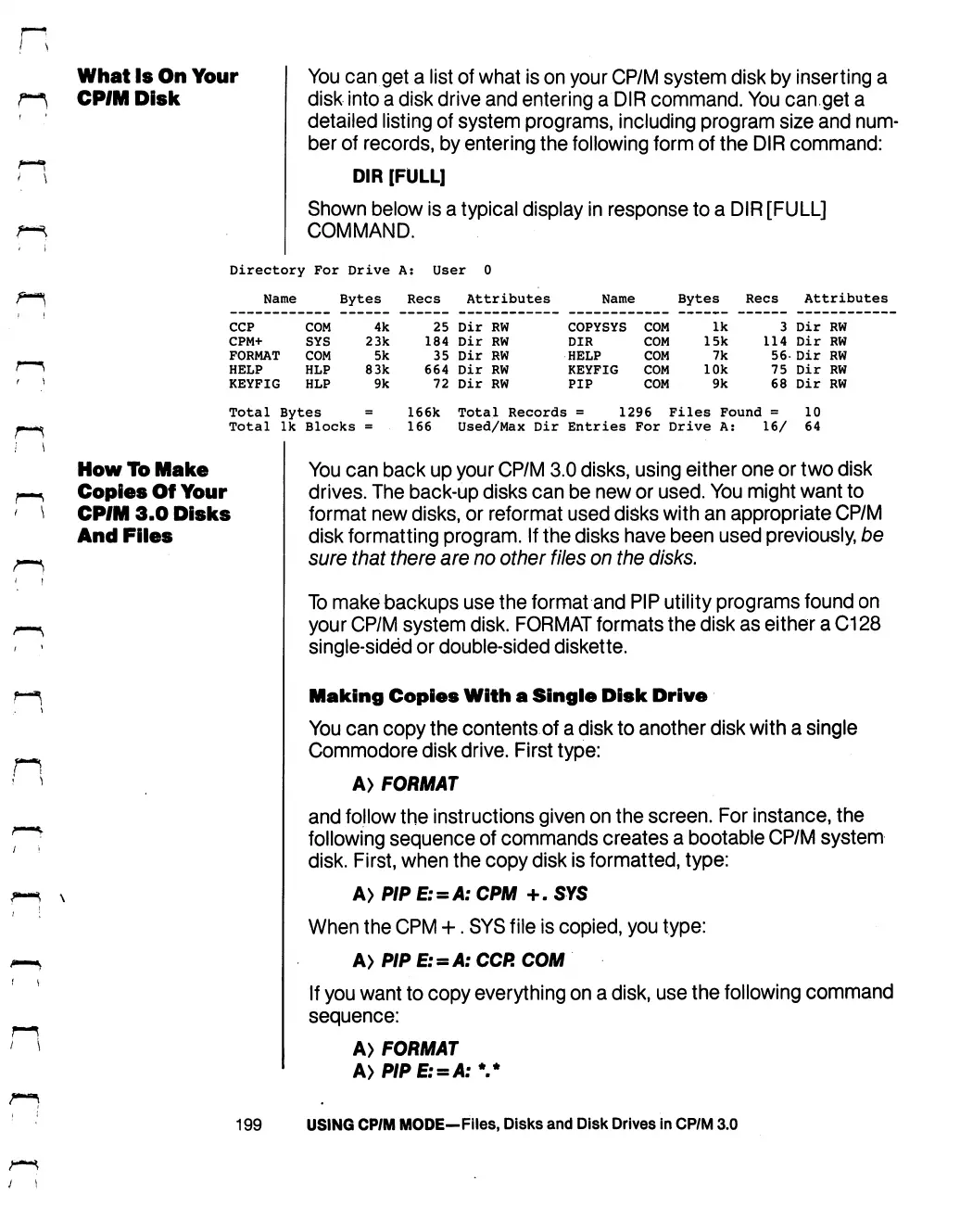
You can
get
a
list
of
what
is
on
your
CP/M
system
disk
by
inserting
a
disk
into
a
disk
drive
and
entering
a
DIR
command.
You
can
get
a
detailed
listing
of
system
programs,
including
program
size
and
num
ber
of
records,
by
entering
the
following
form
of
the
DIR
command:
DIR
[FULL]
Shown
below
is
a
typical
display
in
response
to
a
DIR
[FULL]
COMMAND.
Directory
For
Drive
A:
User
0
Name
Bytes
Recs
Attributes
Name
Bytes
Recs
Attributes
CCP
COM
4k 25
Dir
RW
COPYSYS
COM
Ik
3
Dir
RW
CPM+
SYS
23k
184
Dir
RW
DIR
COM
15k
114
Dir
RW
FORMAT
COM
5k
35
Dir
RW
HELP
COM
7k
56-
Dir
RW
HELP
HLP
83k
664
Dir
RW
KEYFIG
COM
10k
75
Dir
RW
KEYFIG
HLP
9k
72
Dir
RW
PIP
COM
9k
68
Dir
RW
Total Bytes
=
166k
Total
Ik
Blocks
=
166
Total
Records
=
1296
Files
Found
=
10
Used/Max
Dir
Entries
For
Drive
A:
16/
64
How
To
Make
Copies
Of
Your
CP/M
3.0
Disks
And
Files
You
can back
up
your
CP/M
3.0
disks,
using
either
one
or
two
disk
drives.
The
back-up
disks
can
be
new
or
used.
You
might
want
to
format
new
disks,
or
reformat
used
disks
with
an
appropriate
CP/M
disk
formatting
program.
If
the
disks
have
been
used
previously,
be
sure
that
there
are
no
other
files
on
the
disks.
To
make
backups
use
the
format
and
PIP
utility
programs
found
on
your
CP/M
system
disk.
FORMAT
formats
the
disk
as
either
a
C128
single-sided
or
double-sided
diskette.
Making
Copies
With
a
Single
Disk
Drive
You
can
copy
the
contents
of
a
disk
to
another
disk
with
a
single
Commodore
disk
drive.
First
type:
A>
FORMAT
and
follow
the
instructions
given
on
the
screen.
For
instance,
the
following
sequence
of
commands
creates
a
bootable
CP/M
system
disk.
First,
when
the
copy
disk
is
formatted,
type:
A>P/PE:
=
A:CPM
+.SYS
When
the
CPM
+.
SYS
file
is
copied,
you
type:
A>P/P
£:
=
>»:
CCP.
COM
If
you
want
to
copy
everything
on
a
disk,
use
the
following
command
sequence:
A>
FORMAT
199
USING
CP/M
MODE—Files,
Disks
and
Disk
Drives
in
CP/M
3.0

Table of Contents

Other manuals for Commodore 128D

Related product manuals