EasyManua.ls Logo

Commodore 128D - COMPUTER DECISIONS-The IF-THEN Statement

Commodore 128D
427 pages
Print Icon
To Next Page IconTo Next Page
To Previous Page IconTo Previous Page
Loading...
Computer
Decisions—
The
IF-THEN
Statement
n
/
\
i
i
This
section
describes
how
to
use
a
number
of
powerful
BASIC
com
mands,
functions
and
programming
techniques
that
can
be
used
in
both
C128
and
C64
modes.
These
commands
and
functions
allow
you
to
program
repeated
actions
through
looping
and
nesting
techniques;
handle
tables
of
values;
branch
or
jump
to
another
section
of
a
program,
and
return
from
that
section;
assign
varying
values
to
a
quantity—and
more.
Examples
and sample
programs
show
just
how
these
BASIC
con
cepts
work
and
interact.
Now
that
you
know
how
to
change
the
values
of
variables,
the
next
step
is
to
have
the
computer
make
decisions
based
on
these
updated
values.
You
do
this
with
the
IF-THEN
statement.
You
tell
the
computer
to
execute
a
command
only
IF
a
condition
is
true
(e.g.,
IF
X
=
5).
The
command
you
want
the
computer
to
execute
when
the
condition
is
true
comes
after
the
word
THEN
in
the
statement.
Clear
your
computer's
memory
by
typing
NEW
and
pressing
RETURN,
then
type
this
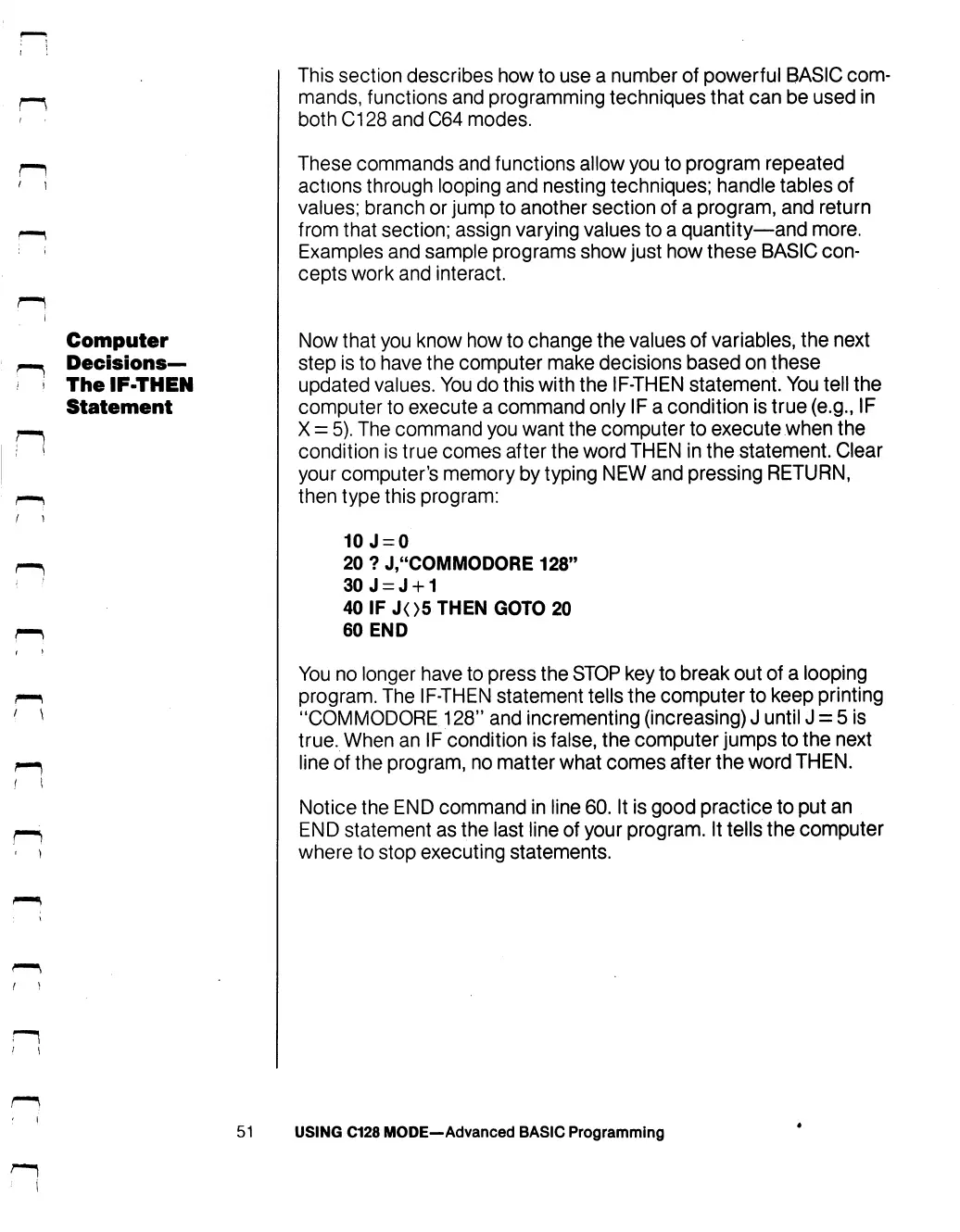
program:
10J
=
0
20
?
J,"COMMODORE
128"
30
J
=
J
+
1
40
IF
J<>5
THEN
GOTO
20
60
END
You
no
longer
have
to
press
the
STOP
key
to
break
out
of
a
looping
program.
The
IF-THEN
statement
tells
the
computer
to
keep
printing
"COMMODORE
128"
and
incrementing
(increasing)
J
until
J
=
5
is
true.
When
an
IF
condition
is
false,
the
computer
jumps
to
the
next
line
of
the
program,
no
matter
what
comes
after
the
word
THEN.
Notice
the
END
command
in
line
60.
It
is
good
practice
to
put
an
END
statement as
the
last
line
of
your
program.
It
tells
the
computer
where
to
stop
executing
statements.
51
USING
C128
MODE—Advanced
BASIC
Programming

Table of Contents

Other manuals for Commodore 128D

Related product manuals