EasyManua.ls Logo

Commodore 128D - Using the ESC Key to Create a Window

Commodore 128D
427 pages
Print Icon
To Next Page IconTo Next Page
To Previous Page IconTo Previous Page
Loading...
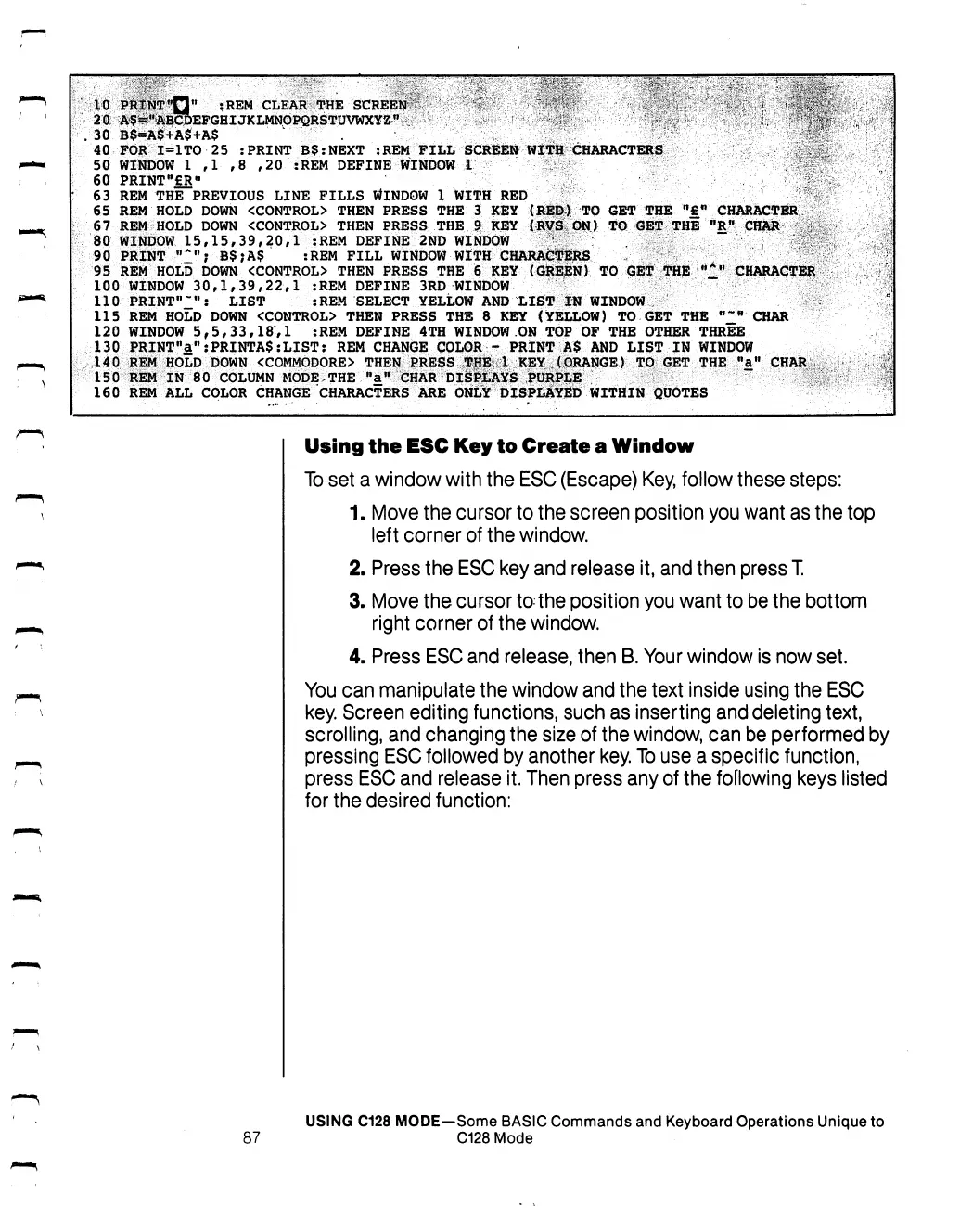
10
PRtNTfin"
:REM
CLEAR
THE
SCREEN"/-
-
'
,
''
^:
\
..T«?£>'
"••
?,
^
."'
■'<
>.\,xr\.
.
"?
4f|f
20.
A^"ABCDEPGHIJKLMNOPQRSTUVWXY^fI
,
.„;
,
;
-
'j.
-
^
)%
30
B$=A$+A$+A$
'
.
.
"
rv
40
FOR
I=1TO
25
:PRINT
B$:NEXT
:REM
FILL
SCREEN
WITH
CHARACTERS
s;
;:
50
WINDOW
1
,1
,8
,20
:REM
DEFINE
WINDOW
1
,
f
60
PRINTM£RM
,
V
63
REM THE
PREVIOUS
LINE
FILLS
WINDOW
1
WITH
RED
65
REM
HOLD DOWN
<CONTROL>
THEN
PRESS
THE
3
KEY
(RED)
TO
GET
THE
"£"
CHARACTER
67
REM
HOLD DOWN
<CONTROL>
THEN
PRESS
THE
9
KEY
(RVS
ON)
TO
GET
THE
"Rn
CHAR
^:
80
WINDOW
15,15,39,20,1
:REM
DEFINE
2ND
WINDOW
' .
,
'
90
PRINT
"2";
B$;A$
:REM
FILL
WINDOW
WITH
CHARACTERS
.
95
REM
HOLD DOWN
<CONTROL>
THEN
PRESS
THE
6
KEY
(GREEN)
TO
GET THE
"I"
CHARACTER
100
WINDOW
30,1,39,22,1
:REM
DEFINE
3RD
WINDOW
110
PRINT'1^":
LIST
:REM
SELECT
YELLOW
AND
LIST
IN
WINDOW
115
REM
HOLD
DOWN
<CONTROL>
THEN
PRESS
THE
8
KEY
(YELLOW)
TO
GET
THE
"2"
CHAR
120
WINDOW
5,5,33,18,1
:REM
DEFINE
4TH
WINDOW
ON
TOP
OF
THE
OTHER
THREE
130
PRINTMan:PRINTA$:LIST:
REM
CHANGE
COLOR
-
PRINT
A$
AND
LIST
IN
WINDOW
140
REM
HOLD DOWN
<COMMODORE>
THEN
PRESS
TpB
1
KEY
(ORANGE)
TO
GET
THE
Mafl
CHAR
150
REM
IN
80
COLUMN
MODE.THE
"a"
CHAR
DISPLAYS
PURPLE
160
REM
ALL
COLOR
CHANGE
CHARACTERS
ARE
ONLY
DISPLAYED
WITHIN
QUOTES
Using
the
ESC
Key
to
Create
a
Window
To
set
a
window
with
the
ESC
(Escape)
Key,
follow
these
steps:
1.
Move
the
cursor
to
the
screen
position
you
want
as
the
top
left
corner
of
the
window.
2.
Press
the
ESC
key
and
release
it,
and
then
press
T.
3.
Move
the
cursor
to
the
position
you
want
to
be
the
bottom
right
corner
of
the
window.
4.
Press
ESC
and
release,
then
B.
Your
window
is
now
set.
You
can
manipulate
the
window
and
the
text
inside
using
the
ESC
key.
Screen
editing
functions,
such
as
inserting
and
deleting
text,
scrolling,
and
changing
the
size
of
the
window,
can
be
performed
by
pressing
ESC
followed
by
another
key.
To
use
a
specific
function,
press
ESC
and
release
it.
Then
press
any
of
the
following
keys
listed
for
the
desired
function:
USING
C128
MODE—Some
BASIC
Commands
and
Keyboard
Operations
Unique
to
87
C128
Mode

Table of Contents

Other manuals for Commodore 128D

Related product manuals