EasyManua.ls Logo

Commodore 128D - The RESTORE Command

Commodore 128D
427 pages
Print Icon
To Next Page IconTo Next Page
To Previous Page IconTo Previous Page
Loading...
You
can
use
as
many
READ
and
DATA
statements
as
you
need
in
a
program,
but
make
sure
there
is
enough
data
in
the
DATA
statements
for
the
computer
to
read.
Remove
one
of
the
numbers
from
the
DATA
statement
in
the
last
program
and
run
it
again.
The
computer
responds
with
?OUT
OF
DATA
ERROR
IN
30.
What
happened
is
that
when
the
computer
executed
the
loop
for
the
fifth
time,
there
was
no
data
for
it
to
read.
That
is
what
the
error
message
is
telling
you.
Put
ting
too
much
into
the
DATA
statement
doesn't
create
a
problem
because
the
computer
never
realizes
the
extra
data
exists.
The
RESTORE
Command
You
can
use
the
RESTORE
command
in
a
program
to
reset
the
data
pointer
to
the
first
piece
of
data
if
you
need
to.
Replace
the
END
statement
(line
80)
in
the
program
above
with:
80
RESTORE
and
add:
85
GOTO
10
Now
RUN
the
program.
The
program
will
run
continuously
using
the
same
DATA
statement.
NOTE:
If
the
computer
gives
you
an
OUT
OF
DATA
ERROR
message,
it
is
because
you
forgot
to
replace
the
num
ber
that
you
removed
previously
from
the
DATA
statement,
so
the
data
is
all
used
before
the
READ
statement
has
been
executed
the
specified
number
of
times.
You
can
use
DATA
statements
to
assign
values
to
string
variables.
The
same
rules
apply
as
for
numeric
data.
Clear
the
computer's
memory
and
type
the
following
program:
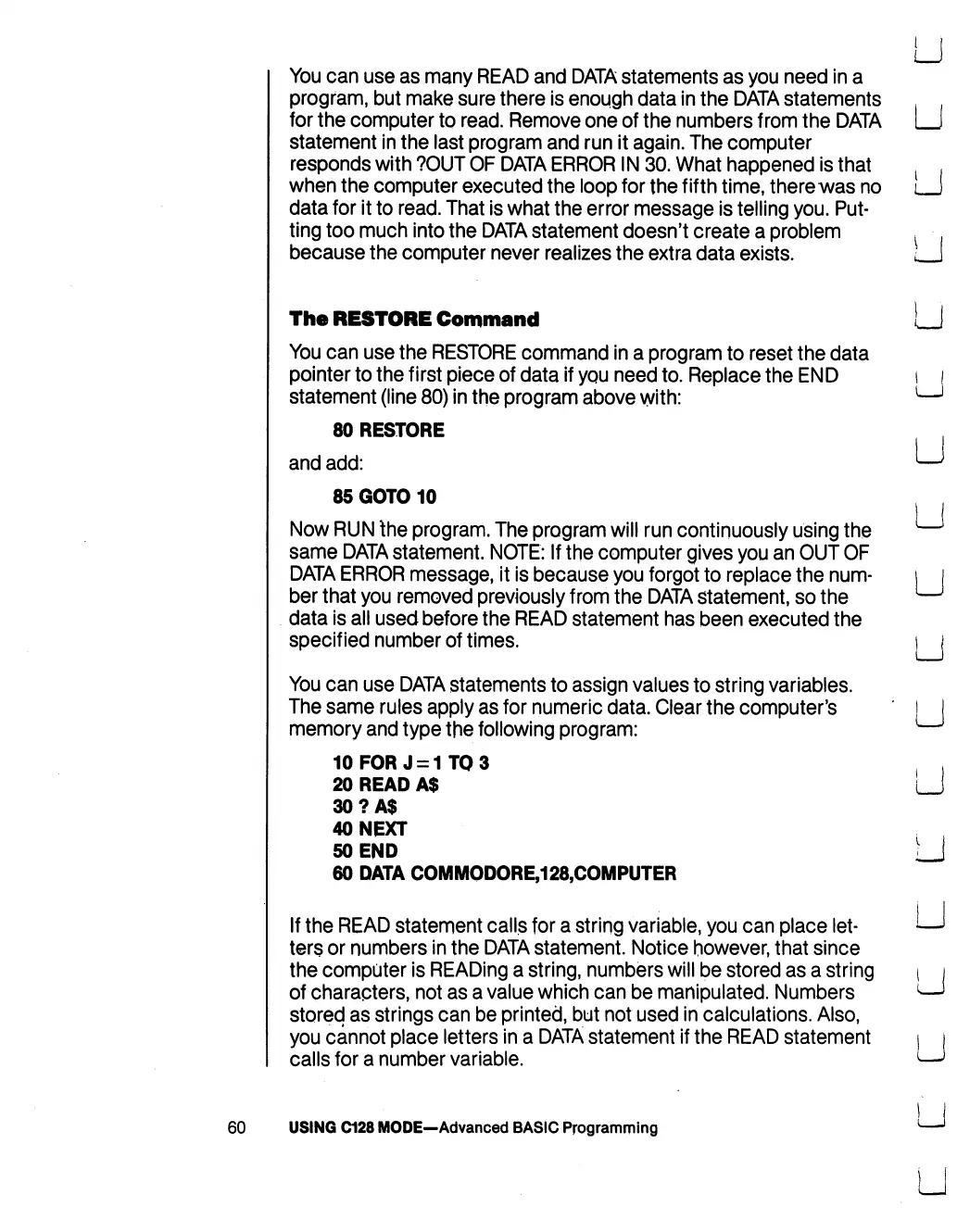
10FORJ
=
1TO3
20
READ
A$
30?A$
40
NEXT
50
END
60
DATA
COMMODORE,128,COMPUTER
If
the
READ
statement
calls
for
a
string
variable,
you
can
place
let
ters
or
numbers
in
the
DATA
statement.
Notice
however,
that
since
the
computer
is
READing
a
string,
numbers
will
be
stored
as
a
string
of
characters,
not
as
a
value
which
can
be
manipulated.
Numbers
stored
as
strings
can
be
printed,
but
not
used
in
calculations.
Also,
you cannot
place
letters
in
a
DATA
statement
if
the
READ
statement
calls
for
a
number
variable.
60
USING
C128
MODE—Advanced
BASIC
Programming

Table of Contents

Other manuals for Commodore 128D

Related product manuals