EasyManua.ls Logo

Commodore 128D - The else Clause with IF-THEN; The BEGIN;BEND Sequence with IF-THEN

Commodore 128D
427 pages
Print Icon
To Next Page IconTo Next Page
To Previous Page IconTo Previous Page
Loading...
H
The
ELSE
Clause
with
IF-THEN
The
ELSE
clause
provides
a
way
to
tell
the
computer
how
to
respond
if
the
condition
of
the
IF-THEN
statement
is
false.
Rather
than
contin
uing
to
the
next
program
line,
the
computer
will
execute
the
com
mand
or
branch
to
the
program
line
mentioned
in
the
ELSE
clause.
For
example,
if
you
wanted
the
computer
to
print
the
square
of
a
number,
you
could
use
the
ELSE
clause
like
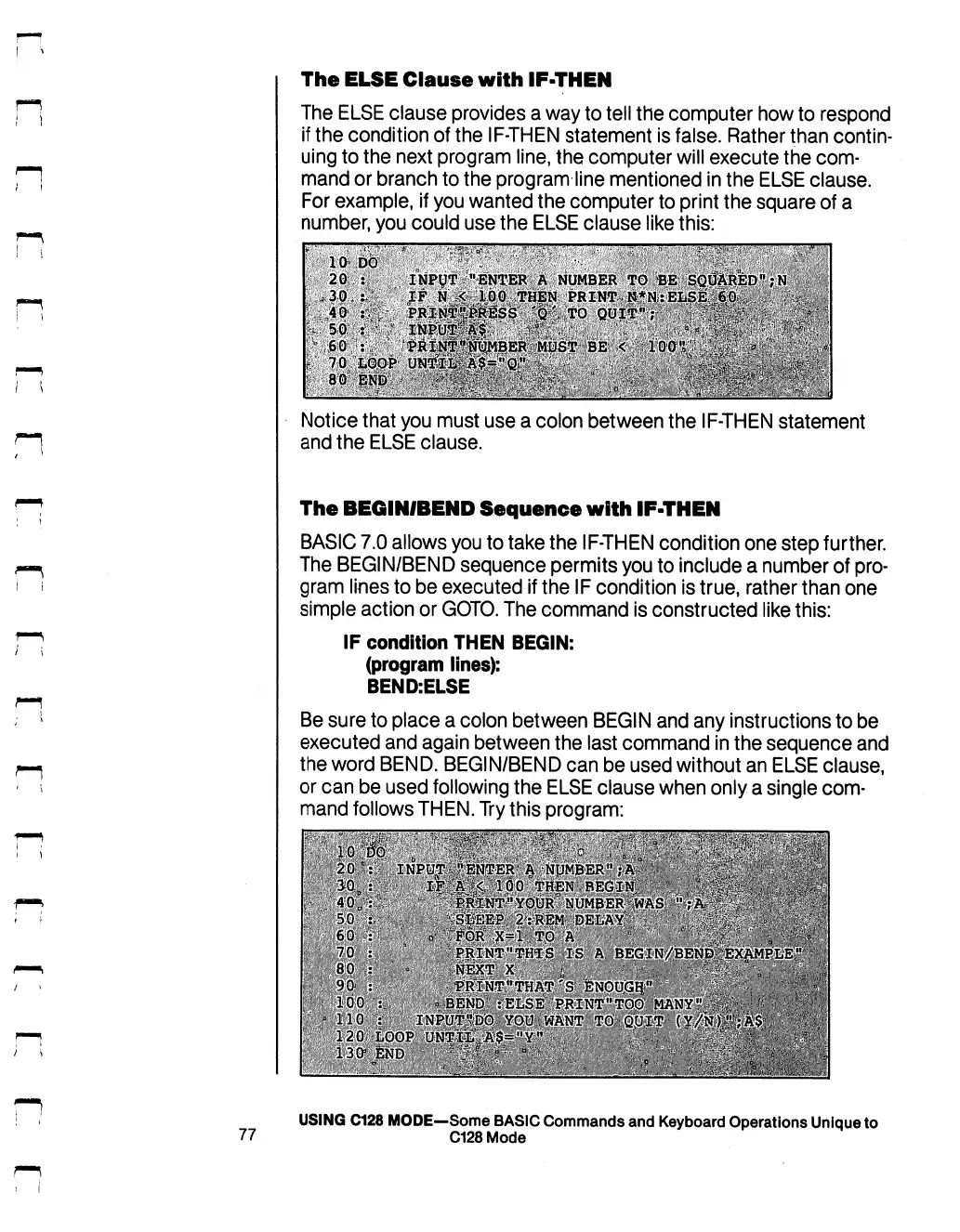
this:
Notice
that
you
must
use
a
colon
between
the
IF-THEN
statement
and
the
ELSE
clause.
The
BEGIN/BEND
Sequence
with
IF-THEN
BASIC
7.0
allows
you
to
take
the
IF-THEN
condition
one
step
further.
The
BEGIN/BEND
sequence
permits
you
to
include
a
number
of
pro
gram
lines
to
be
executed
if
the
IF
condition
is
true,
rather
than
one
simple
action
or
GOTO.
The
command
is
constructed
like
this:
IF
condition
THEN
BEGIN:
(program
lines):
BEND:ELSE
Be
sure
to
place
a
colon
between
BEGIN
and
any
instructions
to
be
executed
and
again
between
the
last
command
in
the
sequence
and
the
word
BEND.
BEGIN/BEND
can
be
used
without
an
ELSE
clause,
or
can
be
used
following
the
ELSE
clause
when
only
a
single
com
mand
follows
THEN.
Try
this
program:
USING
C128
MODE—Some
BASIC
Commands
and
Keyboard
Operations
Unique
to
77
C128
Mode

Table of Contents

Other manuals for Commodore 128D

Related product manuals