EasyManua.ls Logo

Commodore 128D - The PUDEF Command; Sample Program

Commodore 128D
427 pages
Print Icon
To Next Page IconTo Next Page
To Previous Page IconTo Previous Page
Loading...
t
S
I
)
I
\
Sample
Program
If
you
want
a
comma
to
appear
before
the
last
three
dollar
places,
as
in
$1,000.00,
include
the
comma
in
the
PRINT
USING
statement.
Remember
you
can
format
output
with
spaces,
commas,
decimal
points,
and
dollar signs.
There
are
several
other
special
characters
for
PRINT
USING,
see
the
BASIC
Encyclopedia
for
more
information
The
PUDEF
Command
If
you
want
formatted
output
representing
something
other
than
dol
lars
and
cents,
use
the
PUDEF
(Print
Using
DEFine)
command.
You
can
replace
any
of
four
format
characters
with
any
character
on
the
keyboard.
The
PUDEF
command
has
four
positions,
but
you
do
not
have
to
redefine
all
four.
The
command
looks
like
this:
PUDEF"
12
3
4
Here:
position
1
is
the
filler
character.
A
blank
will
appear
if
you
do
not
redefine
this
position.
position
2
is
the
comma.character.
Default
is
the.comma.
position
3
is
the
decimal
point.
position
4
is
the
dollar
sign.
If
you
wrote
a
program
that
converted
dollar
amounts
to
English
pounds,
you
could format
the
output
with
these
commands:
10
PUDEF
"
£"
20
PRINT
U£ING
"#$####.##";X
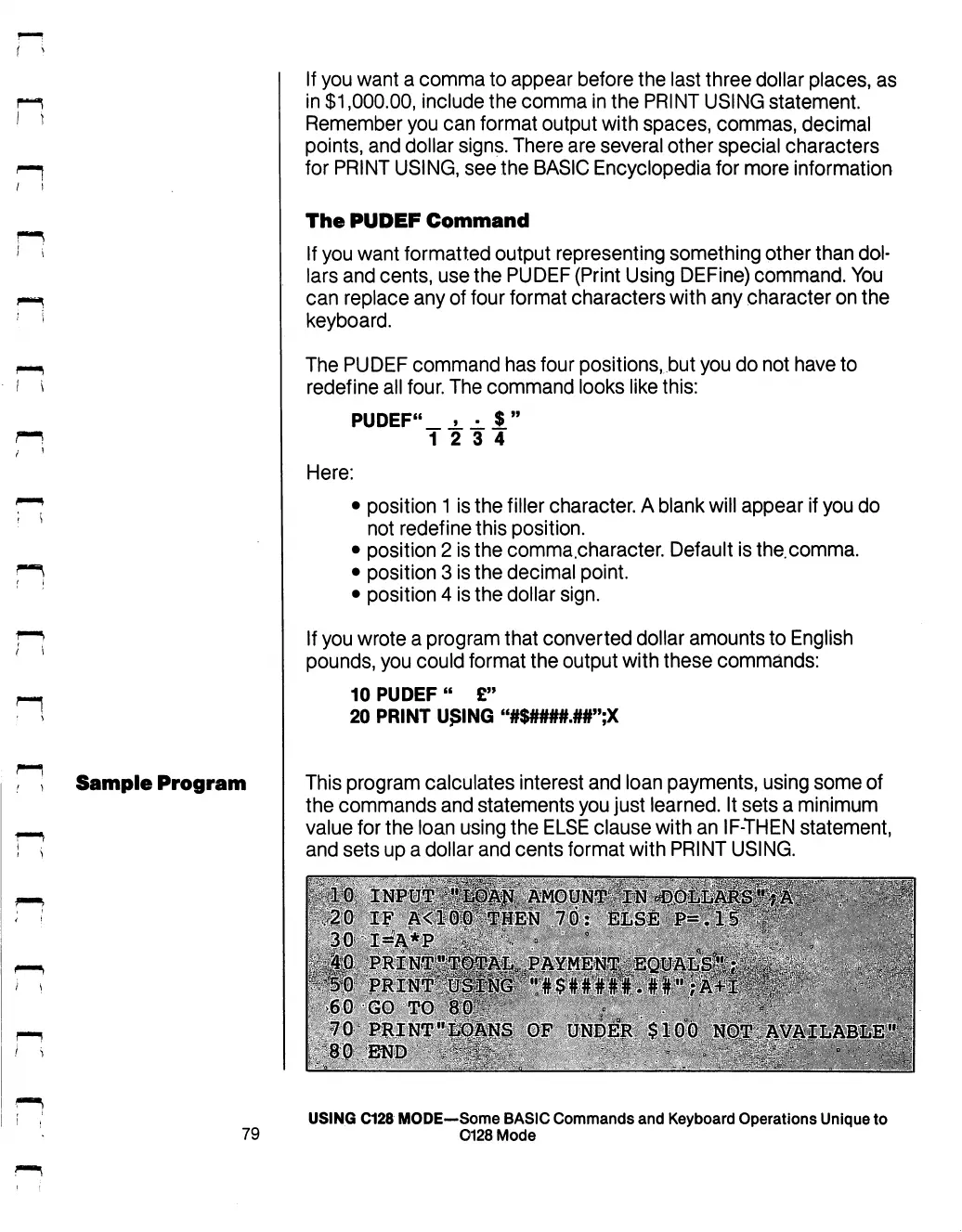
This
program
calculates
interest
and
loan
payments,
using
some
of
the
commands
and
statements
you
just
learned.
It
sets
a
minimum
value
for
the
loan
using
the
ELSE
clause
with
an
IF-THEN
statement,
and
sets
up
a
dollar
and
cents
format
with
PRINT
USING.
.60
GO TO
70:
PRINT"|id§NS
OF
UNDER
80
END
'*'-.'.
"•'-£$"'>:-'
:■'.■
USING
C128
MODE—Some
BASIC
Commands
and
Keyboard
Operations
Unique
to
79
0128
Mode

Table of Contents

Other manuals for Commodore 128D

Related product manuals