EasyManua.ls Logo

Commodore 128D - SECTION 8 - Using 80 Columns

Commodore 128D
427 pages
Print Icon
To Next Page IconTo Next Page
To Previous Page IconTo Previous Page
Loading...
j
I
I
I
; j
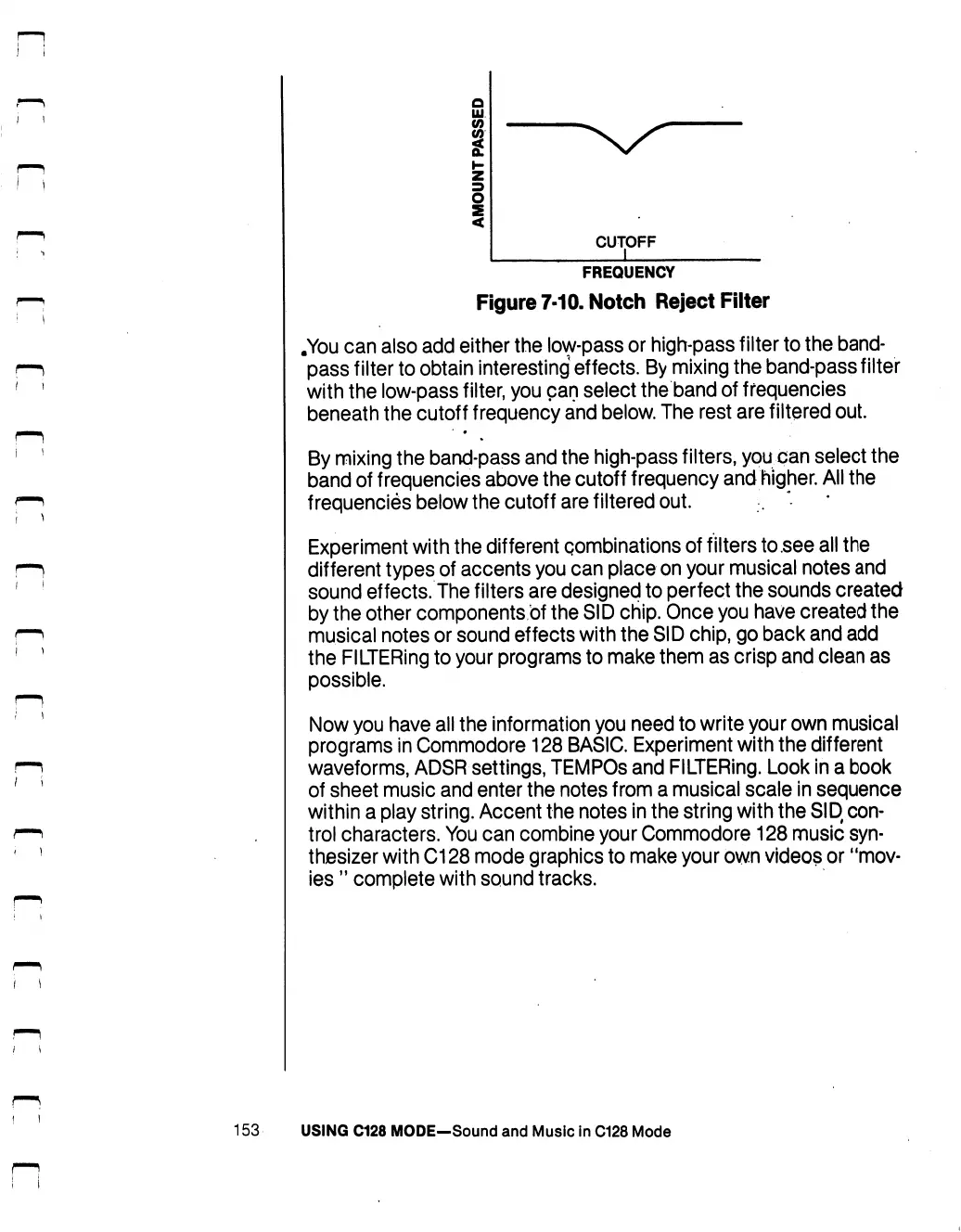
CUTOFF
FREQUENCY
Figure
7-10.
Notch
Reject
Filter
.You
can
also
add
either
the
low-pass
or
high-pass
filter
to
the
band
pass
filter
to
obtain
interesting
effects.
By
mixing
the
band-pass
filter
with
the
low-pass
filter,
you
can
select
the
band
of
frequencies
beneath
the
cutoff
frequency
and
below.
The
rest
are
filtered
out.
By
mixing the
band-pass
and
the
high-pass
filters,
you
can
select
the
band
of
frequencies
above
the
cutoff
frequency
and
higher.
All
the
frequencies
below
the
cutoff
are
filtered
out.
Experiment
with
the
different
combinations
of
filters
to
.see
all
the
different
types
of
accents
you
can
place
on
your
musical
notes
and
sound
effects.
The
filters
are
designed
to
perfect
the
sounds
created
by
the
other
components
of
the
SID
chip.
Once
you
have
created
the
musical
notes
or
sound
effects
with
the
SID
chip,
go
back
and
add
the
FILTERing
to
your
programs
to
make
them
as
crisp
and
clean
as
possible.
Now
you
have
all
the
information
you
need
to
write
your
own
musical
programs
in
Commodore
128
BASIC.
Experiment
with
the
different
waveforms,
ADSR
settings,
TEMPOS
and
FILTERing.
Look
in
a
book
of
sheet
music
and
enter
the
notes
from
a
musical
scale
in
sequence
within
a
play
string.
Accent
the
notes
in
the
string
with
the
SID
con
trol
characters.
You
can
combine
your
Commodore
128
music
syn
thesizer
with
C128
mode
graphics
to
make
your
own
videos
or
"mov
ies
"
complete
with
sound
tracks.
153
USING
C128
MODE—Sound
and
Music
in
C128
Mode

Table of Contents

Other manuals for Commodore 128D

Related product manuals