EasyManua.ls Logo

Commodore 128D - Page 216

Commodore 128D
427 pages
Print Icon
To Next Page IconTo Next Page
To Previous Page IconTo Previous Page
Loading...
Using
Control
Characters
for
Line
Editing
By
using
the
line-editing
control
characters
listed
in
Table
13-1,
you
can
move
the
cursor
left
and
right
to
insert
and
delete
characters
in
the
middle
of
a
command
line.
In
this
way
you
do
not
have
to
retype
everything
to
the
right
of
your
correction.
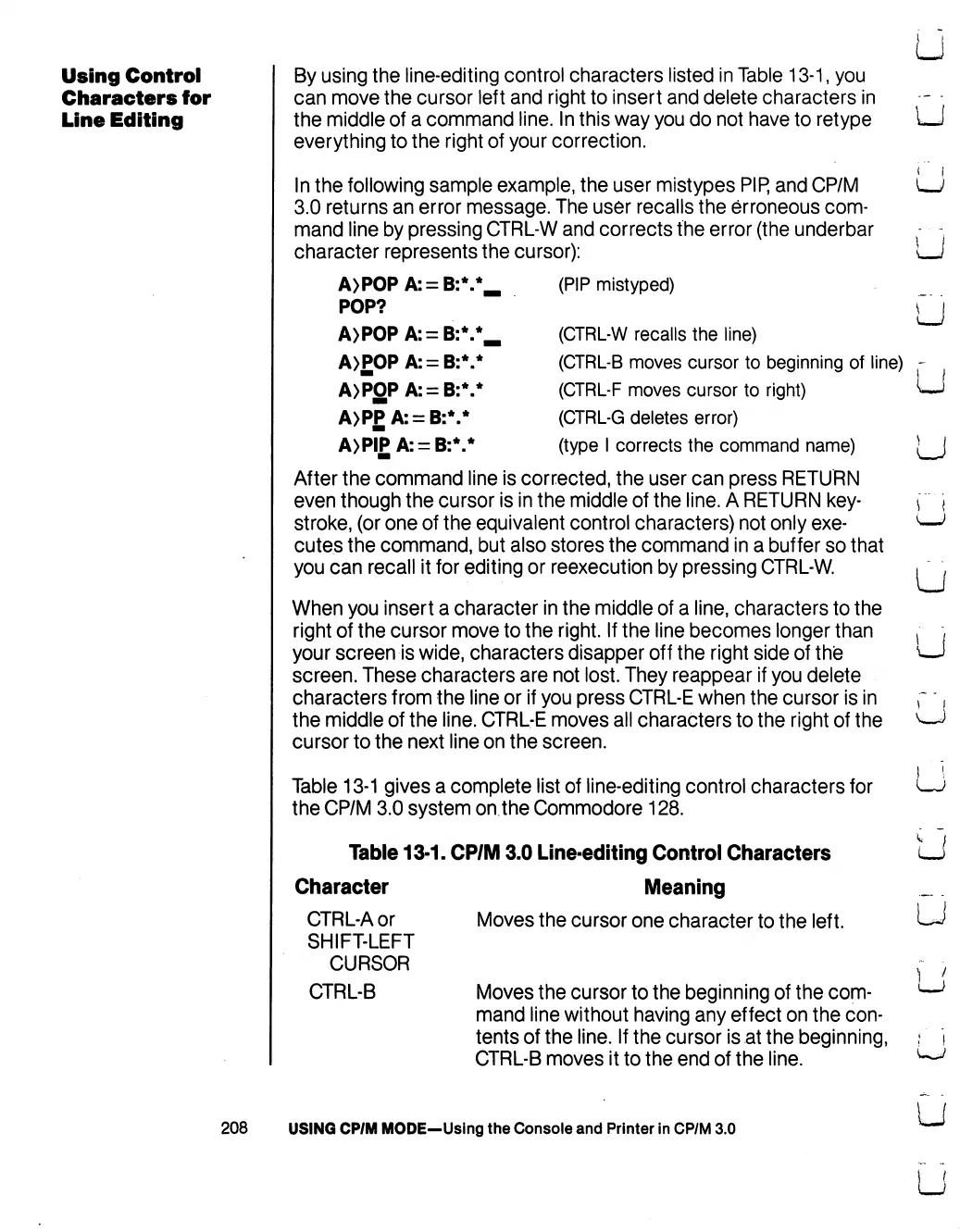
In
the
following
sample
example,
the
user
mistypes
PIP,
and
CP/M
3.0
returns
an
error
message.
The
user
recalls
the
erroneous
com
mand
line
by
pressing
CTRL-W
and
corrects
the
error
(the
underbar
character
represents
the
cursor):
(PIP
mistyped)
(CTRL-W
recalls
the
line)
u
u
u
POP?
A>P0PA:
=
B:V
:V
(CTRL-B
moves
cursor
to
beginning
of
line)
(CTRL-F
moves
cursor
to
right)
(CTRL-G
deletes
error)
(type
I
corrects
the
command
name)
A>POPA:
=
B:
A>P0PA:
=
B:V
A>P£A:
=
B:V
A>PIPA:
=
B:V
After
the
command
line
is
corrected,
the
user
can
press
RETURN
even
though
the
cursor
is
in
the
middle
of
the
line.
A
RETURN
key
stroke,
(or
one
of
the
equivalent
control
characters)
not
only
exe
cutes
the
command,
but also
stores
the
command
in
a
buffer
so
that
you
can
recall
it
for
editing
or
reexecution
by
pressing
CTRL-W.
When
you
insert
a
character
in
the
middle
of
a
line,
characters
to
the
right
of
the
cursor
move
to
the
right.
If
the
line
becomes
longer
than
your
screen
is
wide,
characters
disapper
off
the
right
side
of
the
screen.
These
characters
are
not
lost.
They
reappear
if
you
delete
characters
from
the
line
or
if
you
press
CTRL-E
when
the
cursor
is
in
the
middle
of
the
line.
CTRL-E
moves
all
characters
to
the
right
of
the
cursor
to
the
next
line
on
the
screen.
Table
13-1
gives
a
complete
list
of
line-editing
control
characters
for
the
CP/M
3.0
system
on
the
Commodore
128.
Table
13-1.
CP/M
3.0
Line-editing
Control
Characters
Character
Meaning
CTRL-Aor
SHIFT-LEFT
CURSOR
CTRL-B
Moves
the
cursor
one
character
to
the
left.
Moves
the
cursor
to
the
beginning
of
the
com
mand
line
without
having
any
effect
on
the
con
tents
of
the
line.
If
the
cursor
is
at
the
beginning,
CTRL-B
moves
it
to
the
end
of
the
line.
208
USING
CP/M
MODE—Using
the
Console
and
Printer
in
CP/M
3.0

Table of Contents

Other manuals for Commodore 128D

Related product manuals