EasyManua.ls Logo

Commodore 128D - Page 256

Commodore 128D
427 pages
Print Icon
To Next Page IconTo Next Page
To Previous Page IconTo Previous Page
Loading...
LJ
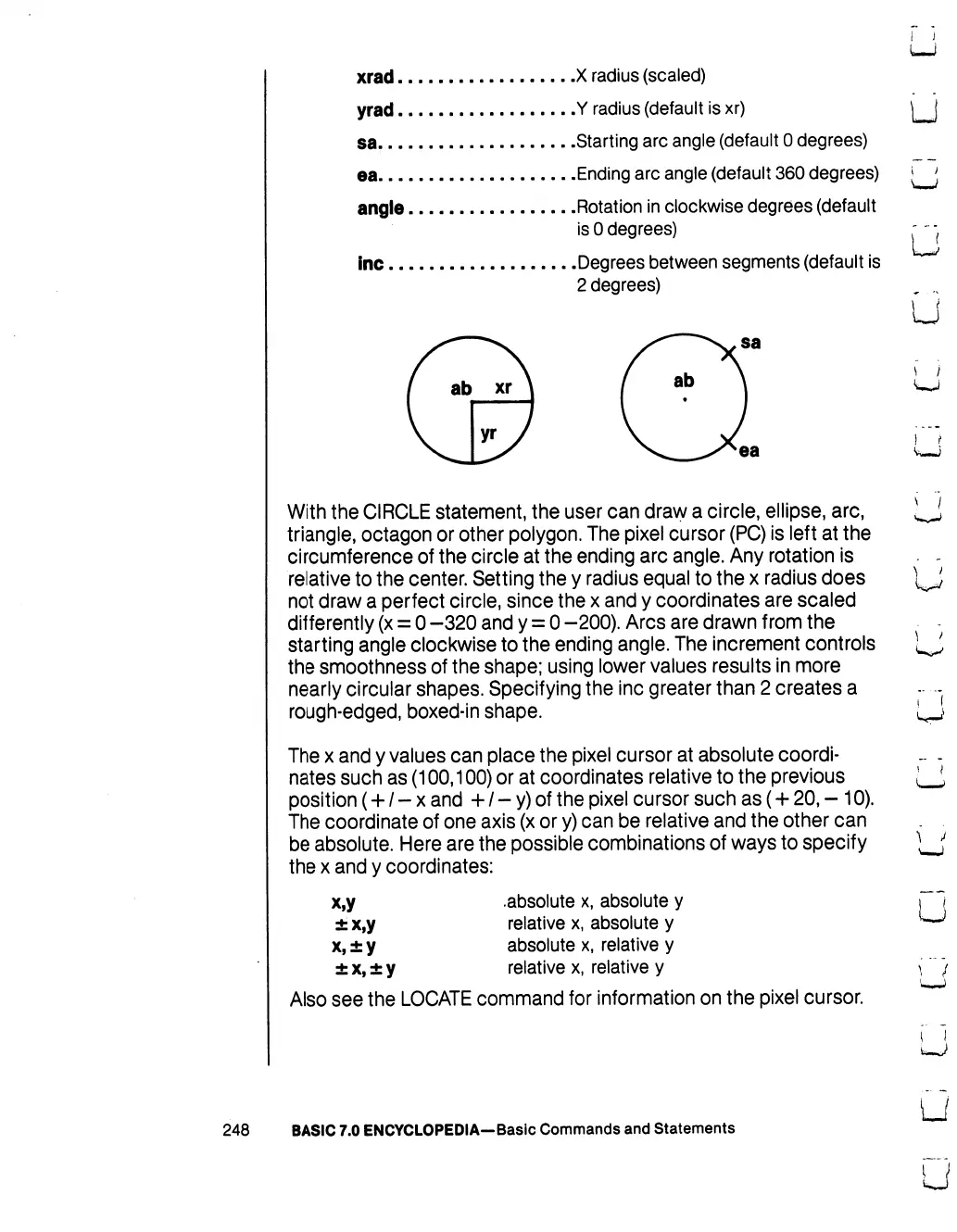
xrad
X
radius
(scaled)
yrad
Y
radius
(default
is
xr)
j^J
sa
Starting
arc
angle
(default
0 degrees)
ea
Ending
arc
angle
(default
360
degrees)
*j
angle
-
Rotation
in
clockwise
degrees
(default
is
0
degrees)
~-
inc
Degrees
between
segments
(default
is
2
degrees)
u
With
the
CIRCLE
statement,
the
user
can
dravy
a
circle,
ellipse,
arc,
triangle,
octagon
or
other
polygon.
The
pixel
cursor
(PC)
is
left
at
the
circumference
of
the
circle
at
the
ending
arc
angle.
Any
rotation
is
relative
to
the
center.
Setting
the
y
radius
equal
to
the
x
radius
does
not
draw
a
perfect
circle,
since
the
x
and
y
coordinates
are
scaled
differently
(x
=
0
-320
and
y
=
0
-200).
Arcs
are
drawn
from
the
starting
angle
clockwise
to
the
ending
angle.
The
increment
controls
the
smoothness
of
the
shape;
using
lower
values
results
in
more
nearly
circular
shapes.
Specifying
the
inc
greater
than
2
creates
a
rough-edged,
boxed-in
shape.
The
x
and
y
values
can
place
the
pixel
cursor
at
absolute
coordi-
nates
such
as
(100,100)
or
at
coordinates
relative
to
the
previous
position
(+
/
-
x
and
+
/
-
y)
of
the
pixel
cursor
such
as
(+
20,
-
10).
The
coordinate
of
one
axis
(x
or
y)
can
be
relative
and
the
other
can
be
absolute.
Here
are
the possible
combinations
of
ways
to
specify
the
x
and
y
coordinates:
x,y
.absolute
x,
absolute
y
±
x,y
relative
x,
absolute
y
x,
±
y
absolute
x,
relative
y
±
x,
±
y
relative
x,
relative
y
Also
see
the
LOCATE
command
for
information
on
the
pixel
cursor.
!
i
ea
v_j
248
BASIC
7.0
ENCYCLOPEDIA—Basic
Commands
and
Statements

Table of Contents

Other manuals for Commodore 128D

Related product manuals