EasyManua.ls Logo

Commodore 128D - Page 311

Commodore 128D
427 pages
Print Icon
To Next Page IconTo Next Page
To Previous Page IconTo Previous Page
Loading...
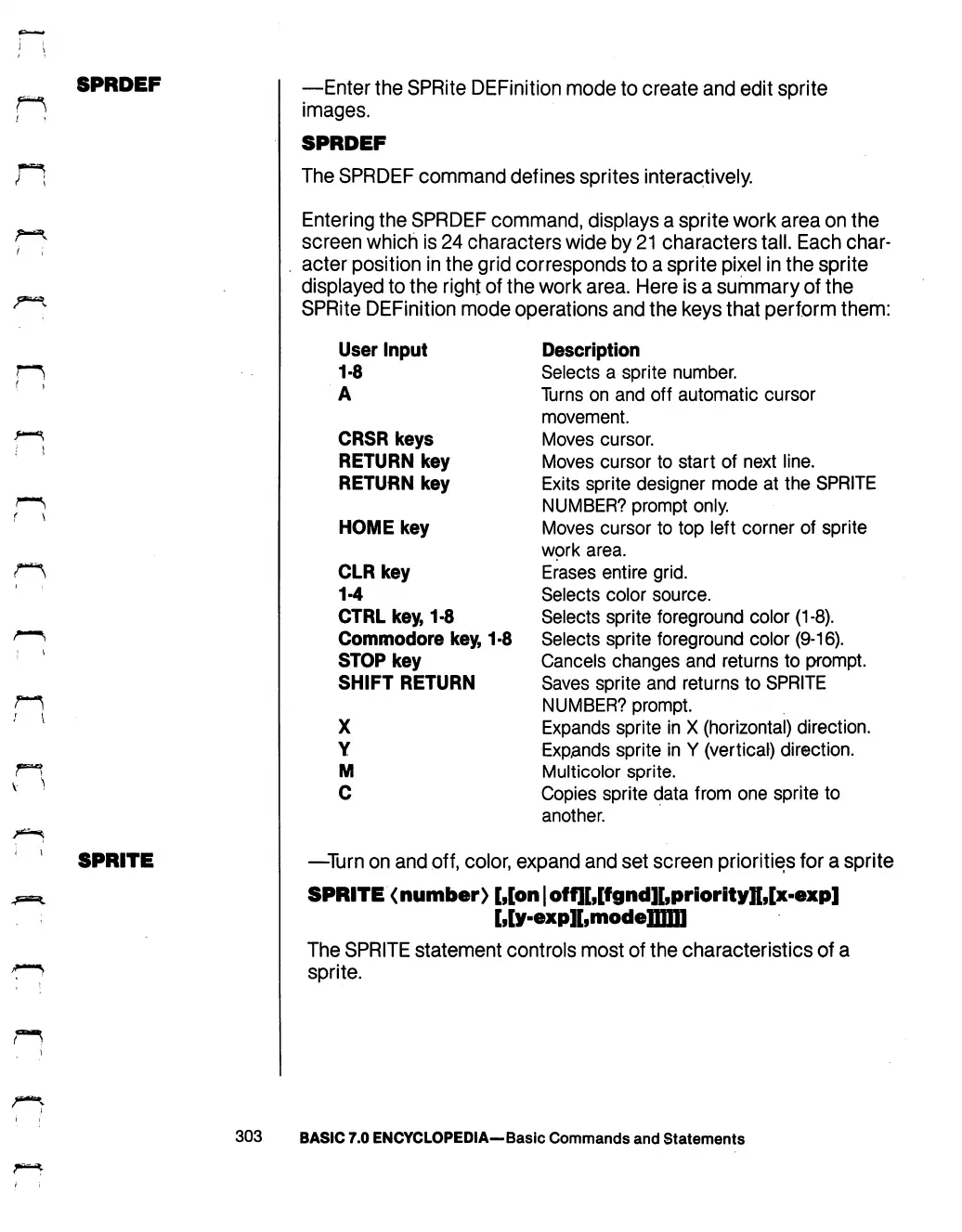
SPRDEF
n
1
SPRITE
—Enter
the
SPRite
DEFinition
mode
to
create
and
edit
sprite
images.
SPRDEF
The
SPRDEF
command
defines
sprites
interactively.
Entering
the
SPRDEF
command,
displays
a
sprite
work
area
on
the
screen
which
is
24
characters
wide
by
21
characters
tall.
Each
char
acter
position
in
the
grid
corresponds
to
a
sprite
pixel
in
the
sprite
displayed
to
the
right
of
the
work
area.
Here
is
a
summary
of
the
SPRite
DEFinition
mode
operations
and
the
keys
that
perform
them:
User
Input
1-8
A
CRSR
keys
RETURN
key
RETURN
key
HOME
key
CLR
key
1-4
CTRL
key,
1-8
Commodore
key,
1-8
STOP
key
SHIFT
RETURN
X
Y
M
C
Description
Selects
a
sprite
number.
Turns
on
and
off
automatic
cursor
movement.
Moves
cursor.
Moves
cursor
to
start
of
next
line.
Exits
sprite
designer
mode
at
the
SPRITE
NUMBER?
prompt
only.
Moves
cursor
to
top
left
corner
of sprite
work
area.
Erases
entire
grid.
Selects
color
source.
Selects
sprite
foreground
color
(1-8).
Selects
sprite
foreground
color
(9-16).
Cancels
changes
and
returns
to
prompt.
Saves
sprite
and
returns
to
SPRITE
NUMBER?
prompt.
Expands
sprite
in
X
(horizontal)
direction.
Expands
sprite
in
Y
(vertical)
direction.
Multicolor
sprite.
Copies
sprite
data
from
one
sprite
to
another.
—Turn
on
and
off,
color,
expand
and
set
screen
priorities
for
a
sprite
SPRITE
<
number)
[,[on
|
off][,[fgnd][,priority]f,[x-exp]
rJv-expir,modeTmTI
The
SPRITE
statement
controls
most
of
the
characteristics
of
a
sprite.
303
BASIC
7.0
ENCYCLOPEDIA—Basic
Commands
and
Statements

Table of Contents

Other manuals for Commodore 128D

Related product manuals