EasyManua.ls Logo

Commodore MPS 1200 - Page 104

Commodore MPS 1200
250 pages
Print Icon
To Next Page IconTo Next Page
To Previous Page IconTo Previous Page
Loading...
hxample:
I.
I,) upf:::!n
1.1·
'!
4
20
fur
n = 1
to
6
::()
F:lI'-int*,:4~
chr"'$(C});
"ht.::\b";
4()
nf.·?~<
t
II
~:::j()
F)t"illt~:J:4,
cht'~~
(~?7);"
!";
c:hl·"$
(~3)
60
for
II
= 1
tu
6
]()
f'I"··:i.nttl:lJ.,
ct"iI"'$(9)
~
"htab".
UO
nf.",~·~t;
II
90
F
l
t'int#4
100
pr-'int#4,
cilt'!ii
<:":::7);
"@"
1.
1 0 c:l.
o~:;e4
HT{-iB
HTAB
HTtlB
HTAB
HTAB
HTAB
HTAB
HTAB
HTi~B
HTAB
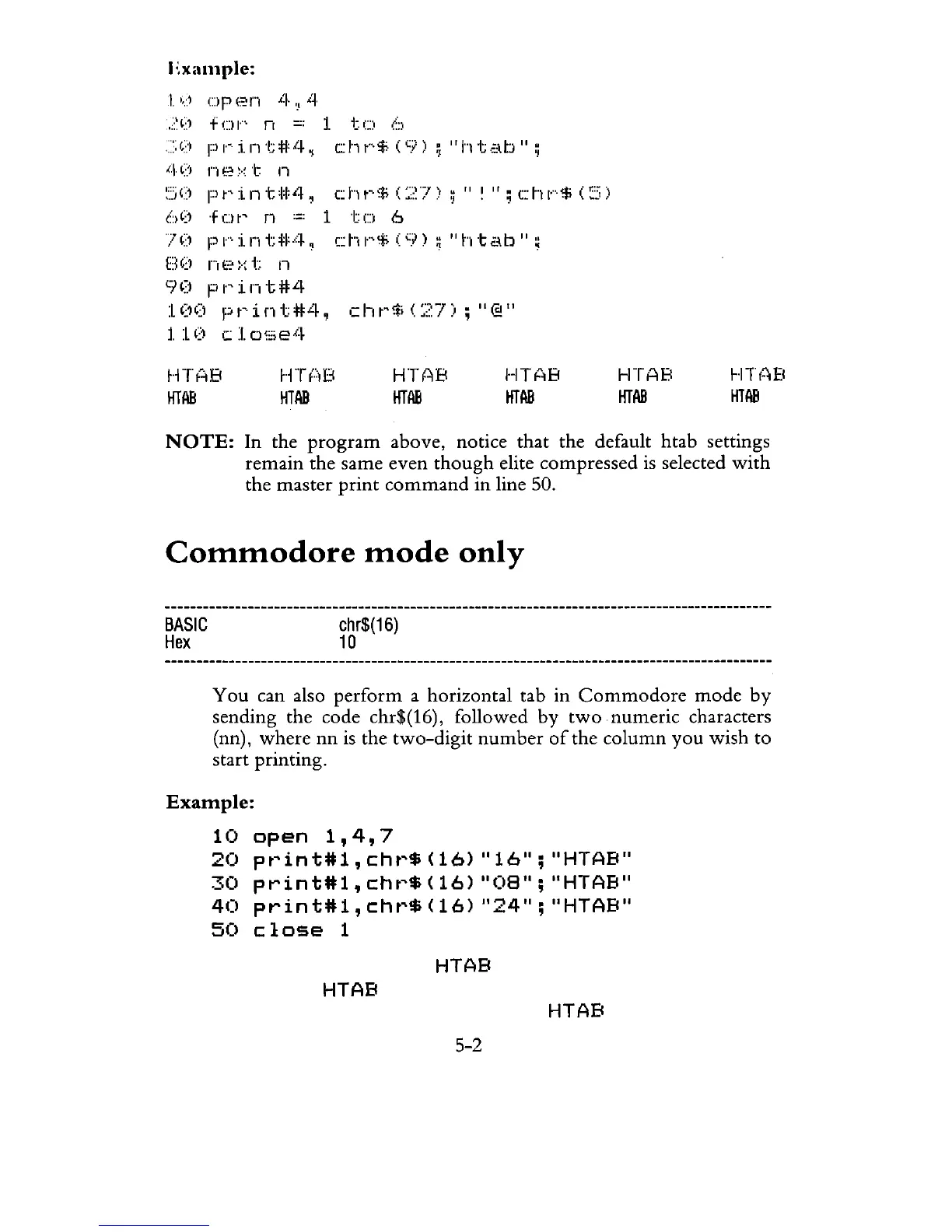
NOTE:
In the
program
above, notice
that
the default htab settings
remain
the same even
though
elite compressed
is
selected
with
the
master
print
command
in
line 50.
Commodore
mode
only
BASIC
Hex
chr$(16)
10
You
can also
perform
a horizontal tab
in
Commodore
mode
by
sending the code chr$(16), followed
by
two
numeric
characters
(nn) ,
where
nn
is the
two-digit
number
of
the
column
you
wish
to
start printing.
Example:
10
open
1,4,7
20
pt"int#1,
cht"$
(16)
"16";
"HTAB"
30
print#1,
c:ht"$
(16)
"08";
"HTAB"
40
print#1,
c:ht"$
(16)
"24";
"HTAB"
50
close
1
HTAB
HTAB
HTAB
5-2

Related product manuals