EasyManua.ls Logo

Commodore MPS 1200 - Page 105

Commodore MPS 1200
250 pages
Print Icon
To Next Page IconTo Next Page
To Previous Page IconTo Previous Page
Loading...
Set
Fixed
Htabs
BASIC
chr$(27)
lie"
chr$(O)chr$(n)
Hex
(n
= 2
to
line
length)
1 B
45
00
nh
(nh
=
02h
to
line
length)
When
you
first
turn
on
the
MPS
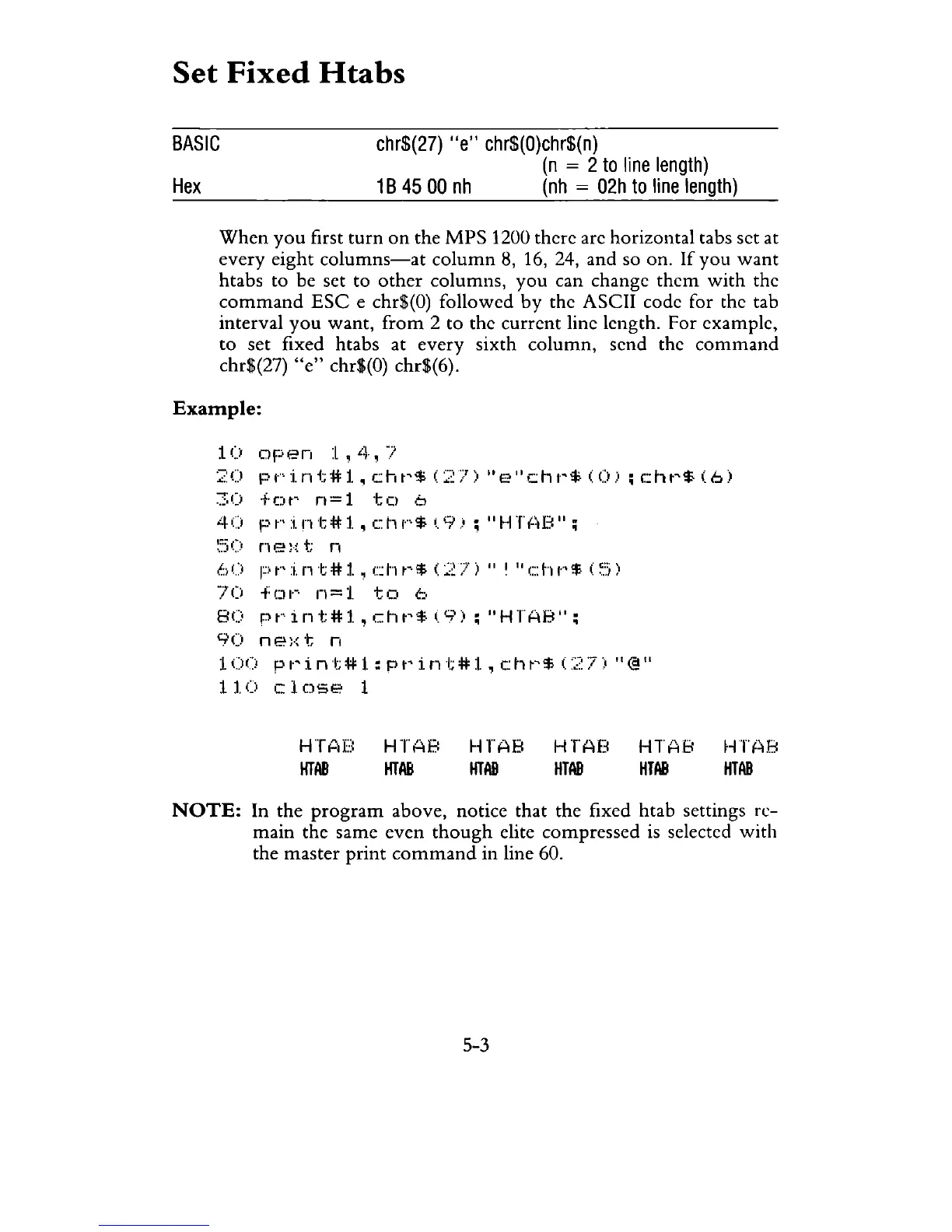
1200 there are horizontal tabs set at
every
eight
columns-at
column
8, 16, 24, and so on.
If
you
want
htabs to be set to
other
columns,
you
can change
them
with
the
command
ESC
e chr$(O) followed
by
the ASCII code for the tab
interval
you
want,
from
2 to the
current
line length. For example,
to
set fixed htabs at
every
sixth
column,
send the
command
chr$(27)
"e"
chr$(O) chr$(6).
Example:
10
open
:l,
il,
7
::;::
0
pt·':i.
n t #
1.
, c h
t'
$. ( 2
7)
"e"
ctH'
$ ( <)
c:
h
t'
$
(6
)
~;O
fOt'
n=1
to
6
4()
pt"':i.nt#l,
cl·)!""'$ 0:.9):;
"Hl?iB":;
~.'5(:O
n
e:{
t;
f1
bU
F)t"':i.nt#l,
cht-·$
(27)"
I
"c:h!""'$
(~.:.:i)
70
fLlI·-·
n=1.
to
(-;.
8(:'
Pt·int#1.,cht'$(9):;
"HTAB":;
90
ne)·:
t n
1 0
(:,
pI·'
i n t; # 1 : p
t'
i n
t;
# 1 , c h
t'
'$ C2
7;0
"@"
110
close
1
HT~lU
HTAB
HTAB
HTAB
HTAB
HTAB
HT"AB
HTAB
HTAB
HTAB
HTf~8
HTAB
NOTE:
In the
program
above, notice that the fixed htab settings
re-
main
the same
even
though
elite compressed is selected
with
the master
print
command
in line 60.
5-3

Related product manuals