Variable
Htabs
BASIC
Hex
chr$(27)
"D"
chr$(n1)
chr$(n2)
......
chr$(O)
(n
= 1
to
137)
18
C4
n1h
n2h
.........
00
(nh
=
01
h
to
89h)
If
you
don't
want
your
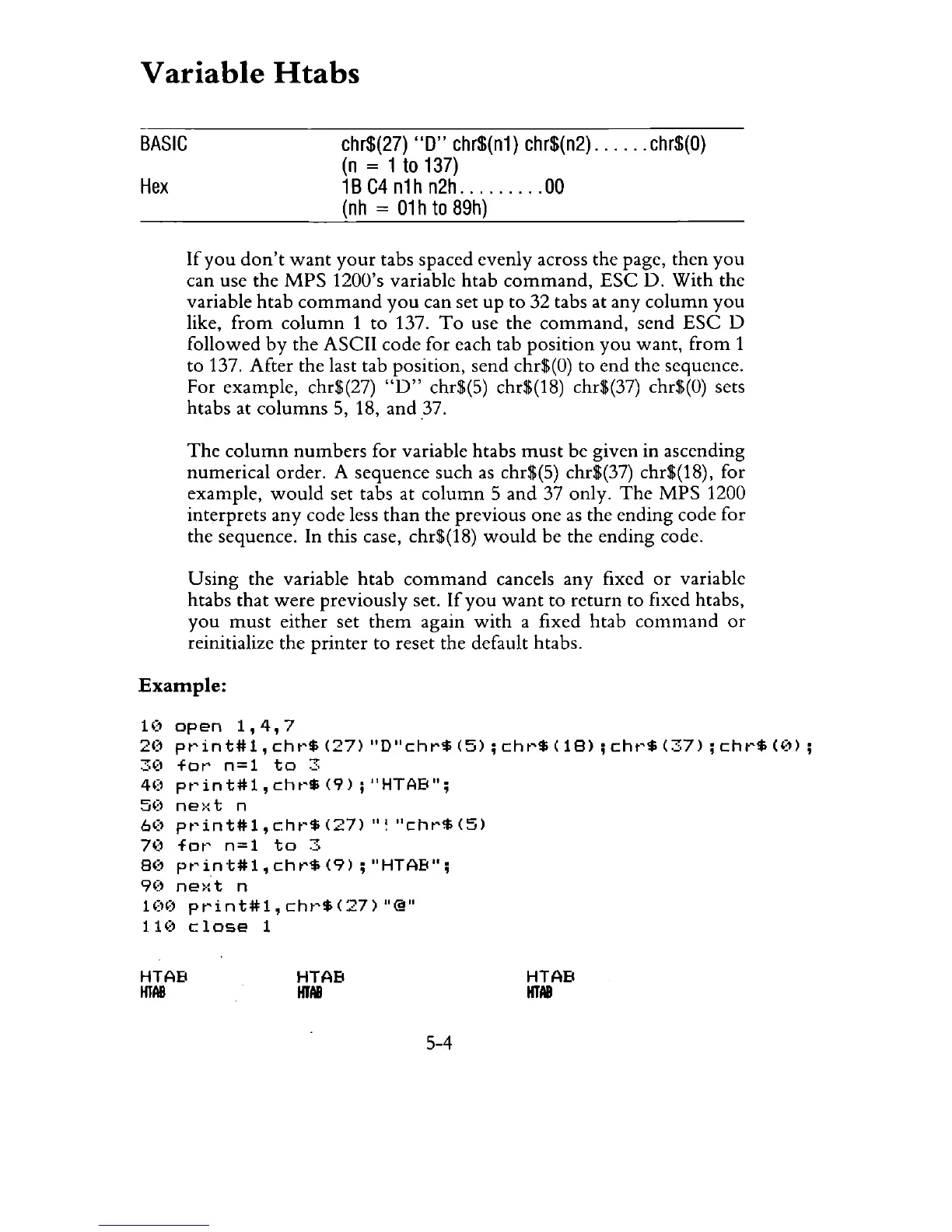
tabs spaced evenly across the page, then
you
can use the
MPS
1200's variable htab
command,
ESC
o.
With the
variable
htab
command
you
can set up to 32 tabs at any
column
you
like,
from
column
1 to 137.
To
use the
command,
send
ESC
0
followed
by
the ASCII code for each tab position
you
want,
from
1
to 137. After the last tab position, send chr$(O) to end the sequence.
For example, chr$(27)
"0"
chr$(5) chr$(18) chr$(37) chr$(O) sets
htabs at
columns
5, 18, and 37.
The
column
numbers
for variable htabs
must
be given in ascending
numerical order. A sequence such
as
chr$(5) chr$(37) chr$(18), for
example,
would
set tabs at
column
5
and
37 only.
The
MPS
1200
interprets
any
code less
than
the previous
one
as
the ending code for
the sequence. In this case, chr$(18)
would
be the ending code.
Using
the variable
htab
command
cancels any fixed
or
variable
htabs
that
were
previously set.
If
you
want
to
return
to fixed htabs,
you
must
either set
them
again
with
a fixed htab
command
or
reinitialize the
printer
to reset the default htabs.
Example:
1(~
open
1,4,7
2(1
pt'int#1,
cht'$
(27)
"D"chr$
(5);
cht'$
(18);
cht'$
(37);
cht'$
«(n;
3':1
fat'
n=1
to
3
4(1
pt'int#1,
cht'$
(9);
"HTAB";
50
ne)·:t
n
6(1
pt'int#1,
cht'$
(27)
"!
"chr$
(5)
70
fat'
n=l
to
3
8(1
pt'int#1,cht'$(9);
"HTAB";
9(1
ne>:t
n
100
print#1,chr$(27)"@"
1.
HI
close
1
HTAB
HTAB
HTAB
HTAII
5-4
HTAB
HTAII



 To Next Page