EasyManua.ls Logo

Commodore MPS 1200 - Page 107

Commodore MPS 1200
250 pages
Print Icon
To Next Page IconTo Next Page
To Previous Page IconTo Previous Page
Loading...
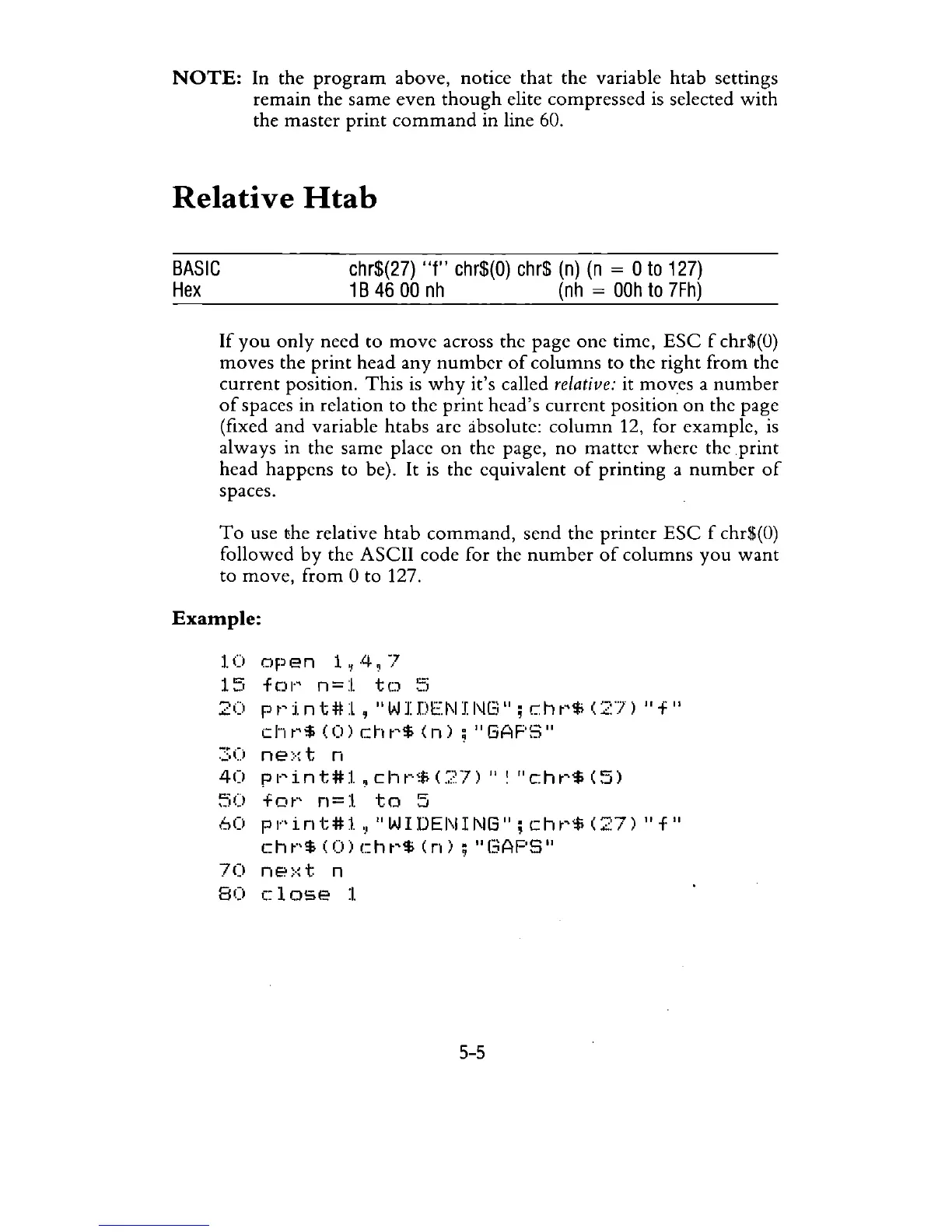
NOTE:
In
the
program
above, notice
that
the
variable
htab
settings
remain
the
same
even
though
elite
compressed
is selected
with
the master
print
command
in line 60.
Relative
Htab
BASIC
Hex
chr$(27)
"f"
chr$(O)
chr$
(n)
(n
= 0
to
127)
1 B
46
00
nh
(nh
=
OOh
to
7Fh)
If
you
only
need
to
move
across the page
one
time,
ESC
f chr$(O)
moves
the
print
head
any
number
of
columns
to
the
right
from
the
current
position.
This
is
why
it's called relative: it moves a
number
of
spaces in rclation
to
the
print
head's
current
position
on
the page
(fixed and variable htabs are absolute:
column
12, for example,
is
always in the same place
on
the page,
no
matter
where
the
print
head
happens
to
be).
It
is the equivalent
of
printing
a
number
of
spaces.
To
use the relative
htab
command,
send
the
printer
ESC
f chr$(O)
followed
by
the
ASCII
code for the
number
of
columns
you
want
to
move,
from
0
to
127.
Example:
1.0
open
1~4,7
15
fOI·'
n=:i.
to
::i
20
p
t'
tnt
# 1 , "W I
DEN
I
I\IL:.;"
; c h
t'$
(27)
II
f "
d·1
t'$
(0)
c:h
t'$
(n)
;
"GAPS"
30
ne::-:t
n
40
pl·'int#l,
cl"'w~f;
(:?7)
" !
"cht'$
(5)
~jO
fot·'
n=:I.
to
5
60
pl··'int#l,!
"WIDENING";
cht'$
(27)
"f"
cht·'$(O)cht'$(n);
"(3AF'S"
70
ne>:t
n
80
close
:I.
5
...
5

Related product manuals