Changing
graphics densities
is
similar to changing character
widths
when
printing
text.
The
same
number
of
dots are printed,
but
the
density that
you
select determines
how
close together the dots are
printed.
To
see the difference,
try
the following
program:
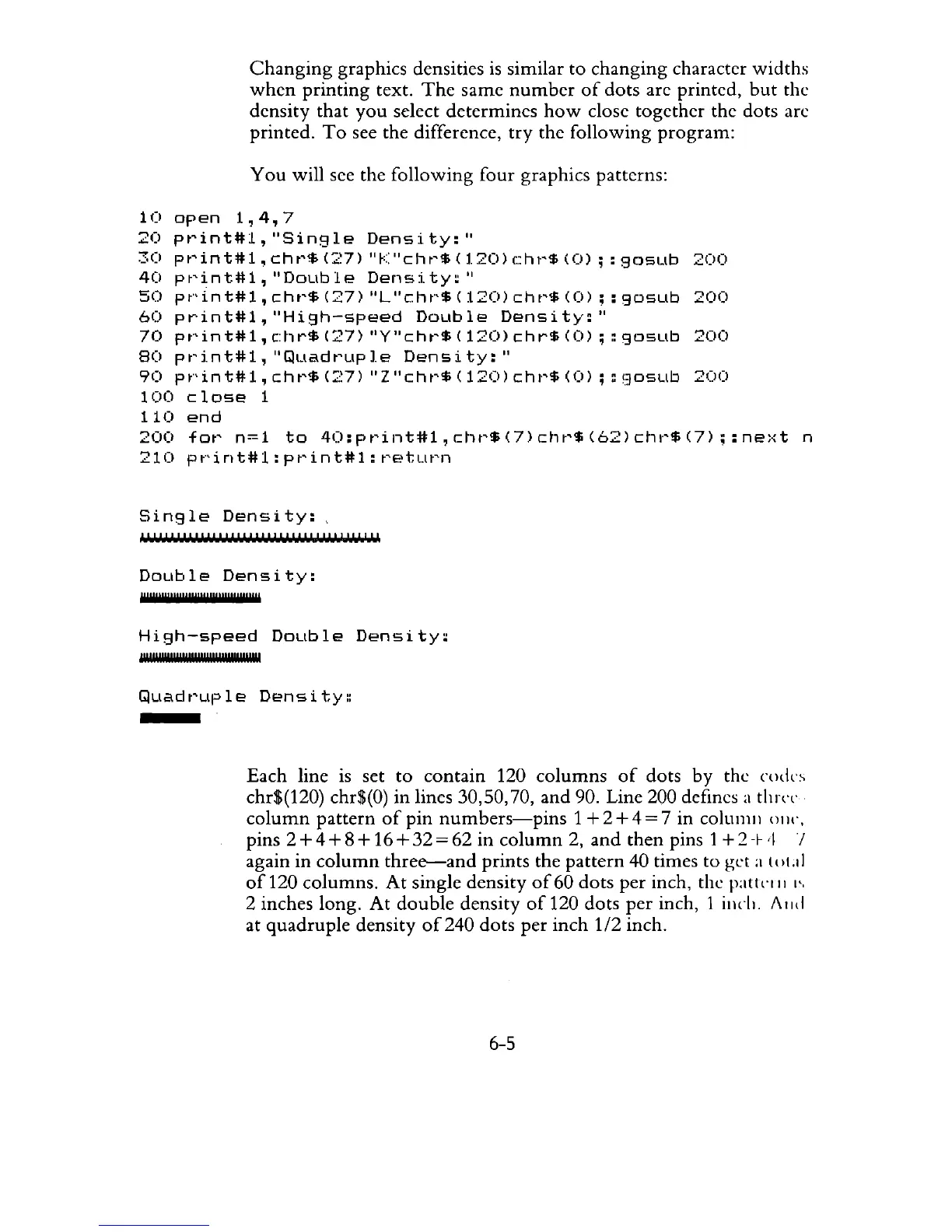
You
will see the following four graphics patterns:
1
(I
op
en
1,
4,
7
20
P
t'
i n t # 1 ,
"S
in
9 1
eDen
sit
y:
"
30
pt'int#l,
cht'$
(27)
"fC'cht'$
(1.20)
cht'$
(0)
;:
gosub
200
40
pt'int#l,
"DoLlble
Density:"
50
pf'int#l,
cht'$
(27)
"L"chr'$
(120)
cht'$
(0);:
gDsub
200
60
print#l,"High-speed
Double
Density:"
70
pt"int#l,
c:hr$
(27)
"Y"cht'$
(120)
chr$
(0)
; :
gosub
200
80
pt'i.nt#l,
"Quadt'up
Ie
Densi
ty:"
90
pf'int#l,cht'$C;;:~7)
"Z"cht'$(120)cht'$(0);
:'.30SLlb
200
100
close
1
110
end
200
for
n=1
to
40:print#1,chr$(7)chr$(62)chr$(7);:next
n
210
print#l:print#l:return
Single
Density:
" , " ' " ' " " I , " ' II' " ' I
1111
' " I , " I ,
II
Double
Density:
"u",,,,,,,,,,,,,,,,,,,,,,,,,,,,,,,,,,
High-speed
Double
Density:
!'UlY'I"'IUU""U"U"'''l'Ul
Quadruple
Density~
Each line
is
set
to
contain 120
columns
of
dots by the
Clldl'~
chr$(120) chr$(O) in lines 30,50,70,
and
90. Line 200 defines a
t1lJ(T
column
pattern
of
pin
numbers-pins
1+2+4=7
in columll
OIH",
pins
2+4+8+
16+32=62
in
column
2,
and
then pins 1
+2+
'\
/
again in
column
three--and
prints the
pattern
40 times to get a
(oLd
of
120 columns.
At
single density
of
60 dots per inch, the
patklll
I'.
2 inches long.
At
double
density
of
120 dots
per
inch, 1 illch. A
lid
at quadruple density
of240
dots per
inch
112
inch.
6-5



 To Next Page