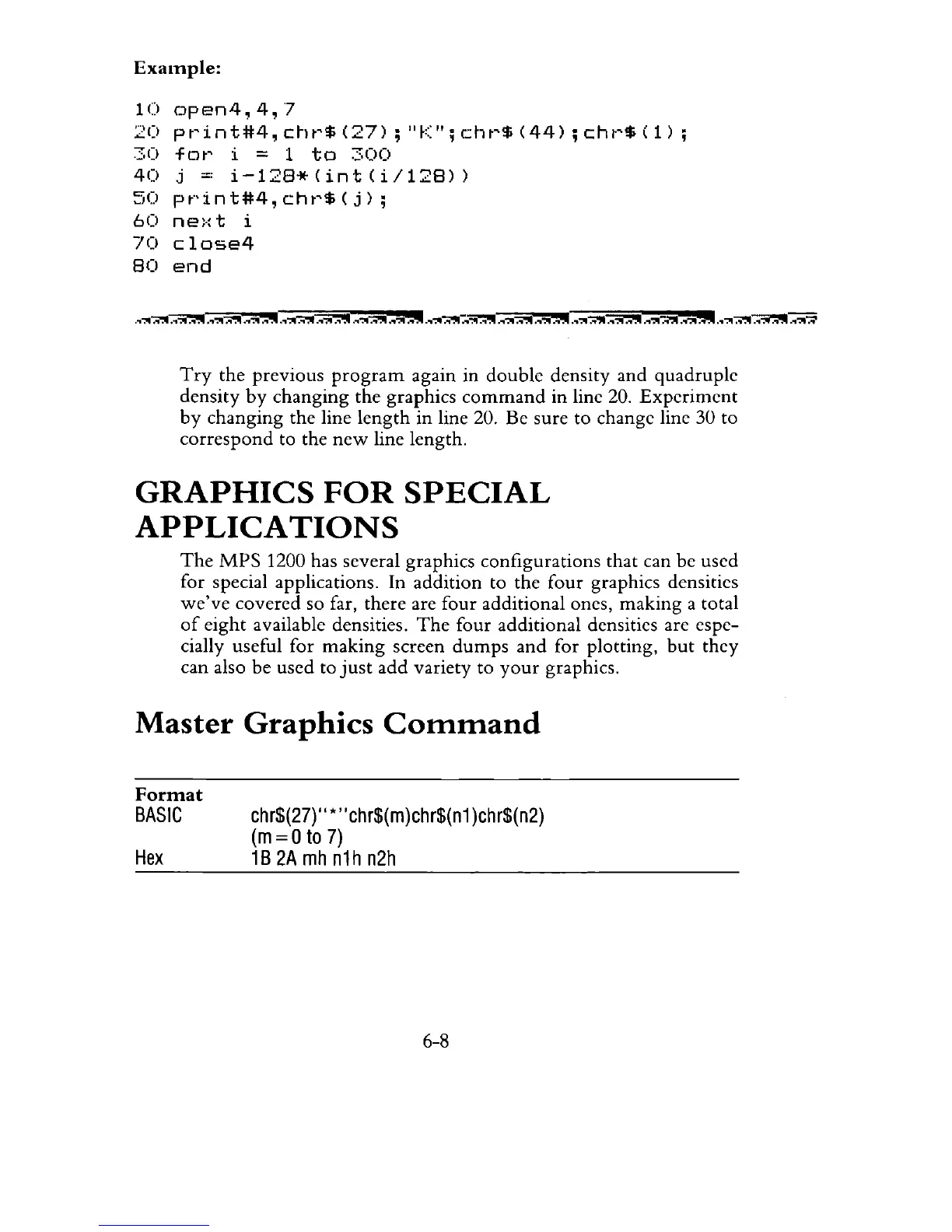
Example:
10open4,4,'l
20
pt'int#4,
C~lt'$
(27)
;
"K";
r.:ht'$
(44)
;
cht'$
(1)
;
30
for
i = 1
to
300
40
j =
i-12S*(int(i/12S»
50
print#4,chr$(j);
60
ne:·:t
i
70
close4
SO
end
Try
the previous
program
again in double density and quadruple
density
by
changing the graphics
command
in line 20.
Experiment
by
changing the line
length
in line 20. Be sure to change line 30 to
correspond
to the
new
line length.
GRAPHICS
FOR
SPECIAL
APPLICA
TIONS
The
MPS
1200 has several graphics configurations that can be used
for special applications. In addition to the four graphics densities
we've
covered so far, there are four additional ones, making a total
of
eight
available densities.
The
four additional densities are espe-
cially useful for
making
screen
dumps
and
for plotting,
but
they
can also be used to
just
add
variety to
your
graphics.
Master
Graphics
Command
Format
BASIC
Hex
chr$(27}"
*"
chr$(m)chr$(n1
)chr$(n2)
(m
= 0
to
7)
1B
2A
mh
n1h n2h
6-8



 To Next Page