EasyManua.ls Logo

Commodore MPS 1200 - Nine-pin Graphics

Commodore MPS 1200
250 pages
Print Icon
To Next Page IconTo Next Page
To Previous Page IconTo Previous Page
Loading...
Changing
Graphic
Density
Format
BASIC
Hex
chr$(27)"?n"
chr$(m)
1B
3F
nh
mh
(n
=
K,
L,
V
or
Z)
(m
= 0
to
7)
(nh
=
CBh,
CCh,
D9h,
DAh)
(mh
=
OOh
to
07h)
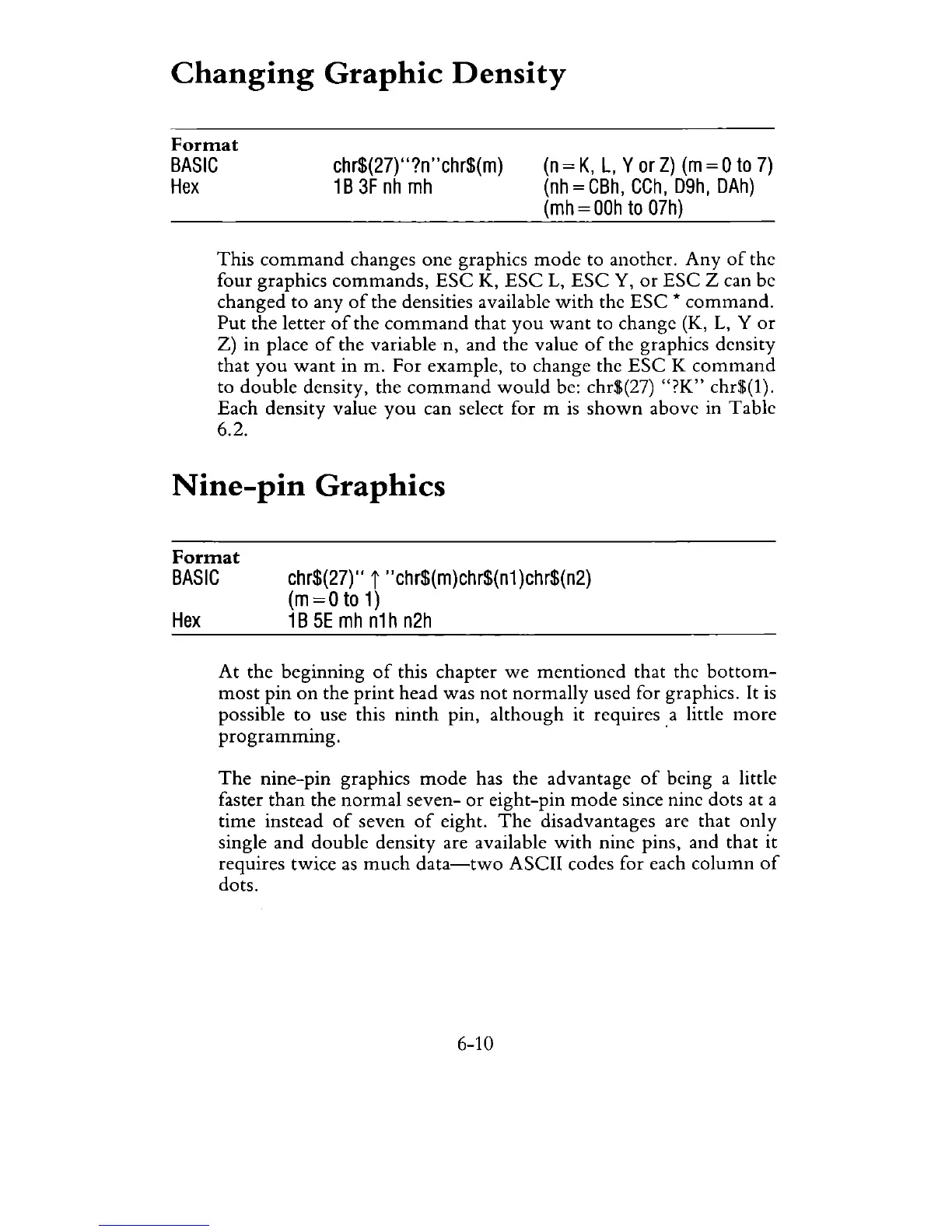
This
command
changes
one
graphics
mode
to another.
Any
of
the
four graphics
commands,
ESC
K,
ESC
L,
ESC
Y,
or
ESC
Z can be
changed
to
any
of
the densities available
with
the
ESC
*
command.
Put
the letter
of
the
command
that
you
want
to change (K,
L,
Y
or
Z)
in
place
of
the variable n, and the value
of
the graphics density
that
you
want
in
m.
For
example, to change the
ESC
K
command
to
double
density, the
command
would
be: chr$(27)
"?K"
chr$(1).
Each density value
you
can select for m
is
shown
above in Table
6.2.
Nine-pin
Graphics
Format
BASIC
chr$(27)"
i
"chr$(m)chr$(n1
)chr$(n2)
(m
=0
to
1)
Hex
1B
5E
mh
n1h
n2h
At
the beginning
of
this chapter
we
mentioned
that the
bottom-
most
pin
on
the
print
head was
not
normally
used for graphics. It is
possible
to
use this
ninth
pin,
although
it requires.a little
more
programming.
The
nine-pin graphics
mode
has the advantage
of
being a little
faster
than
the
normal
seven-
or
eight-pin
mode
since nine dots at a
time
instead
of
seven
of
eight.
The
disadvantages are that only
single
and
double
density are available
with
nine pins, and that it
requires twice
as
much
data-two
ASCII codes for each
column
of
dots.
6-10

Related product manuals