That
command
is necessary because
of
the
way
the MPS 1200's
characters are stored.
The
command
simply
selects
between
the
MPS 1200's
two
banks
of
memory:
ROM,
which
stores all
of
the
standard
characters (and their variations), and RAM,
which
stores
the user-defined characters.
The
command
to
select
the
user-defined character set
is
ESC
% 1
chr$(O).
To
return
to
the
standard
character set, use this
command:
ESC
%0
chr$(O).
The
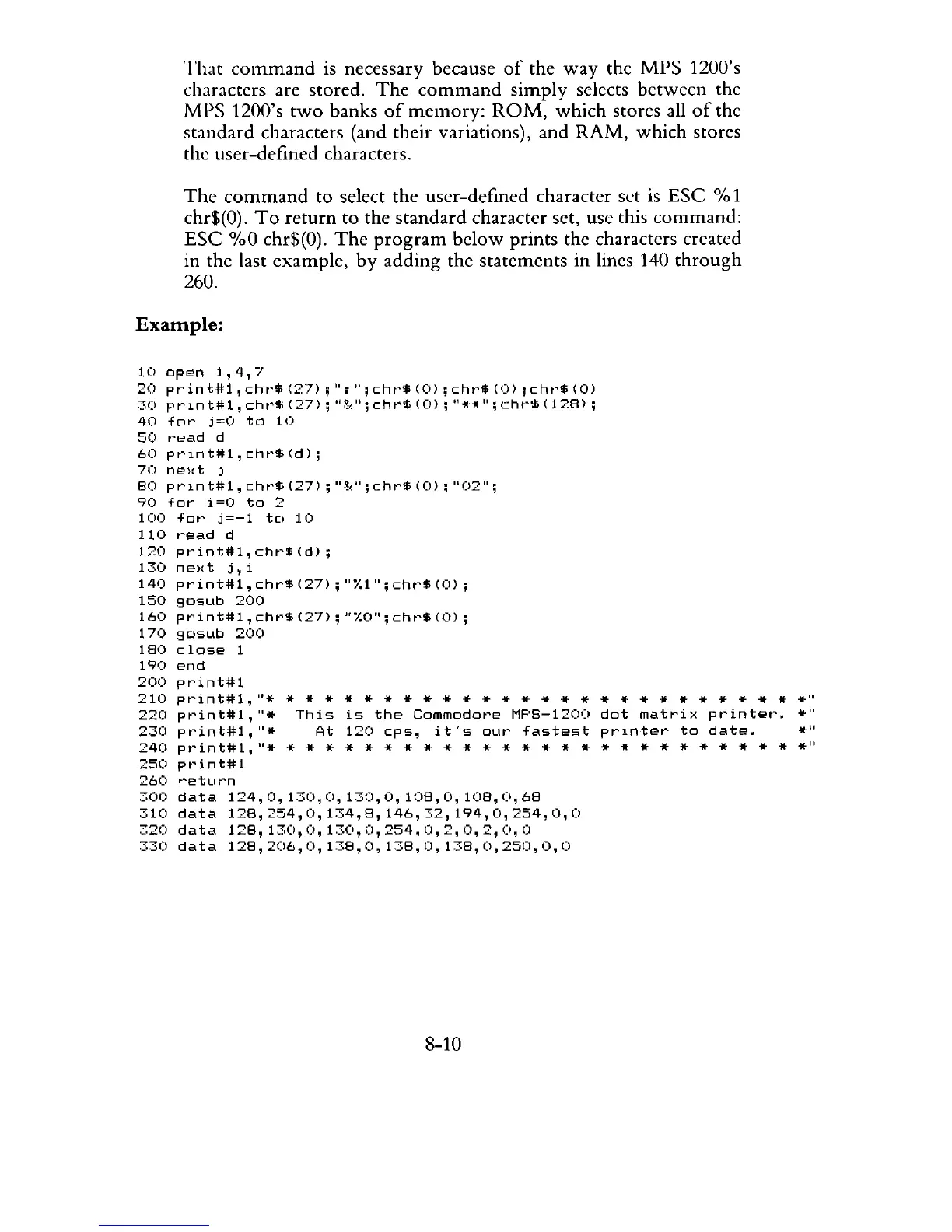
program
below
prints the characters created
in the last example,
by
adding
the statements
in
lines 140
through
260.
Example:
10
open
1,4,7
20
pt'in
t#l,
cht'$
(2])
;
":
";
cht'$
(0)
;
cht'$
(0)
;
cht'$
(0)
30
pt'int#l,
cht'$
(27);
"~,";
cht'$
(0);
"**";
cht'$
(128);
40
for
j=O
to
10
50
r'ead
d
60
print#l,chr$(d);
70
ne>:t
j
80
pr'int#l,
chr'$
(27)
;
IIg~lI;
chr'$
(0);
"0211;
90
fat'
i=O
to
2
1(~
for
j=-l
to
10
110
t'ead
d
120
print#l,chr$(d);
130
next
j,i
140
pt'int#1,chr$(27);
"1.1";cht'$(O);
150
gosub
200
160
print#1,chr$(27);"1.0";chr$(0);
170
gosub
200
180
close
1
190
end
200
print#l
210
pt'int#l,
"*
220
print#I,"*
230
pr"'int:tt:l,
"*
* * * * * * * * * * * * * * * * * * * * * * * * * *
*"
This
is
the
Commodot'e
MPS-1200
dot
matri>:
pt'intet'.
*"
At
120
cps,
it's
our
fastest
printer
to
date.
*"
240
pt"int#l.,
11*
* * * * * * * * * * * * * * * * * * * * * * * * * *
*11
250
pt'int#l
260
t'eturn
300
data
124,0,130,0,130,0,108,0,108,0,68
310
data
128,254,0,134,8,146,32,194,0,254,0,0
320
data
128,130,0,130,0,254,0,2,0,2,0,0
330
data
128,2()6,O,138,O,138,O,138,O,250,O,O
8-10



 To Next Page