Secondary
Addresses
The
secondary address
is
an additional parameter to use
with
the
OPEN
command.
The
secondary address allows you to perform
some
printer
control
functions, such
as
setting the
number
of
lines
per
page
or
line spacing in a
manner
compatible
with
Commodore
dot
matrix
printers such
as
the 1525/MPS 801, MPS 803, 1526/
MPS 802 and 1000.
The
OPEN
statement
with
a secondary address would look like
this:
open
1,4,n
with
1 being the file
number,
4 specifying the printer and n deter-
mining the secondary address
command
issued.
The
available val-
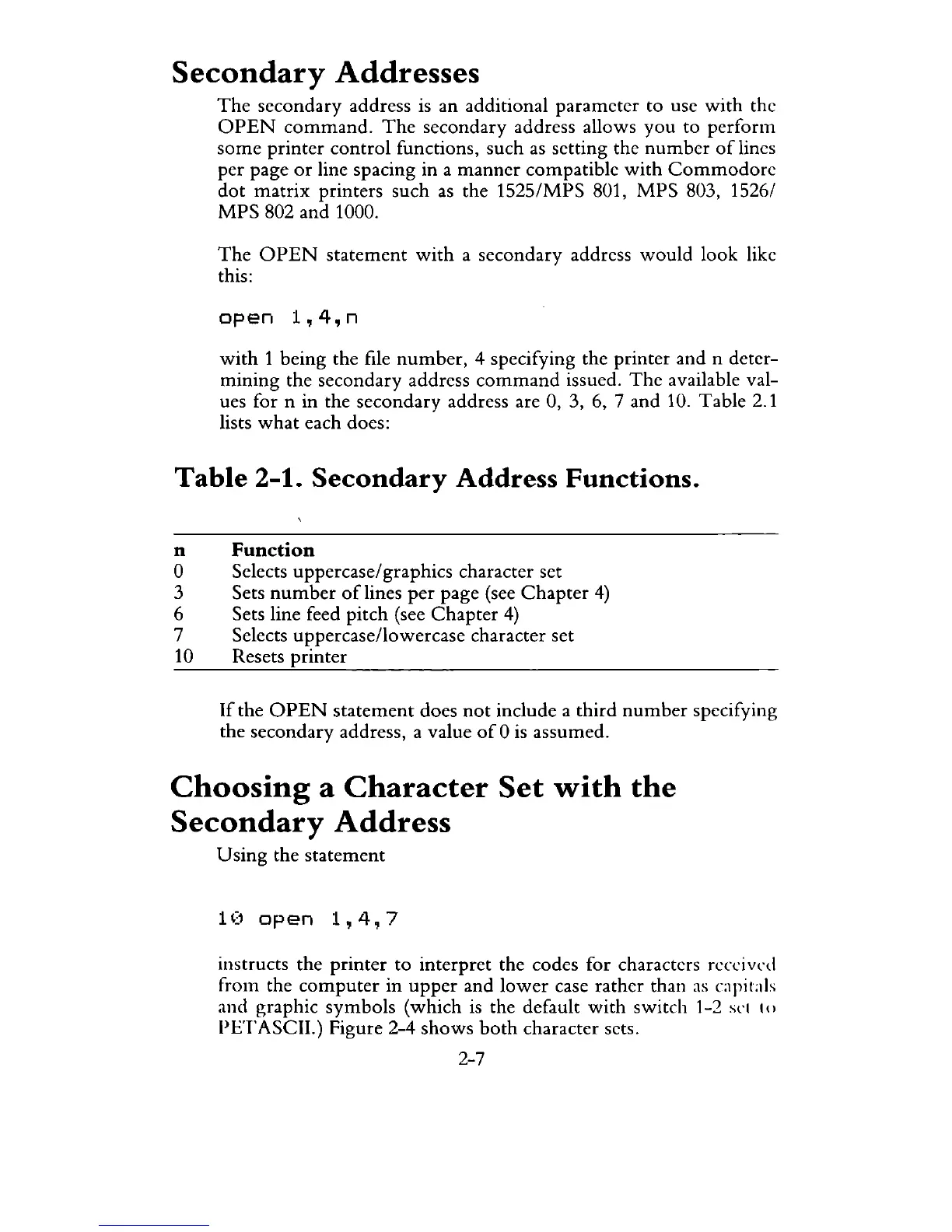
ues for n in the secondary address are 0, 3, 6, 7 and 10. Table 2.1
lists
what
each does:
Table
2-1.
Secondary
Address
Functions.
n
Function
o Selects uppercase/graphics character set
3 Sets
number
of
lines
per
page (see
Chapter
4)
6 Sets line feed pitch (see
Chapter
4)
7 Selects uppercase/lowercase character set
10 Resets printer
If
the
OPEN
statement
does
not
include a third
number
specifying
the secondary address, a value
of
0
is
assumed.
Choosing
a
Character
Set
with
the
Secondary
Address
Using
the statement
1 (1
open
1,4,
7
instructs the printer
to
interpret the codes for characters received
from the
computer
in
upper
and
lower
case rather than
as
capiLtis
and graphic symbols (which
is
the default
with
switch 1-2
St'(
()
PETASCII.) Figure 2-4
shows
both
character sets.
2-7



 To Next Page