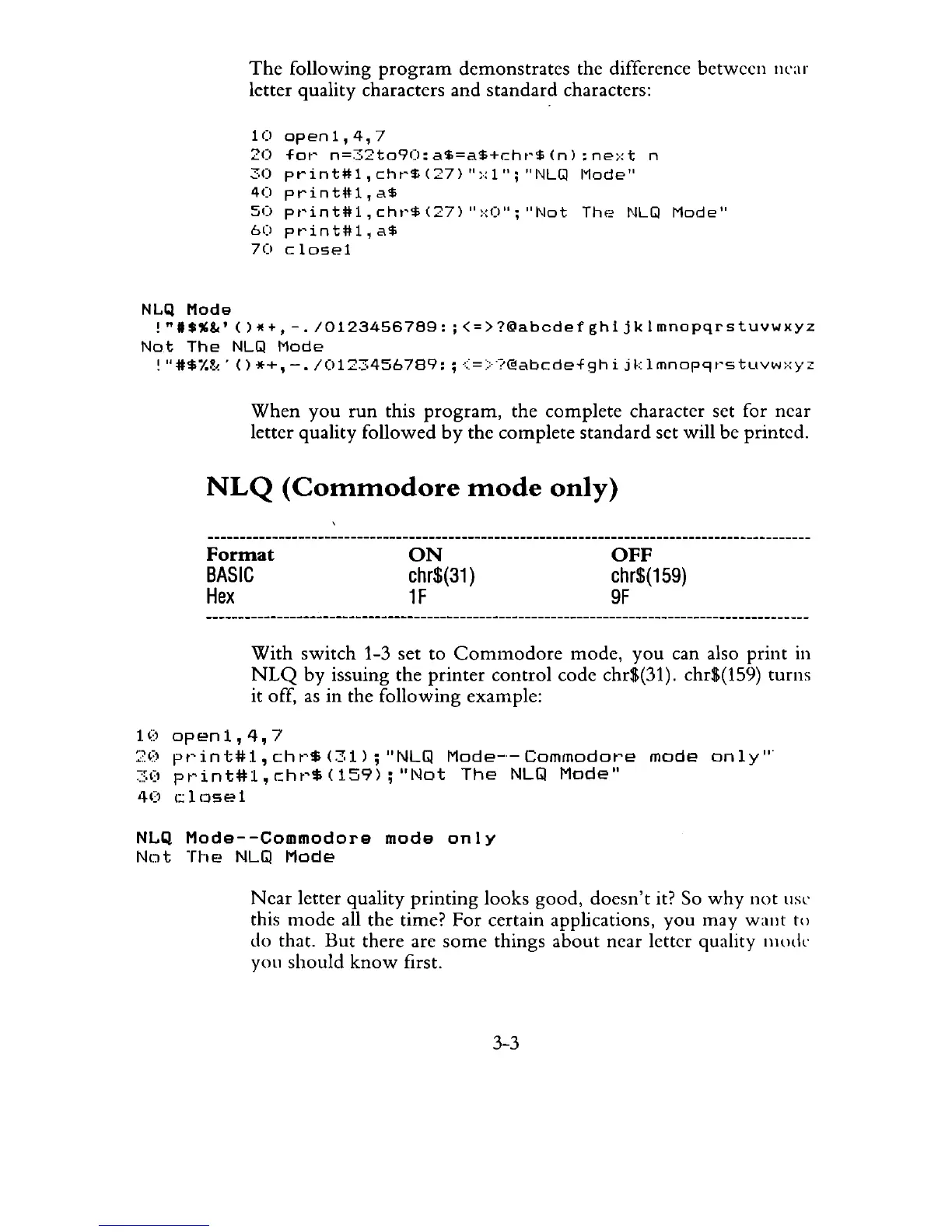
The
following
program
demonstrates
the difference between ncar
letter quality characters and
standard
characters:
10
open1,4,7
20
for
n=32to90:a$=a$+chr$(n):next
n
30
print#l,
cht'$
(27)
":-:1";
"NLGl
l"lode"
40
print#l,a$
50
pt'int#l,cht'$(27)
":·:0";
"Not
Thf?
NLGl
Mode"
60
pt'int#l,
a$
70
closel
NLQ
Mode
!"I$%&'()*+,-.I0123456789:;<=>?@abcdefghijklmnopqrstuvwxyz
Not
The
NLGl
Mode
!
"#$I.~<'
()
*+,
-./0123456789:
;
<=>?@abcdefghi
jk
Imnop9t'stuvw:·:yz
When
you
run
this
program,
the
complete
character set for near
letter quality followed
by
the complete
standard
set will be printed.
NLQ
(Commodore
mode
only)
Format
BASIC
Hex
ON
chr$(31
)
1F
OFF
chr$(159)
9F
With
switch
1-3 set
to
Commodore
mode,
you
can also
print
in
NLQ
by
issuing the
printer
control
code chr$(31). chr$(159) turns
it off,
as
in
the following example:
10open1,4,7
20
pt'int#1,cht'$(31);''NLQ
Mode-'-Commodot'e
mode
only'"
~"(I
pt'int#1,c:ht'$(159);"Not
The
NLQ
Mode"
40
!:
1
(Jse
1
NLQ
Mode--Commodore
mode
only
Not
The
NLQ
Mode
Near
letter quality
printing
looks good,
doesn't
it? So
why
not
lise
this
mode
all the time?
For
certain applications,
you
may
want
t()
do that.
But
there arc
some
things
about
near letter quality
Illode
you
should
know
first.
3-3



 To Next Page