Italics
Format
BASIC
Hex
ON
chr$(27)
"4"
1B
34
OFF
chr$(27)
"5"
1B
35
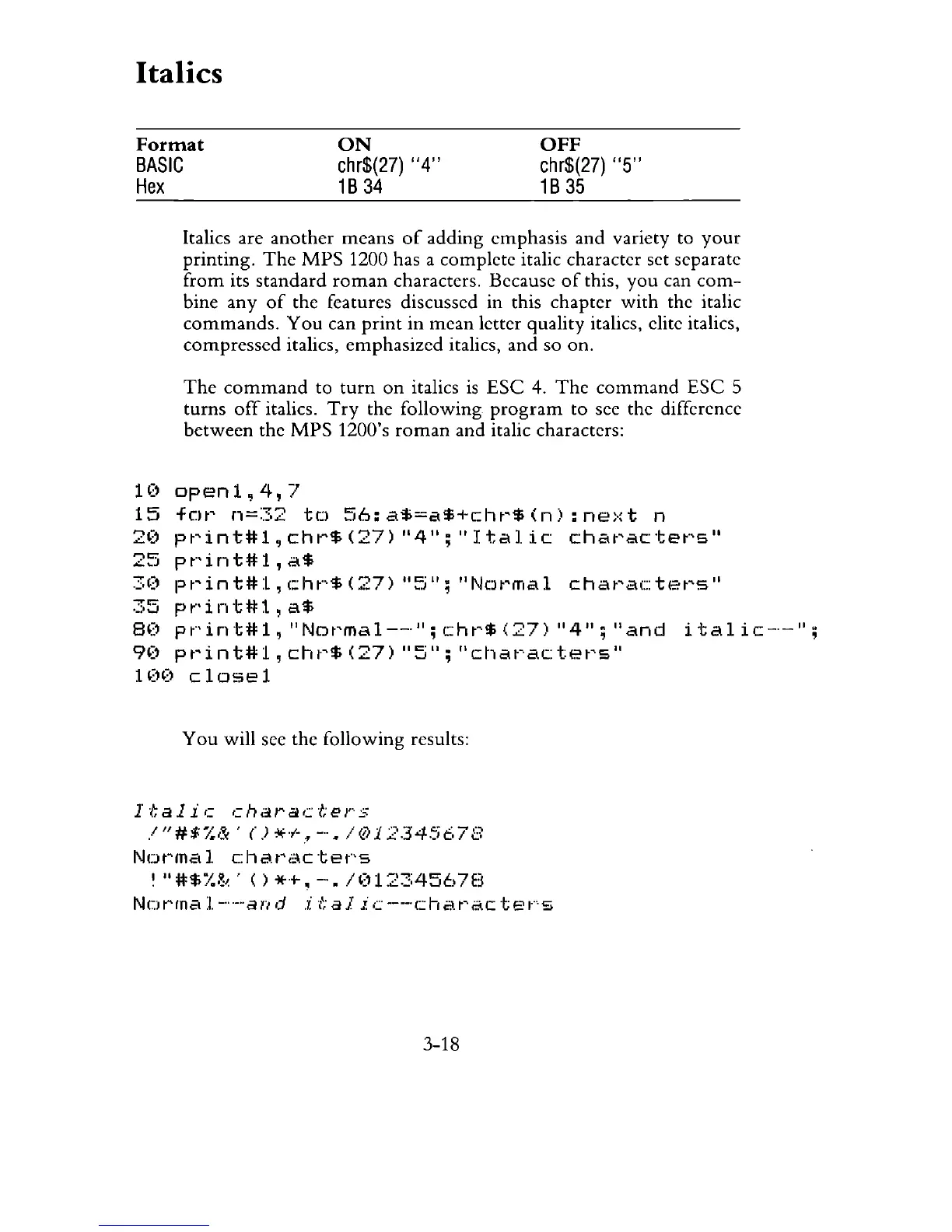
Italics are
another
means
of
adding emphasis and variety to
your
printing.
The
MPS
1200 has a complete italic character set separate
from
its standard
roman
characters. Because
of
this,
you
can
com-
bine
any
of
the features discussed in this chapter
with
the italic
commands.
You
can
print
in
mean letter quality italics, elite italics,
compressed italics, emphasized italics, and so on.
The
command
to
turn
on
italics
is
ESC
4.
The
command
ESC
5
turns
off
italics.
Try
the following
program
to see the difference
between
the
MPS
1200's
roman
and italic characters:
1('
open1,4,7
15
for
n=32
to
56:a$=a$+chr$(n):next
n
2('
pt~int#1,chr$(27)
"4";
"Italic
chat~actet·,s"
25
pt"int#1,
a$
30
pt~int#1,c:ht"$('27)
lI~i";
"N(Jt~mal
chat~ac:tet~s"
35
pt"int#l,
a$
8('
pt"int#1,
"Not~mal--''';
cht~$
(27)
"4";
"and
i
tal
ic-·-
II
;
90
pt~int#l,
cht~$
(27)
"5";
"chat~ac:tet~s"
1
(H)
close
1
You
will see the following results:
Italic
characters
!"#$%&·()*+~-./01234567B
Normal
characters
I
"#$~~~~'
()
*+,
-".
/012::::A567E3
Normal--and
itajic--characters
3-18



 To Next Page