Era
™
Medium Power Carrier Access Point Installation Guide M0201AJB
Page 34 © October 2018 CommScope, Inc.
Installing CAP Ms
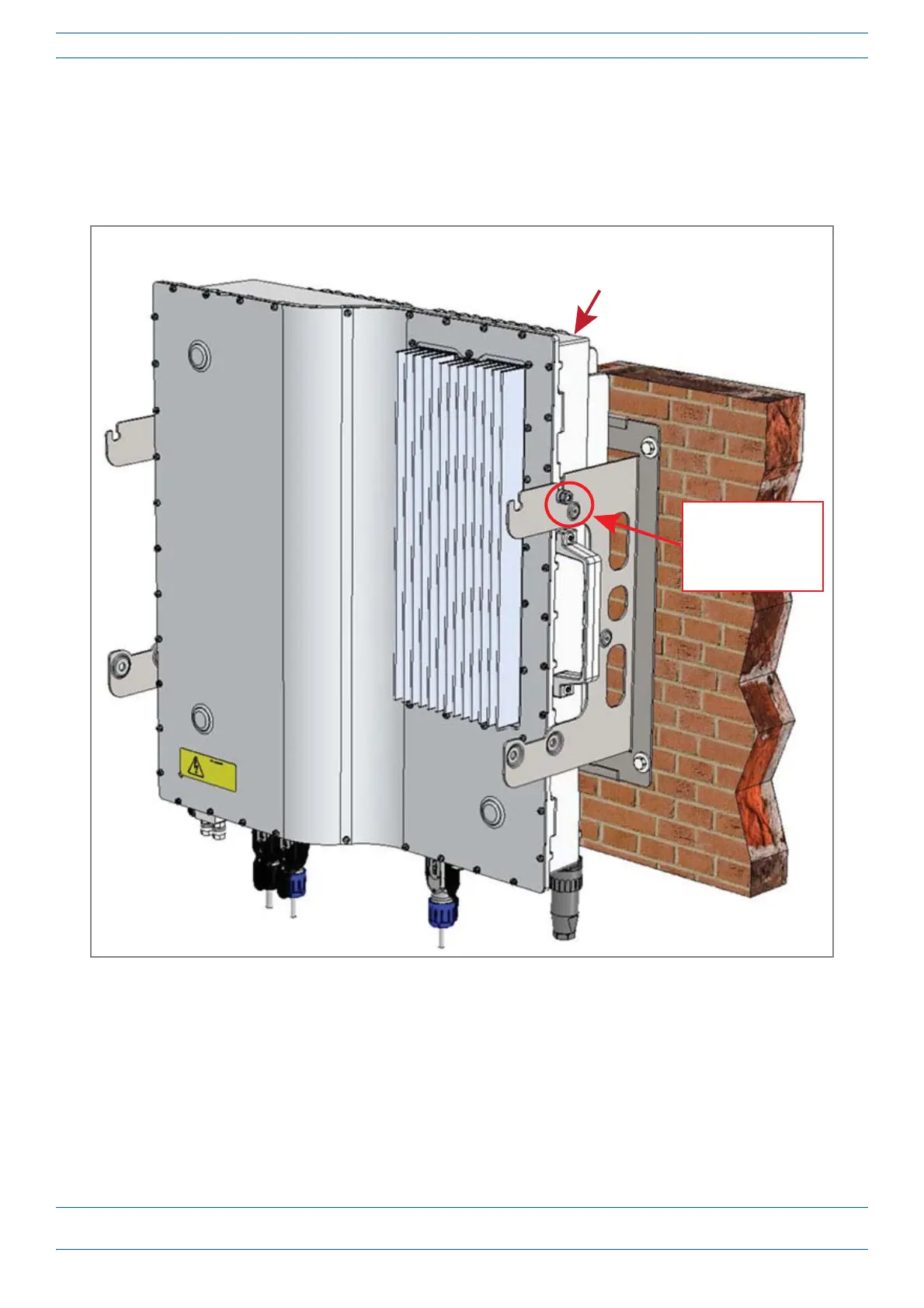
8 UsebothhandlesontheCAPM-1chassistoliftitabovetheMountingBracket,andwiththefrontofthe
chassisfacingthemountingsurface,loweritintoplace.
• TheM6pinsthatyouloosenedinStep7onpage33mustalignwiththeMountingBracketslots,as
shownbelow.
• ThewasherforeachM6pinshouldbenexttotheCAPM-1chassis(insidethebracket).
9 OntherightsideoftheCAPM-1,torquetheM6pinto11N-m.
10 RepeatStep9ontheleftsideoftheCAPM.
M6 Pin with its
washer on the inside
of the bracket,
against the
CAP-M1 chasssis
CAP M-1
(front of the CAP M-1 chassis
faces the mounng surface)










 To Next Page