Low Power Outdoor (LPOD) Amplifier/Block Up Converter (BUC)
Revision 15
Ethernet Interface Operation 4–23 MN-LPOD
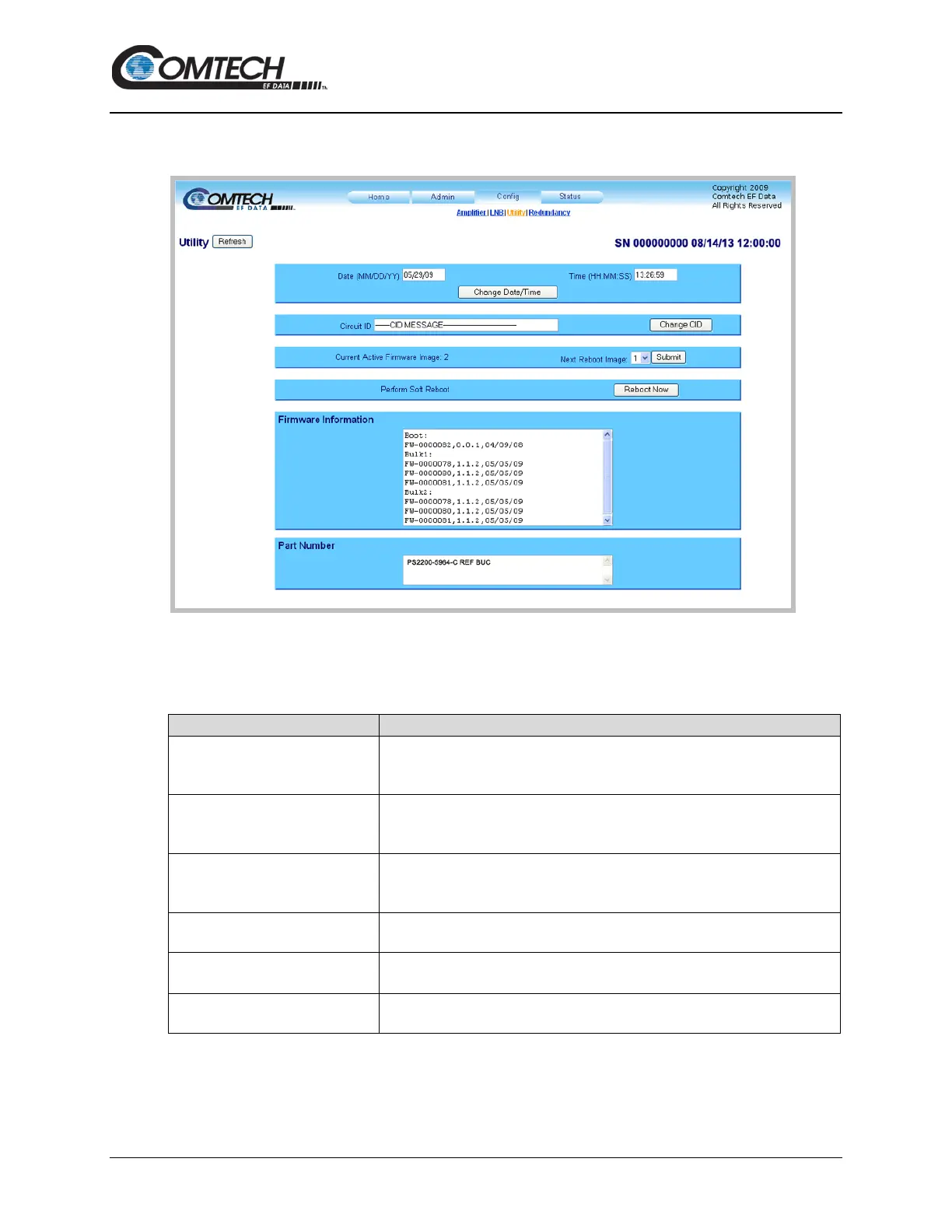
4.5.3.3 Config | Utility
Use this page to configure additional LPOD operating parameters.
Figure 4-13. ‘Config | Utility’ Page
Utility
Click [Refresh] to see the latest page data.
Enter a date using international format in the form DD/MM/YY (where
DD = day [01 to 31], MM = month [01 to 12], and YY = year [00 to 99]).
Click [Change Date/Time] to save the changes.
Enter a time using HH:MM:SS format (where HH = hour [00 to 23],
MM = minutes [00 to 59], and SS = seconds [00 to 59]).
Click [Change Date/Time] to save the changes.
Enter a Circuit ID (unit identification label) string of up to 48 characters. This is
the identification label for the unit.
Click [Change CID] to save the change.
Current Ative Firmware Image
This read-only window shows the Current Active Firmware Image. In this
example, Image 1 is the Current Active Firmware Image.
Use the drop-down list to select the Next Reboot Image as Image 1 or 2.
Click [Submit] to save the change.
Click [Reboot Now] to reboot the LPOD using the Current Active Firmware
Image.



 To Next Page