Low Power Outdoor (LPOD) Amplifier/Block Up Converter (BUC)
Revision 15
System Connectors, Installation, and Startup 2–12 MN-LPOD
2.3.5.1 Circular Connectors
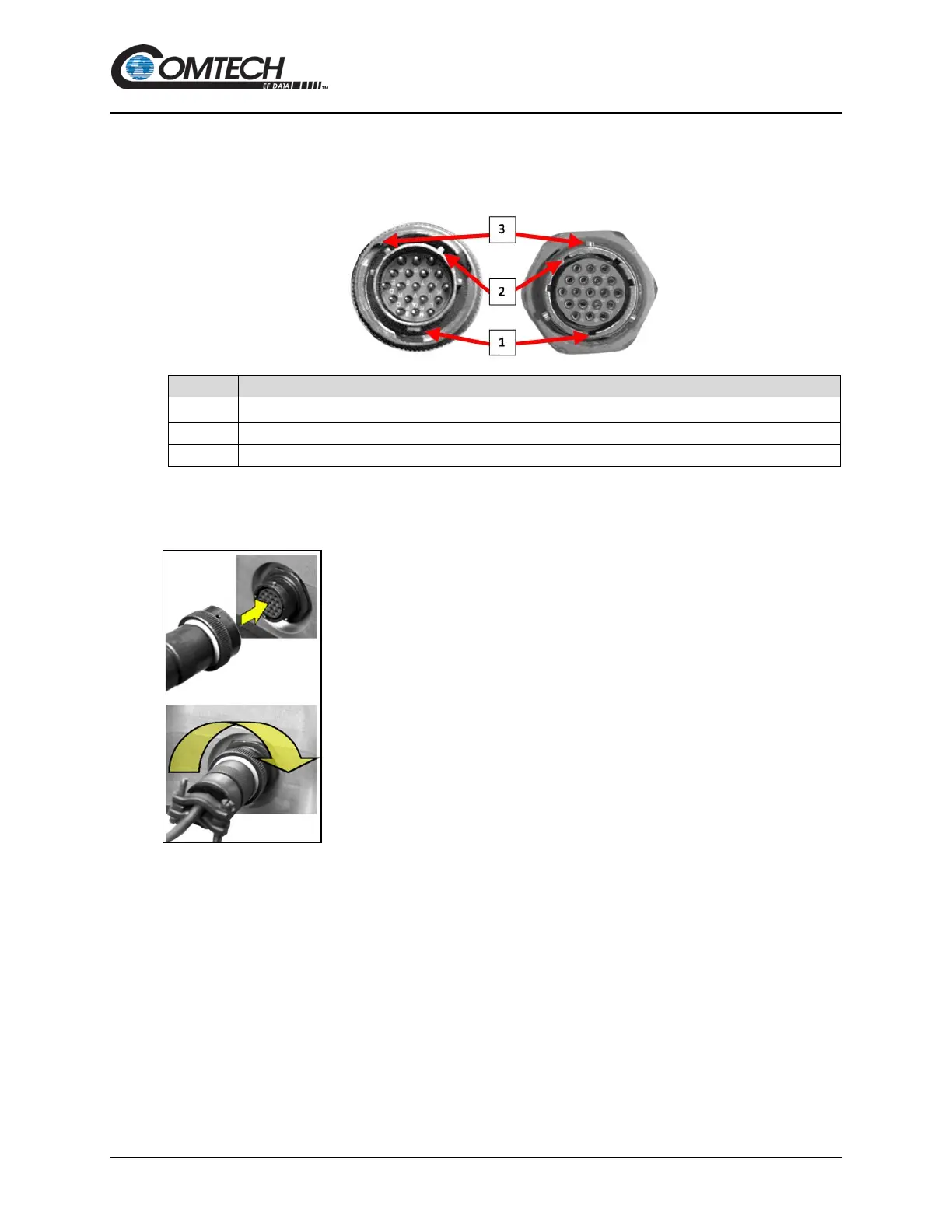
The connector pairs (Figure 2-5) feature a sleeve lock configuration, with an array of pins (male
side) coupled to mating sockets (female side).
1 Primary Alignment features
Secondary Alignment features
Figure 2-5. Circular Connector Example
Connection Instructions – Engage all of the alignment and lock
features between the male connector (on the interconnection cable) and
female socket. To install the male connector into the female connector,
do these steps:
Step 1 – Engage the primary and secondary alignment tabs on the male
connector with the mating cutouts on the female socket.
Step 2 – Push the male connector into the female socket.
Step 3 – Turn the male connector sleeve clockwise until the sleeve lock
cutouts engage fully with the female socket tabs and you hear a “click”
sound.



 To Next Page