16 Operation
4.4.3 Draining of the steam cylinder(s)
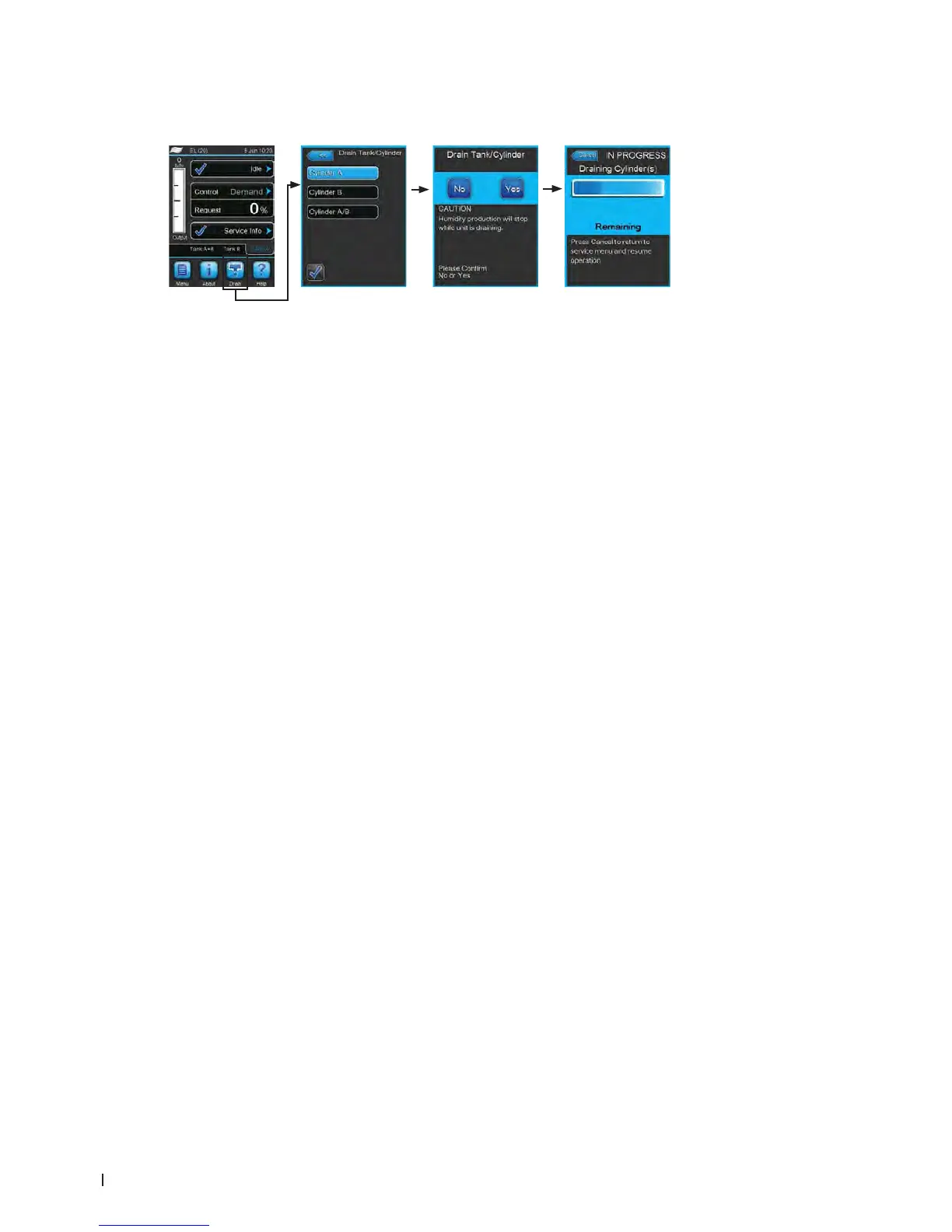
To perform a draining of the steam cylinder(s) proceed as follows:
1. Press on the <Drain> button in the standard operating display. The "Drain Tank/Cylinder" submenu
appears.
2. In the "Drain Tank/Cylinder" submenu press on the button of the cylinder(s) to be drained (<Cylin-
der A>, <Cylinder B> or <Cylinder A/B>).
Note: on single units <Cylinder A> button is shown only.
3. Press on the <Yes> button to start the draining of the steam cylinder(s). A possible running hu-
midication process is interrupted, then the drain pump starts and empties the steam cylinder. The
progress bar in the display shows the current status of the drain cycle. After draining has nished
the unit returns to the "Drain Tank/Cylinder" submenu.
Note: in order to stop the drain cycle press the <Cancel> button in the draining progress window.
The drain cycle is stopped and the unit returns to the "Drain Tank/Cylinder" submenu.
4. IfyouhavetocarryoutworkontheCondairEL,switchoffsteamhumidierviatheunitswitch
immediately after the countdown. Otherwise the steam cylinder may immediately ll if there is
sufcient system demand.















 To Next Page