21Operating the control software
5.3 Information functions
5.3.1 Accessing support informations
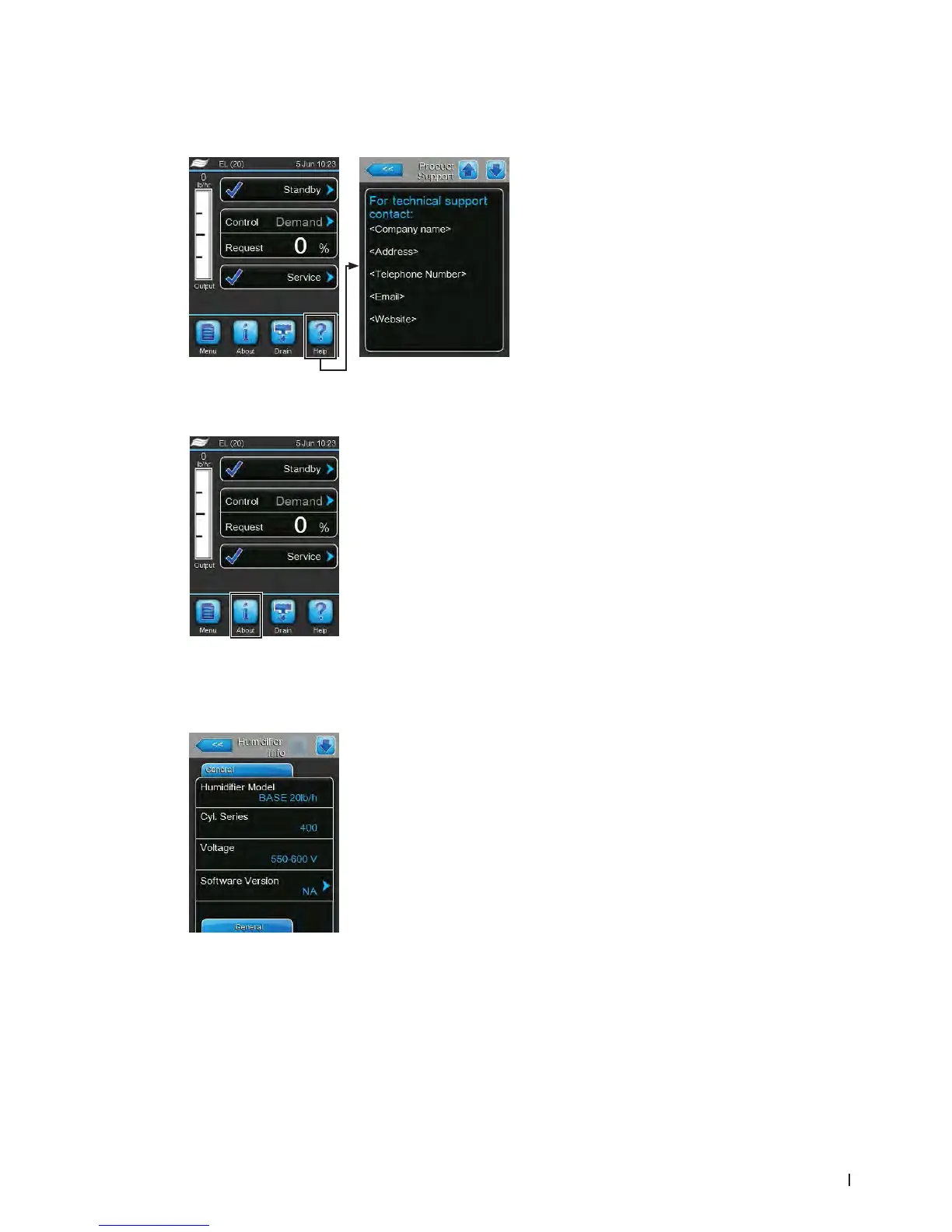
In the standard operating display press the <Help>
button.
The screen with the support information appears.
5.3.2 Accessing system informations
In the standard operating display press the <About> button.
– HumidierModel: Product designation.
– Cyl. Series: Cylinder series designation of the cylinder used in the steam
humidier.
– Voltage: Heating voltage range in Volts.
– Software Version: Actual version of the control software.
The system information screen appears. Use the arrow buttons to scroll up and down within the system
information screens to access the different system information and operating data.
General Tab



 To Next Page