18 Operating the control software
5 Operating the control software
5.1 Standard operating display
After switching on the Condair EL and the automatic system test the steam humidier is in normal op-
erating mode and the standard operating display is shown.
Note: the appearance of the standard operating display depends on the current operating status and
the conguration of the humidity control of the system and can deviate from the display shown below.
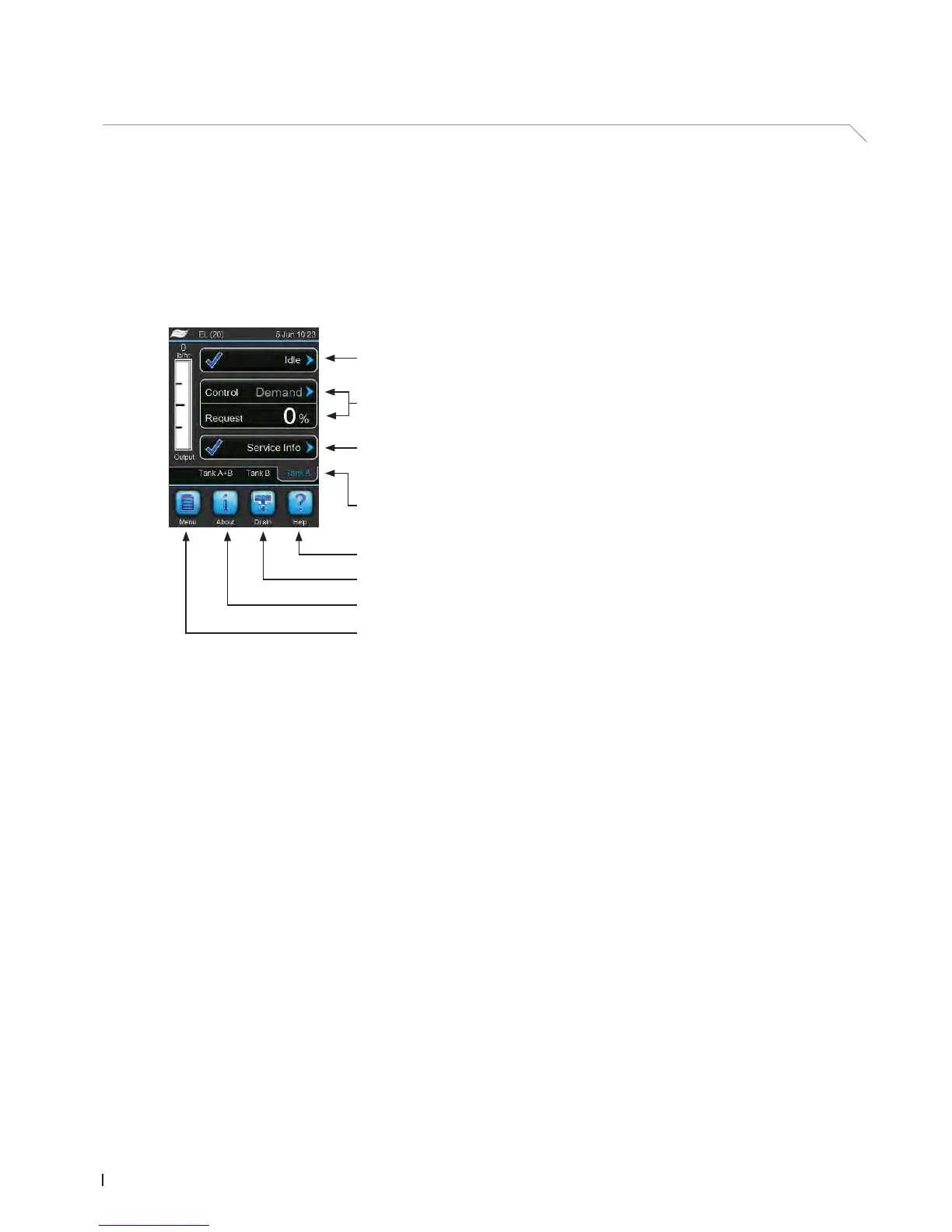
The standard operating display is structured as follows:
Fig. 5: Standard operating display
Cylinder selection (shown only on large units "L" and double units with
2 steam cylinders as well as on linkup systems)
Maintenance/malfunctions indication eld
(see chapter 5.1.2)
Humidity control information
Operating status eld
(see chapter 5.1.1)
Access Help screen
Manual ushing
Access system informations
Access main menu















 To Next Page