44 Operating the control software
5.5 Maintenance functions
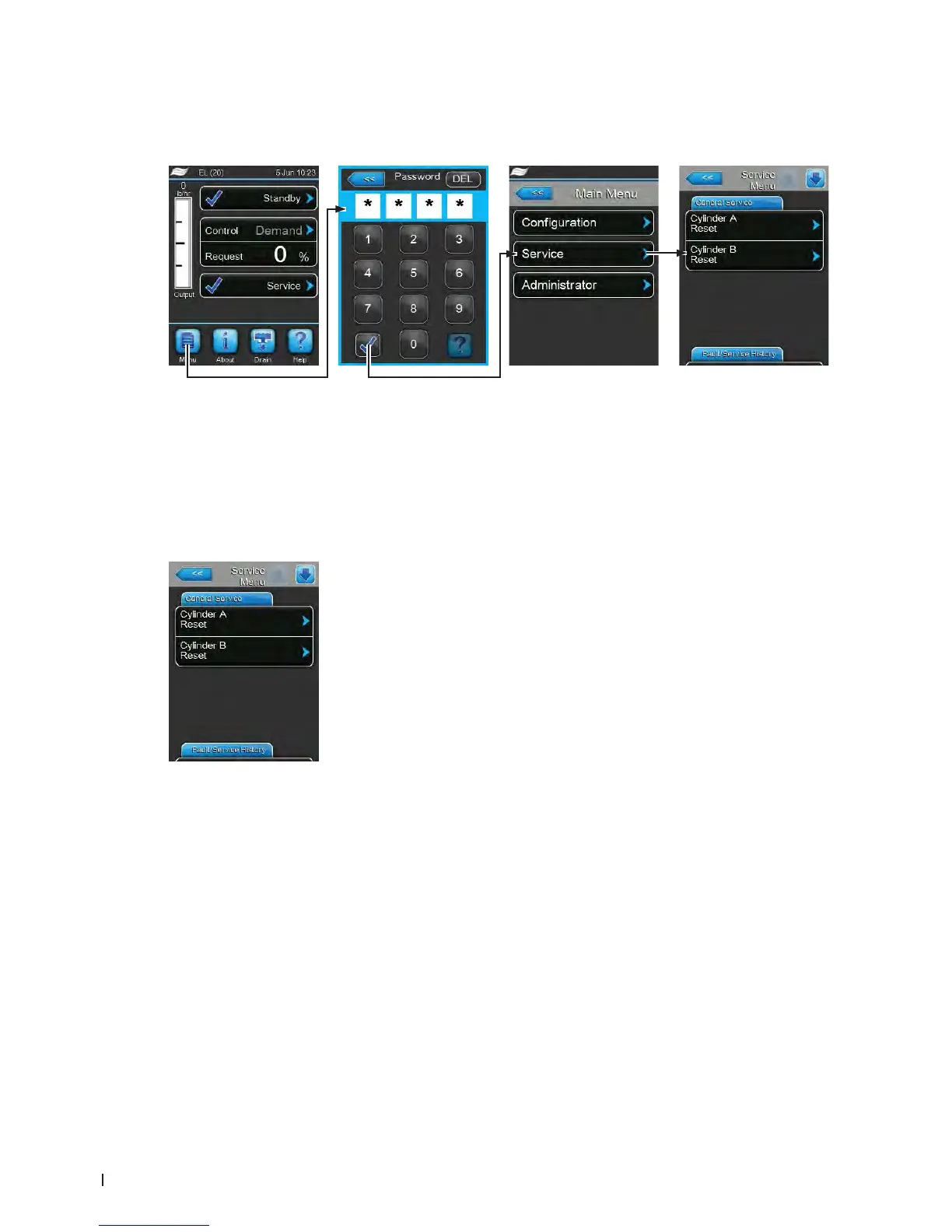
5.5.1 Accessing the "Service" submenu
5.5.2 Performing maintenance functions – "Service" submenu
In the "Service" submenu you can reset the maintenance counters, access the fault and maintenance
history and perform different diagnostic functions.
General Service Tab
– Cylinder A Reset: with the"Cylinder A Reset" function you can reset the
service message or the service counter, respectively for the maintenance
of unit A. After pressing on the "Cylinder A Reset" button a conrmation
window appears where the resetting must be conrmed.
– Cylinder B Reset: with the"Cylinder B Reset" function you can reset the
service message or the service counter, respectively for the maintenance
of unit A. After pressing on the "Cylinder B Reset" button a conrmation
window appears where the resetting must be conrmed.
Note: this menu item appears only on double units and large units with
two steam cylinders.
Password: 8808















 To Next Page