45Operating the control software
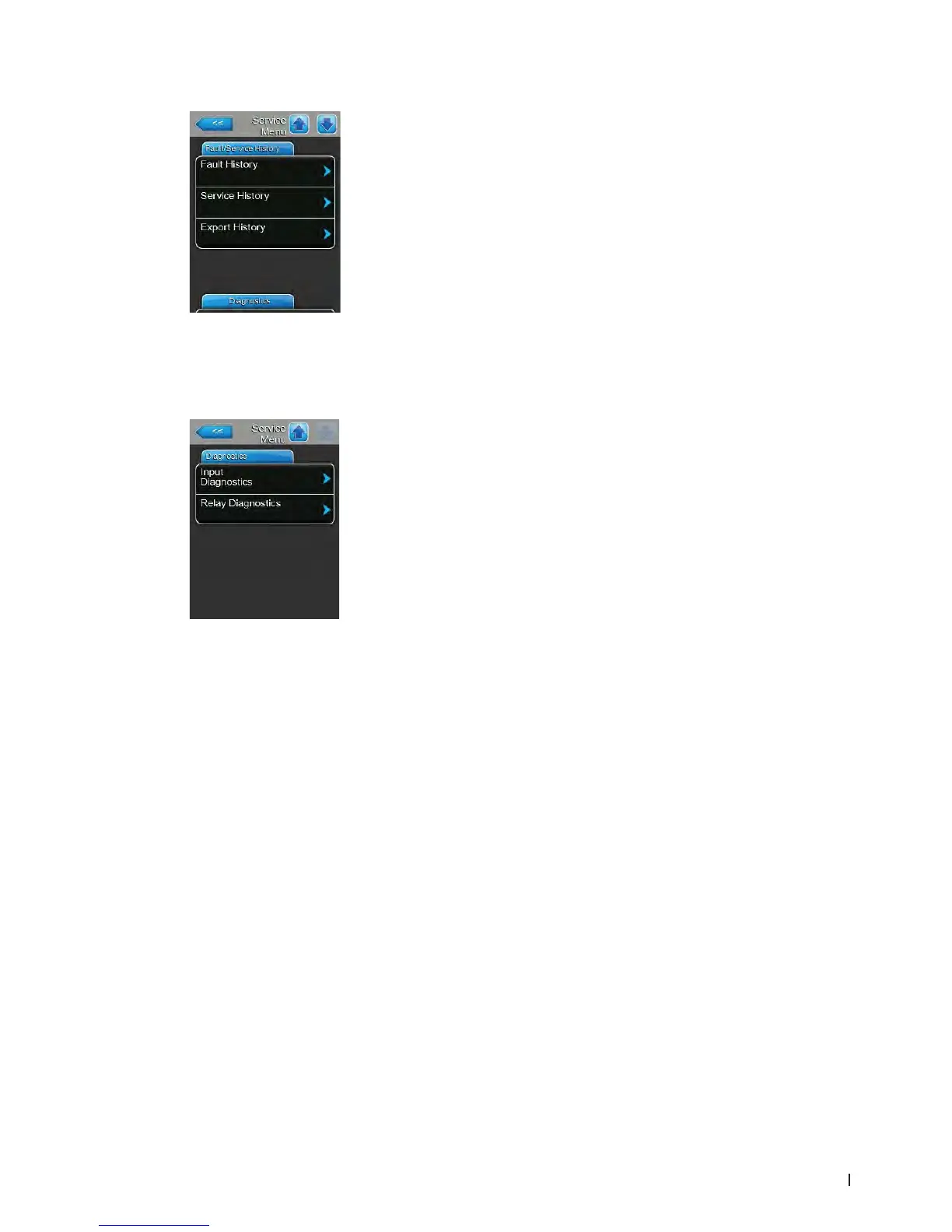
Fault/Service History Tab
Note: the fault and maintenance events stored can be correctly analysed only
if the data and the time of day are correctly set.
– Fault History: with this function you can access the fault history list where
the last 40 fault events are stored. After pressing on the "Fault History"
button the fault history list appears.
– Service History: with this function you can access the service history list
where the last 40 service events are stored. After pressing on the "Service
History" button the service history list appears.
– Export History: with the function "Export History" you can export the
fault and service history list to a FAT32 formatted USB memory stick via
the USB port on the control board. Detailed information can be found in
chapter 7.3.
Diagnostics Tab
– Input Diagnostics: with this function you can access the "Input Diagnostics"
submenu where you can view different current input values the control
system is using. Detailed information can be found in chapter 5.5.2.1.
– Relay Diagnostics: with this function you can access the "Relay Diag-
nostics" submenu where you can activate or deactivate the relays of the
optional remote operating and fault indication board and the optional
accessory board. Detailed information on the individual relay diagnostic
functions can be found in chapter 5.5.2.2.
Note: By accessing the "Relay Diagnostics" submenu the humidication
system is automatically switched to standby operation.















 To Next Page