49Operating the control software
5.6 Administration settings
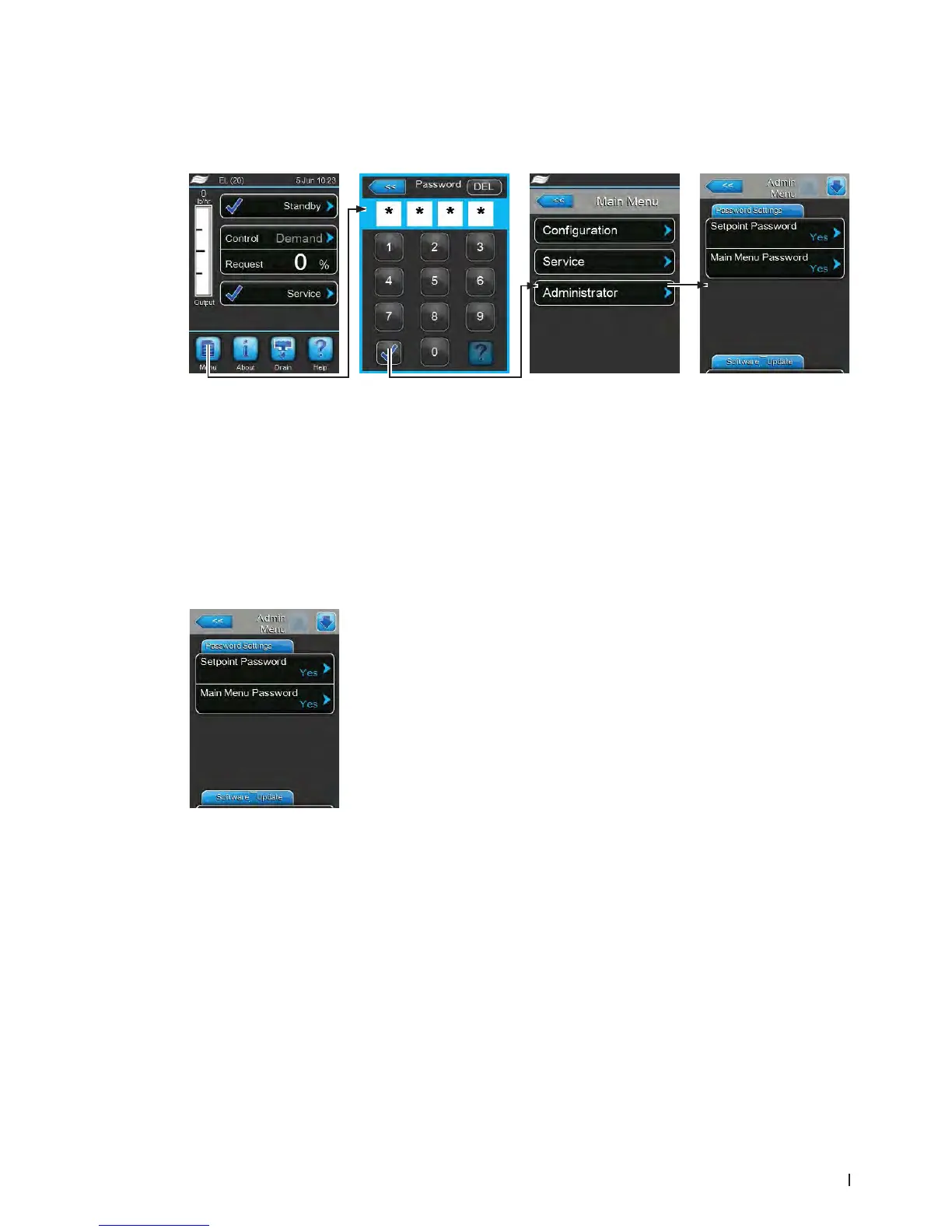
5.6.1 Accessing "Administrator" submenu
5.6.2 Switching on/off password protection and software updates function -
submenu "Administrator"
In the "Administrator" submenu you can activate and deactivate the password protection for the main
menu and the setpoint, and download software updates via a USB stick connected to the USB connector.
Password settings Tab
– Setpoint Password: with the function "Setpoint Password" you can
protect the setpoint input screen with the user password "8808" against
unauthorised access ("Yes") or not ("No").
– Main Menu Password: with the function "Main Menu Password" you
can protect the access to the main menu with the user password "8808"
against unauthorised access ("Yes") or not ("No")
Password: 8808















 To Next Page