26 Operating the control software
5.4 Conguration
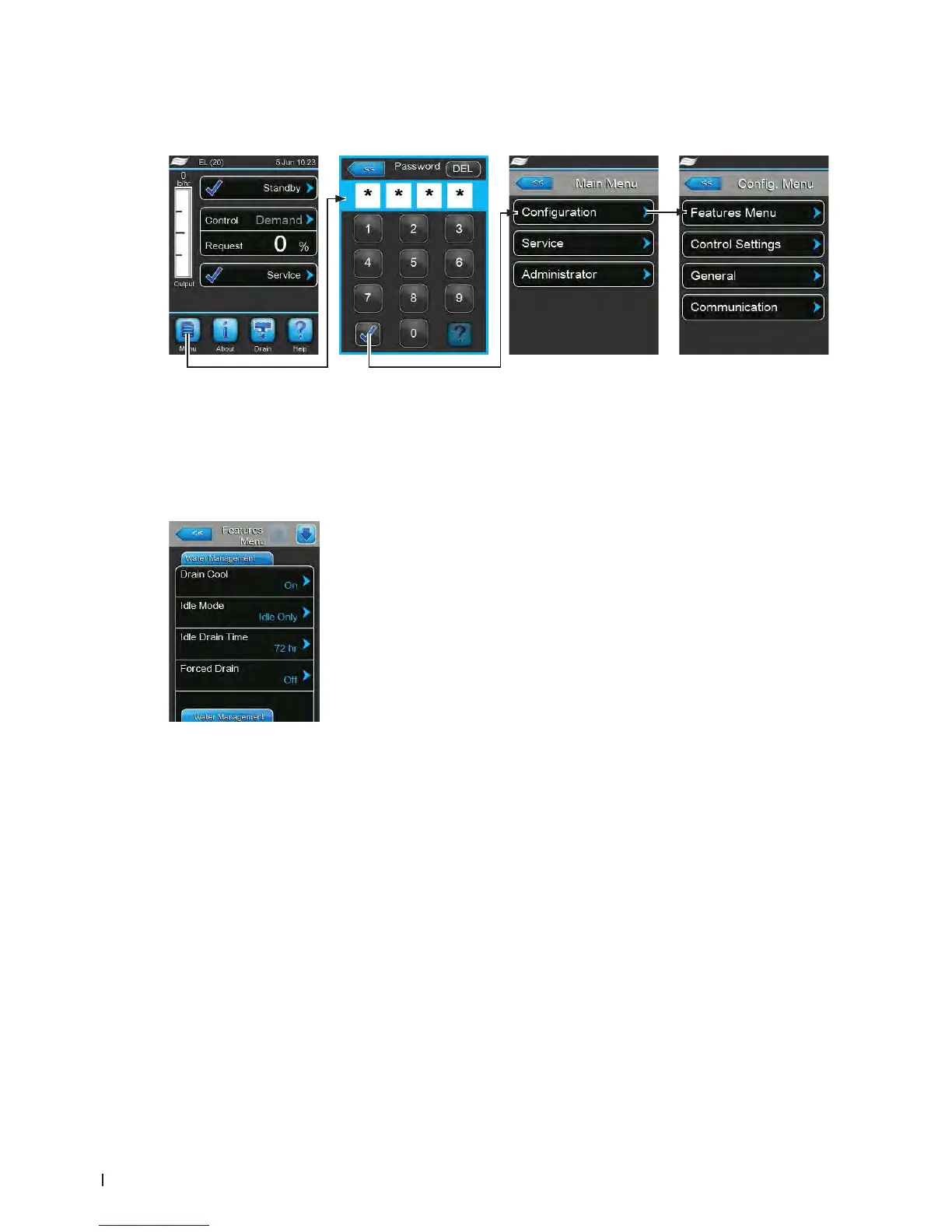
5.4.1 Accessingthe"Conguration"submenu
5.4.2 Determining unit settings – "Features menu" submenu
In the "Features menu" submenu you can determine different operating parameters of the Condair EL.
Water Management Tab
– Drain Cool: with this function you can activate ("On") or deactivate ("Off")
the optional drain cooling function.
Factory setting: Off
Options: On or Off
– Idle Mode: with this setting you determine the behaviour of the humidier
in standby operation.
Factory setting: Idle Only
Options: Idle Only (the cylinder is not drained in standby
operation)
Idle Drain (the cylinder is completely drained after
a certain time in standby operation)
Keep Warm (the water in the cylinder is kept warm
via the electrodes for a certain period of time in
standby operation)
Partial Drain (the cylinder is partly drained after a
certain time in standby operation)
– Idle Drain Time: with this function you set the time duration the humidi-
er stays in standby mode without a demand, after which the humidier
carries out the idle function specied in "Idle Mode".
Factory setting: 72 hours
Setting range: 1 ... 100 hours
– Forced Drain: with this function you can enable ("On") or disable ("Off")
the forced drain function, which drains the steam cylinder to remove min-
erals every time a xed number of running hours have passed.
Note: Enable forced drain function when operating with water that has
high conductivity.
Factory setting: Off
Options: On (forced draining activated)
Off (forced draining deactivated)
Password: 8808















 To Next Page