25Operating the control software
Network Tab
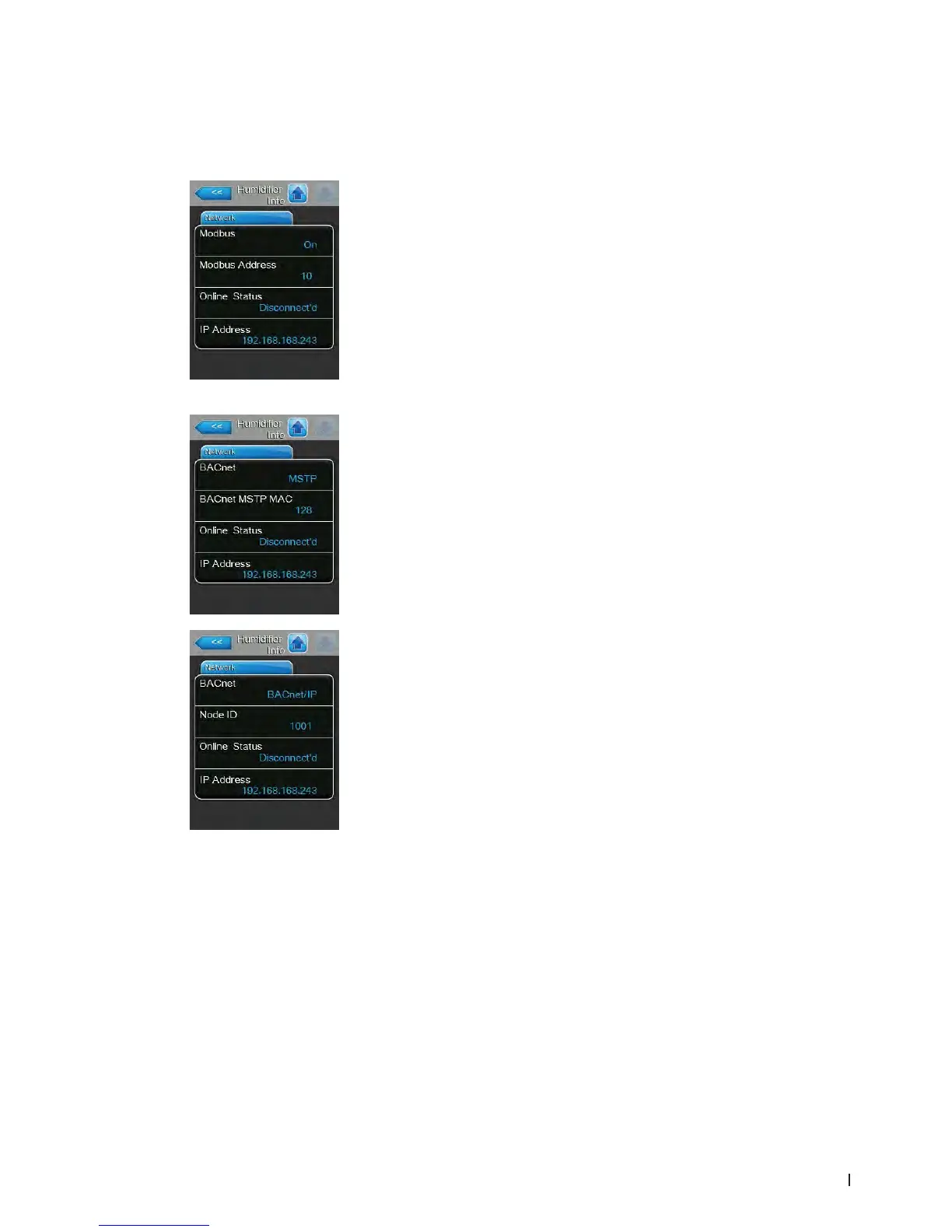
The information shown in the "Network" tab varies depending on whether a BAS (building automation
system) communication protocol is enabled, and which communication protocol is selected. If no BAS
protocol is enabled, then only "Online Status" and "IP Address" are shown.
Modbus Network
– Modbus: shows the current status of the Modbus communications protocol.
Note: This menu item appears only if the Modbus communication protocol is
enabled. Refer to Modbus Parameters Tab on page 41 for more details.
– Modbus Address: shows the Modbus address of the Condair EL.
Note: This menu item appears only if the Modbus communication protocol
is enabled, and the BACnet communication protocol is disabled.
– Online Status: shows the connection status of the Condair EL to Condair
Online("Connected" or "Disconnect'd").
– IP Address: shows the IP address of the Condair EL.
BACnet MSTP Network / BACnet IP Network
– BACnet: shows the currently selected BACnet onboard communication
protocol ("MSTP" or "BACnet/IP").
Note: This eld appears only if the BACnet communication protocol is
enabled. Refer to BACnet Parameters Tab on page 42 for more details.
BACnet MSTP Network
– BACnet MSTP MAC: shows the actual BACnet MSTP MAC address
for the Condair EL.
Note: This eld appears only if "BACnet MSTP" is enabled. Refer to
BACnet Parameters Tab on page 42 for more details.
BACnet IP Network
– Node ID: shows the actual BACnet node ID for the Condair EL.
Note: This eld appears only if "BACnet IP" is enabled. Refer to BACnet
Parameters Tab on page 42 for more details.
– Online Status: shows the connection status of the Condair EL to Condair
Online("Connected" or "Disconnect'd").
– IP Address: shows the IP address of the Condair EL.















 To Next Page