Scanning Electron Microscope EM-30PLUS Operating Manual
108
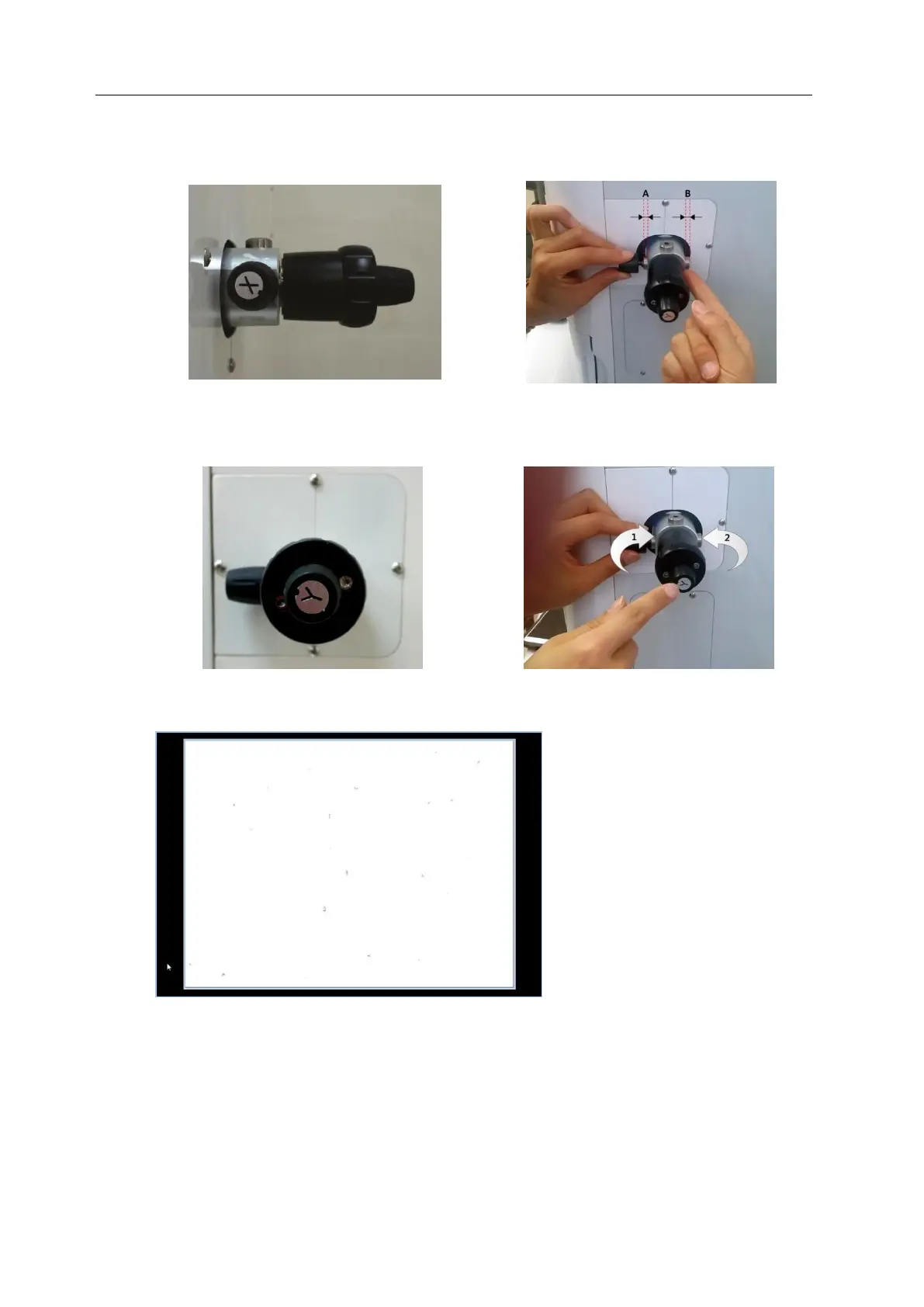
2nd operation: Aperture resetting
1. By turning the X axis knob, make the length of left(A) groove and right(B) groove same.
2. Check if image is on the screen while turning the Y axis knob clockwise completely and
releasing it 4~6 rounds counterclockwise.
The state of screen



 To Next Page