64 • TSS-7/TSS-10 Supplemental Guide — Doc. 8327D
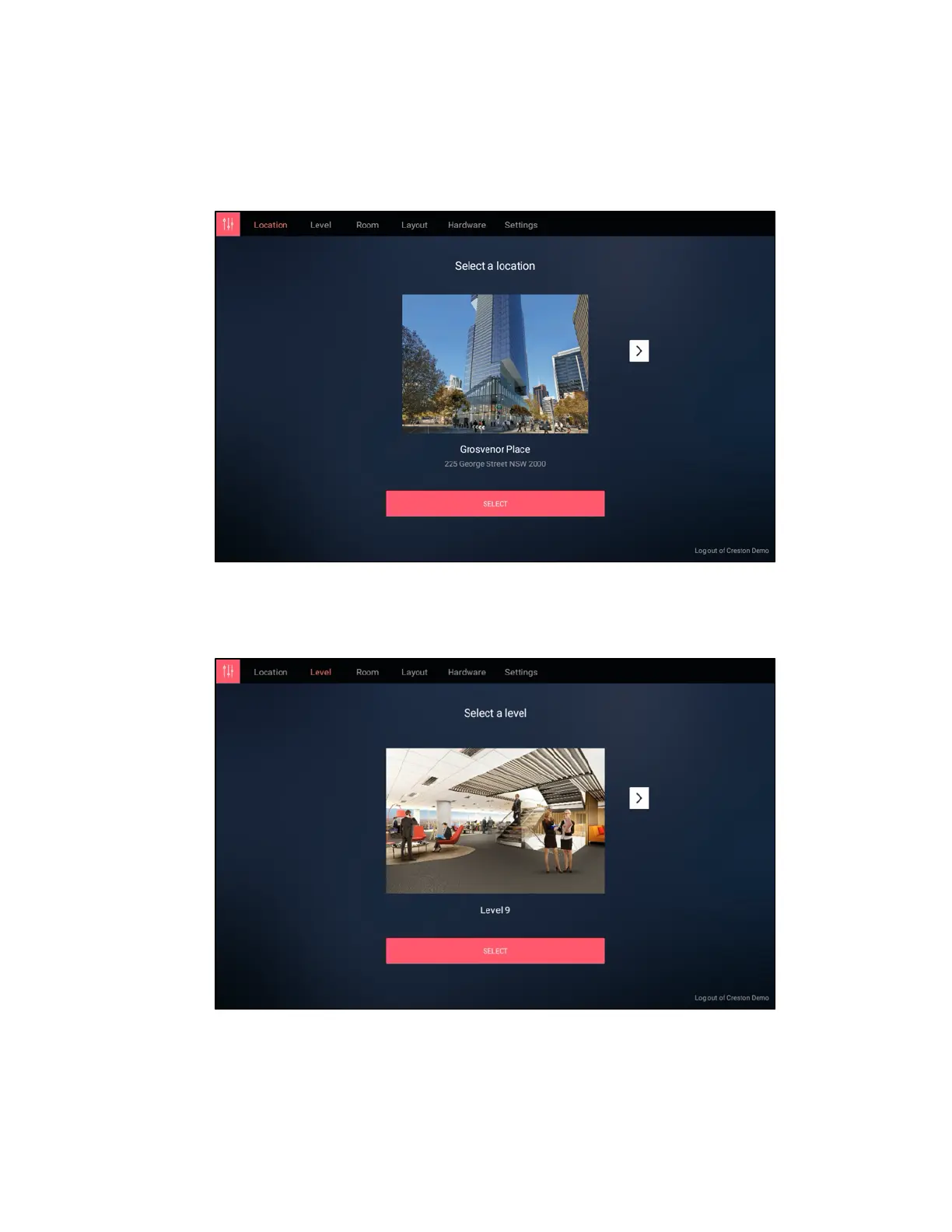
7. Upon successful sign-in, a Select a location screen is displayed. Use the navigation
arrows to choose the location where the touch screen will be used, and then tap
SELECT.
Space Connect - Select a locationScreen
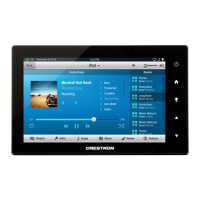
8. On the Select a level screen, use the navigation arrows to choose the building level
where the touch screen will be used, and then tap SELECT.
Space Connect - Select a levelScreen


 To Next Page