Supplemental Guide — Doc. 8327D TSS-7/TSS-10 • 77
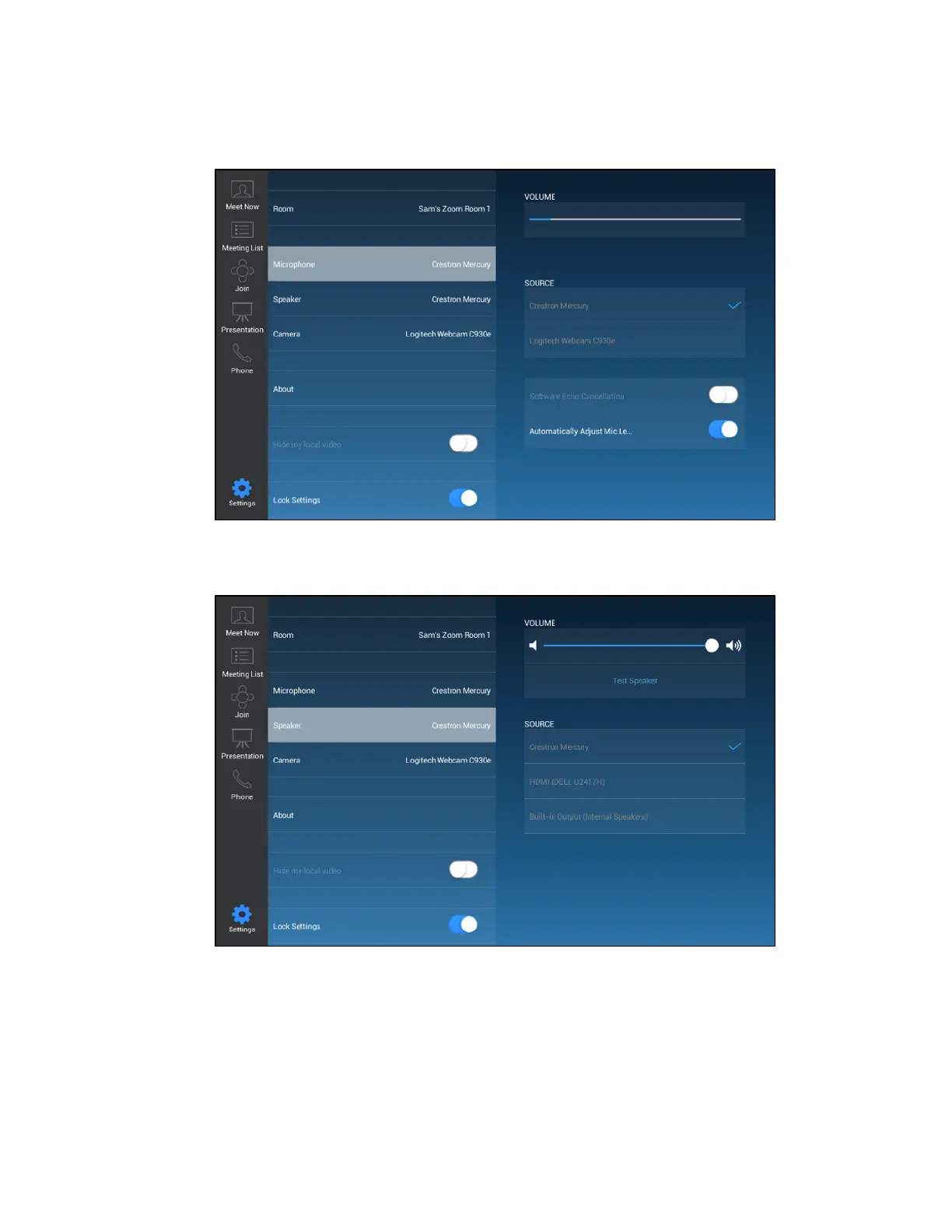
3. Tap Microphone, and then select an available microphone in the conference room.
ZoomRooms User Interface - Microphone Settings
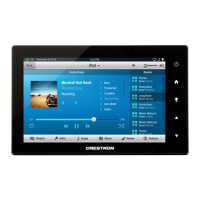
4. Tap Speaker, and then select an available speaker in the conference room.
ZoomRooms User Interface - Speaker Settings


 To Next Page