40 © 2021 All rights reserved. Data subject to change without notice.
FCS - Installation Manual Rev. C | 2021.12
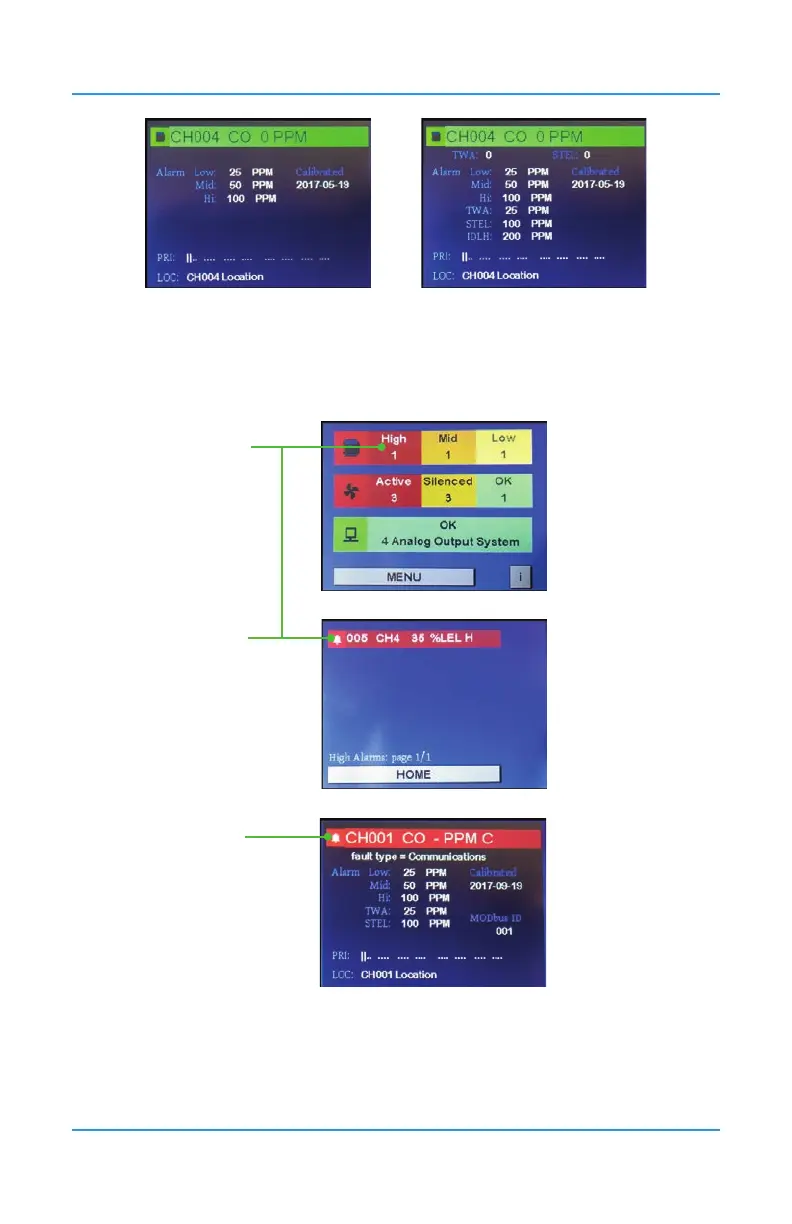
STEL/TWA/IDLH disabled STEL/TWA/IDLH enabled
NOTE: If the STEL, TWA and IDLH alarm levels have been enabled, they will appear on the
screen as well. See Section 13 STEL and TWA Settings for more information.
Example of the main display that has a channel status other than OK/normal operation.
Press here to
see the list
of all the all
channels in
high alarm
Press here to
see the
details for the
channel in
high alarm
Press the icon
here to exit the
details screen
The details screen allows you to view the alarm level setpoints, priorities it is assigned to, the
type of fault, when it was last calibrated, its Modbus® ID, and a description of the location of
the transmitter for that particular channel.


 To Next Page