6
7
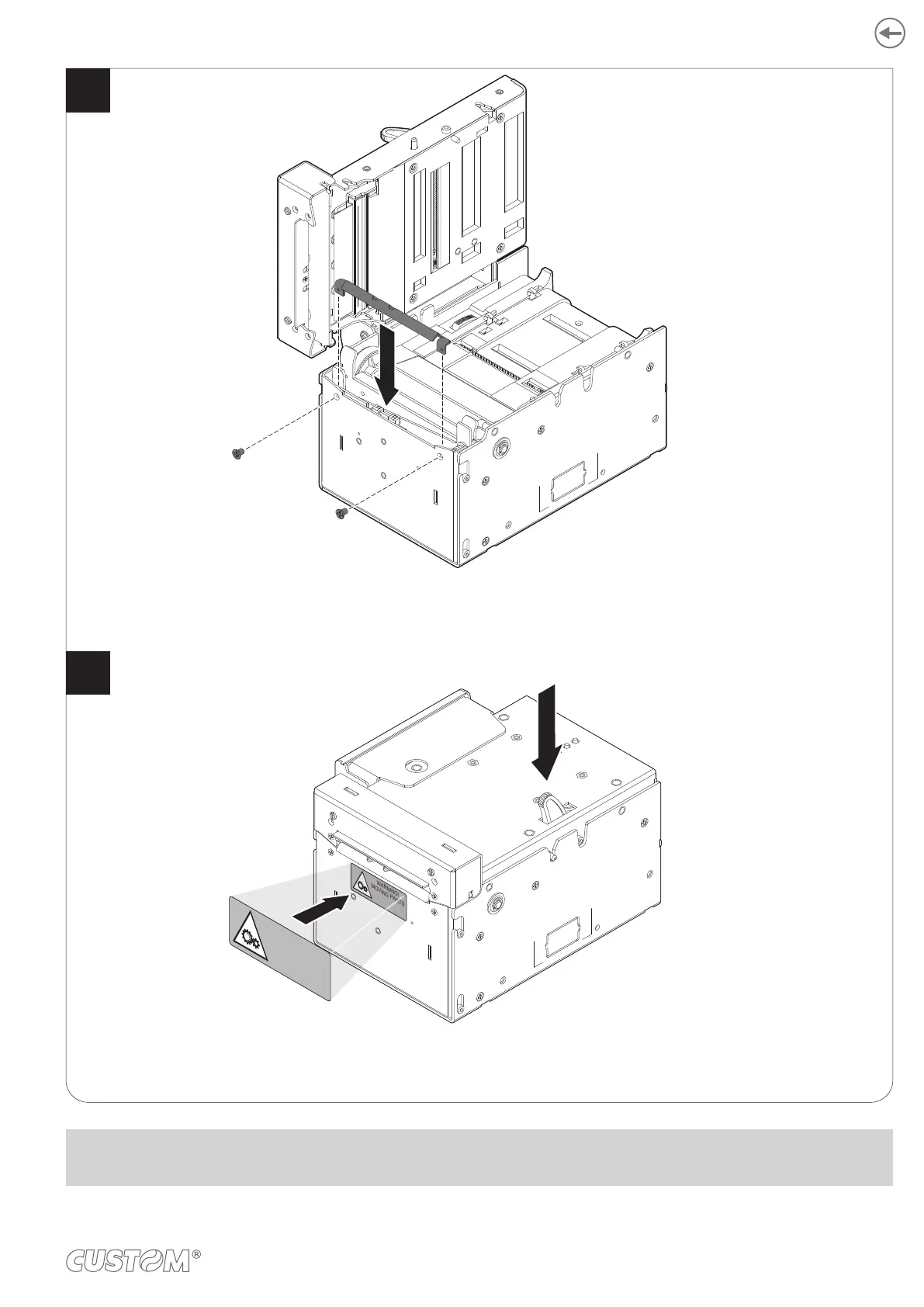
Fix the lower paper mouth for the CUT&DROP configuration
by using the screws previously removed.
Close the upper cover and paste the
label (supplied with the CUT&DROP kit) on the front cover.
WARNING!
MOVING PARTS
WARNING!
MOVING PARTS
NOTE:
For ease of reference, for model with triple feeder is represented only the printer group without triple feeder.
49













 To Next Page