1
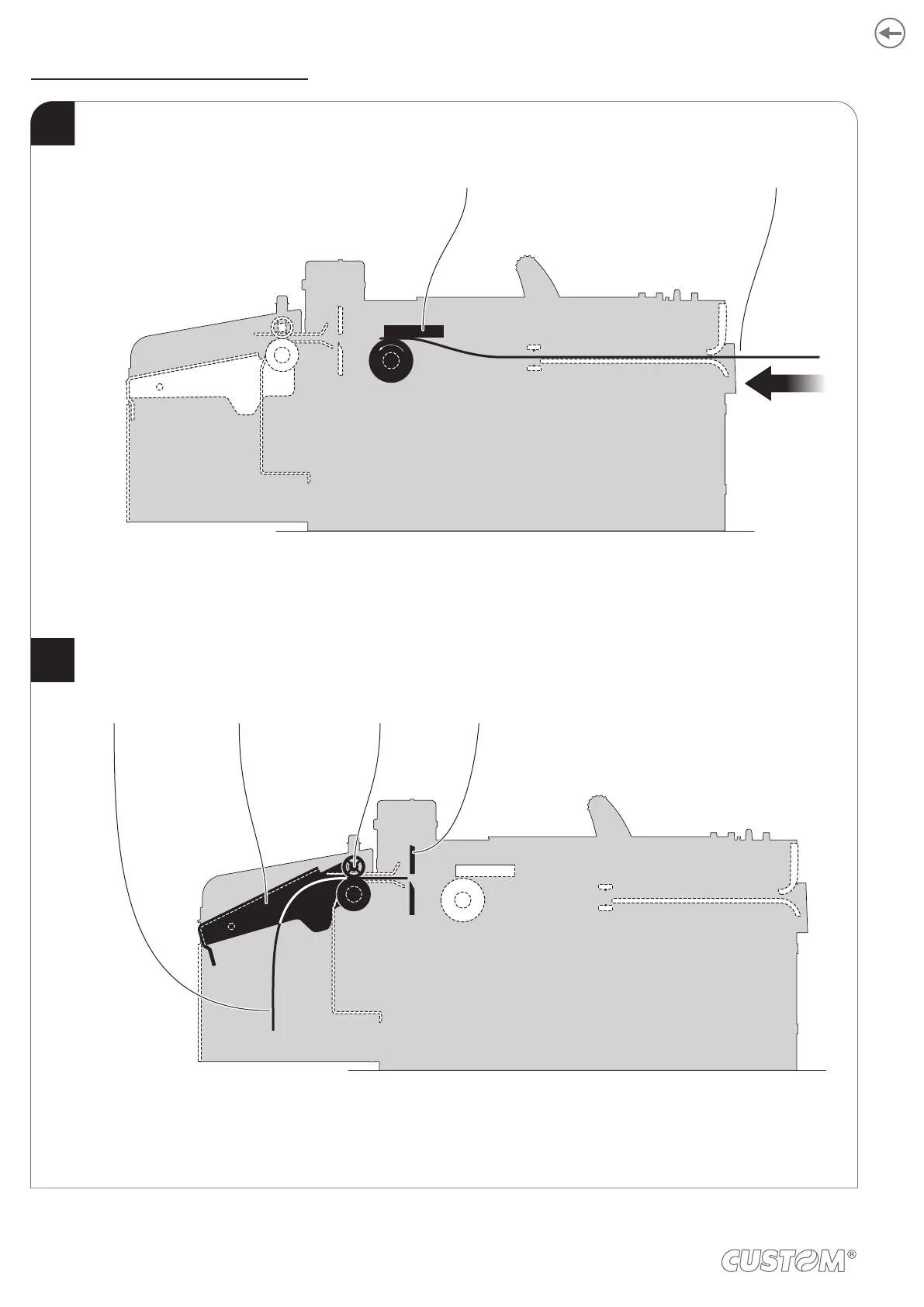
When printing ends, the device cuts the ticket printed and hold it between the ejector rollers.
The tilting slide is lifted and the ticket printed is driven into the ejection canal.
The device starts the ticket printing.
2
Paper inputPrinting head
Tilting slide CutterTicket printed Ejector rollers
82













 To Next Page