100 EZ-USB Development Kit User Guide, Doc. # 001-66390 Rev. *D
EZ-USB Development Kit Firmware Examples
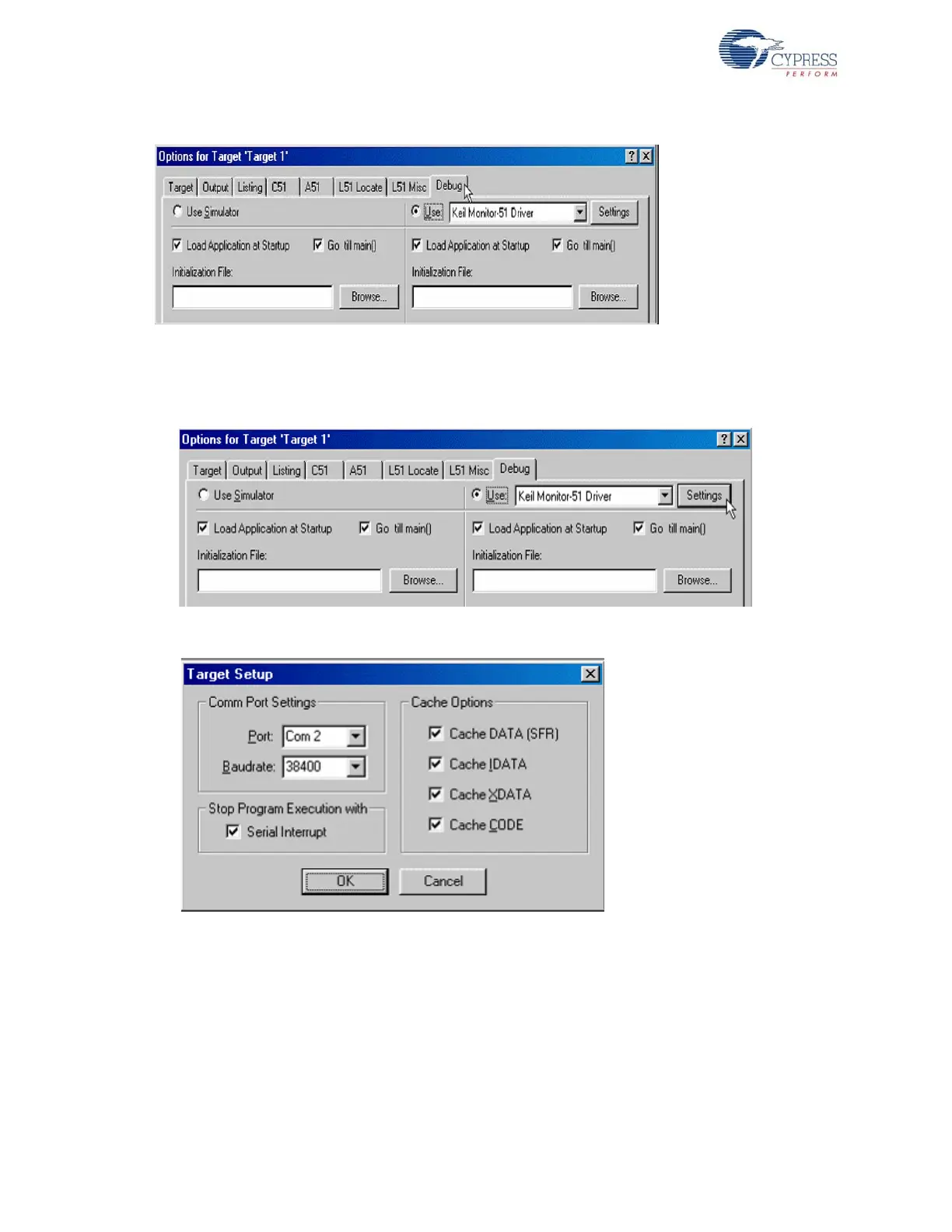
Figure 8-24. Fig 7-24: Debug Tab window in Project options
11. Select the settings under Keil Monitor-51 Driver and select the relevant COM port for the UART
cable connected to SIO-1 port as shown in Figure 8-25 and Figure 8-26.
Figure 8-25. Settings Button for Keil Debug Monitor
Figure 8-26. UART Settings for Keil Debug Monitor
12.Click OK to close Target set up Window and then close the Options for Target "Target 1" win-
dow.
13.Select the Start/Stop Debug Session button on the Keil IDE as shown in the Figure 8-27.



 To Next Page