EZ-USB Development Kit User Guide, Doc. # 001-66390 Rev. *D 101
EZ-USB Development Kit Firmware Examples
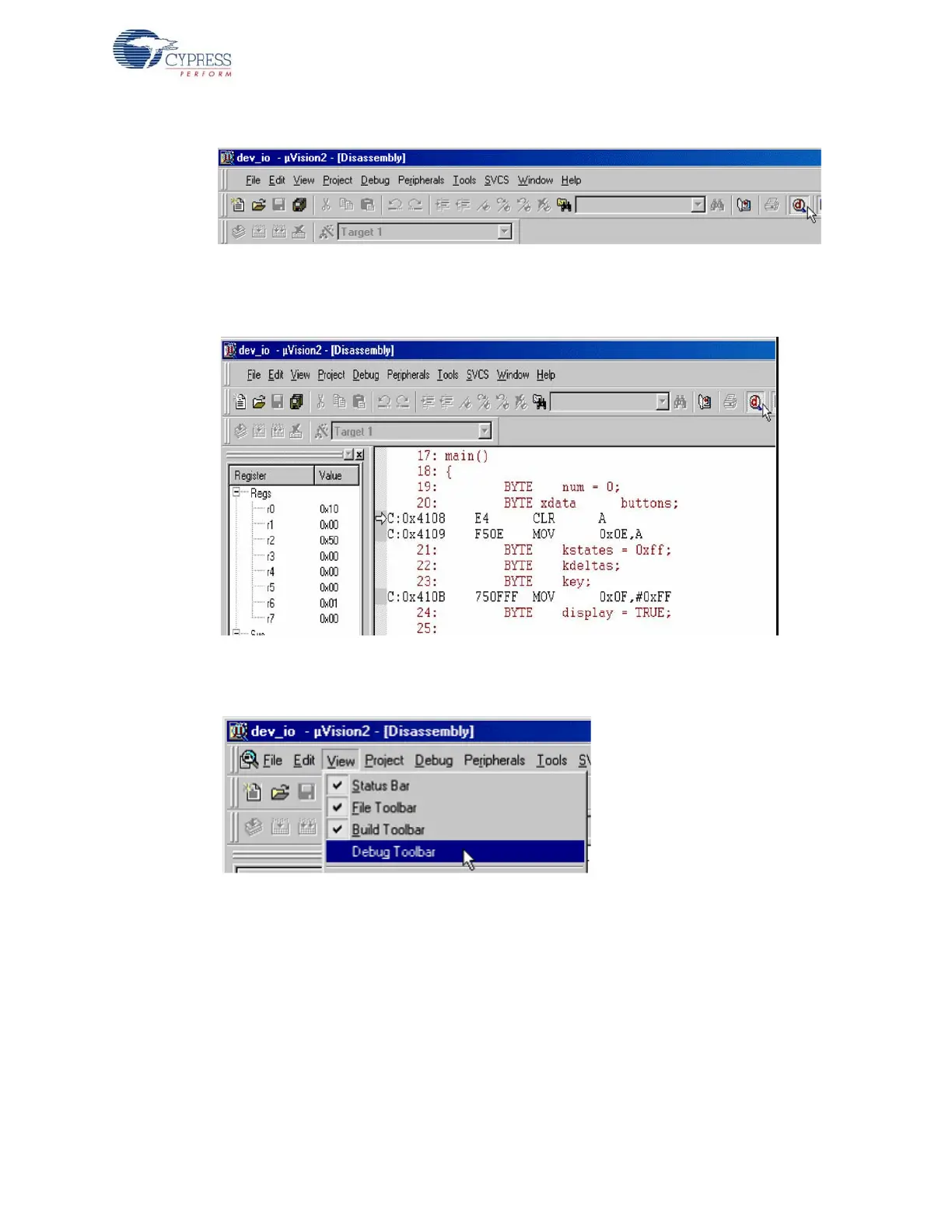
Figure 8-27. Debug Session Trigger in Keil uVision2 IDE
14.The IDE switches to the Debug mode; a yellow arrow indicates the Program Counter location in
the Disassembly window of dev_io project.
Figure 8-28. Disassembly View of dev_io.c file in Keil uVision2 IDE
15.Use the Step Over button to step through the code by selecting View > Debug Toolbar.
Figure 8-29. Enabling Debug Toolbar View in Keil
16.View the output window to verify that you are connected to the monitor and that your program
loaded (it displays a message such as Connected to Monitor-51 V3.0).
17.In the Project Window > Files Tab, click on dev_io.c. Observe the arrow marked in yellow in
Figure 8-30. The yellow arrow in the main indicates that the code execution stopped at that point.



 To Next Page